Stay connected to your home anytime, anywhere with the AJCloud IP Camera app. With real-time video streaming and instant alerts, you can enjoy peace of mind no matter where you are. The app works seamlessly with IP Cameras supported by AJCloud, allowing you to monitor, manage, and interact with your home environment from your phone 24/7.
Real-Time Video Streaming
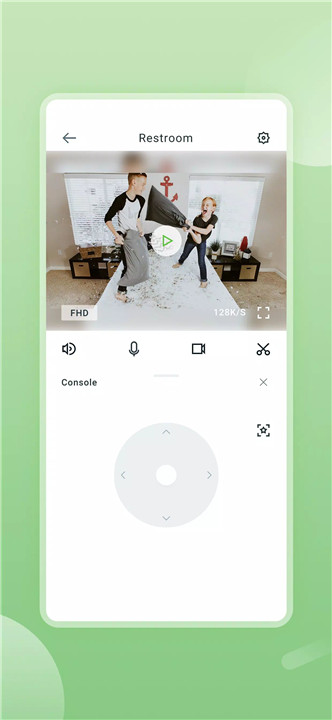
Watch live video from your home directly on your phone. The app delivers smooth, HD-quality video so you can see every detail in both day and night conditions.
Two-Way Audio
Communicate instantly with anyone at home through the app’s two-way audio feature. Whether it’s talking to family members or your pets, you can stay connected even when you’re away.
Motion Alerts
Receive instant notifications whenever unusual motion is detected. The app monitors your home for unexpected activity, ensuring that you are always aware of what’s happening in real time.
Video Playback
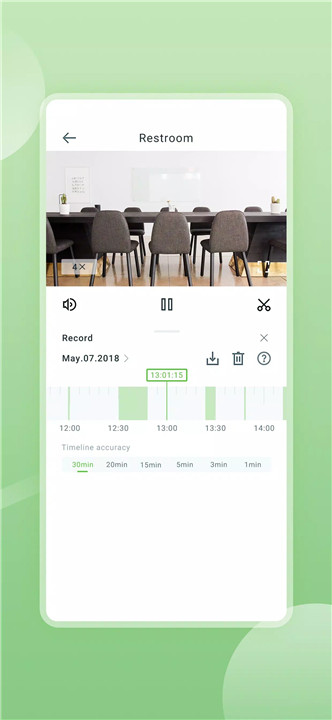
Never miss a moment. Review recorded video at any time to check past events or verify activity around your home. This feature is perfect for monitoring ongoing situations or simply keeping a log of daily happenings.
Camera Control
Pan, tilt, and zoom directly from your phone to explore different angles and details. This gives you full control over your IP Camera’s view without having to be physically present.
HD Video and Night Vision
Enjoy clear, high-definition video with support for both day and night vision. The camera automatically adjusts to low-light conditions so you can monitor your home even in complete darkness.
Camera Management
Easily manage your camera settings from the app, including adding new cameras, adjusting alerts, and configuring viewing preferences. The app provides a user-friendly interface for simple, hassle-free control of your home monitoring system.
FAQs
1. What does the AJCloud IP Camera app do?
The app lets you view real-time video from your IP Camera, receive motion alerts, communicate via two-way audio, and manage your camera from your phone.
2. Can I talk to people at home through the app?
Yes. The two-way audio feature allows you to speak and listen, so you can communicate with family members or even pets remotely.
3. Does the app record video?
Yes. The app allows you to review recorded video anytime, so you can check past events and ensure your home’s security.
4. Can I control my camera’s view from my phone?
Absolutely. You can pan, tilt, and zoom using your phone to see more details and adjust the camera’s perspective.
5. Does it work in low-light conditions?
Yes. The camera supports HD video with night vision, ensuring clear monitoring even in the dark.
Version History
v2.0.25090802—9 Sep, 2025
• Fix some bugs
• Improve user experience
v2.0.25081808—19 Aug, 2025
• Fix some bugs
• Improve user experience
v2.0.25080706—13 Aug, 2025
• Fix some bugs
• Improve user experience