Automate expense tracking with Zoho Expense—scan receipts, track mileage, and manage reports effortlessly. Simplify expenses—download now! Zoho Expense is a powerful expense management and travel tracking solution designed to streamline financial processes for businesses, freelancers, and teams. By eliminating manual data entry and paper receipts, it ensures faster reporting, improved accuracy, and better control over organizational spending.
Automated Receipt Scanning
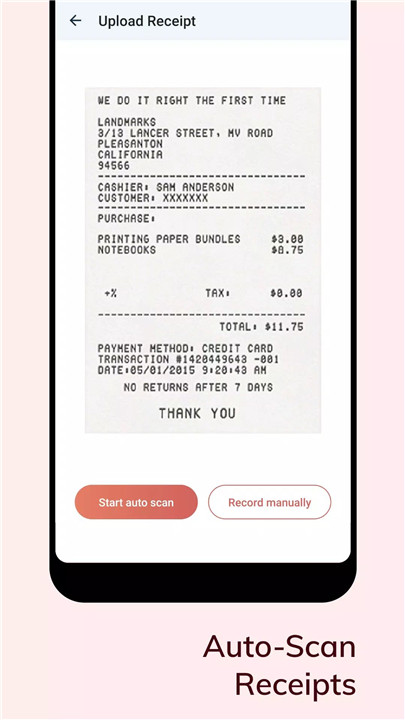
Zoho Expense includes an advanced Autoscan feature that allows receipts to be scanned and converted into expenses instantly. Supporting 15 different languages, it automatically extracts key details, reducing manual effort and saving time. Free plan users can enjoy up to 20 scans per calendar month.
Digital Receipt Storage
Paper receipts are no longer necessary. All receipts can be stored digitally within the app, making it easy to organize, access, and manage records whenever needed.
Mileage Tracking with GPS
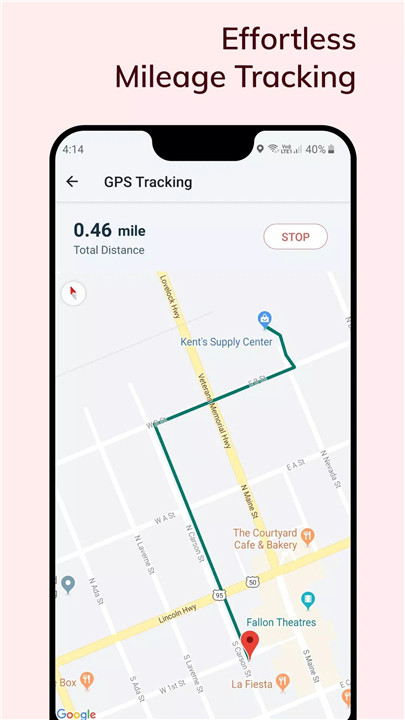
The built-in GPS tracker records travel distances and calculates mileage expenses accurately. This feature is ideal for business travel and ensures that every trip is properly documented.
Credit Card Integration
Users can connect personal and corporate credit cards to automatically track transactions. These transactions can be converted into expense entries with a single click, ensuring accurate and real-time expense logging.
Cash Advance Management
Zoho Expense allows recording and applying cash advances directly to expense reports. The system automatically adjusts totals, providing clarity and reducing calculation errors.
Travel Planning and Approvals
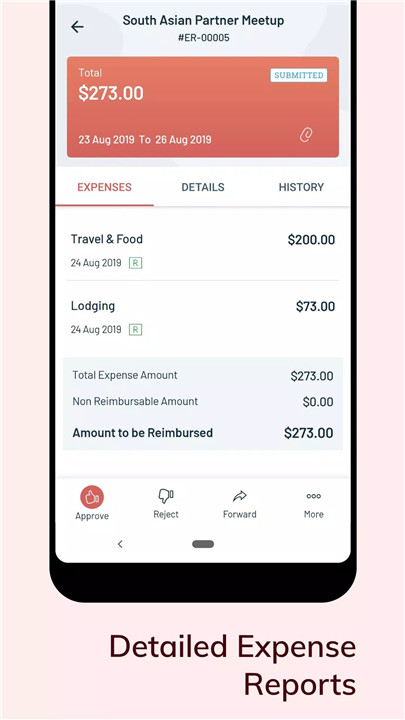
Business travel is simplified with itinerary creation and approval workflows. Managers can review and approve trips and expense reports instantly with a single tap, speeding up reimbursement processes.
Smart Assistance with Zia
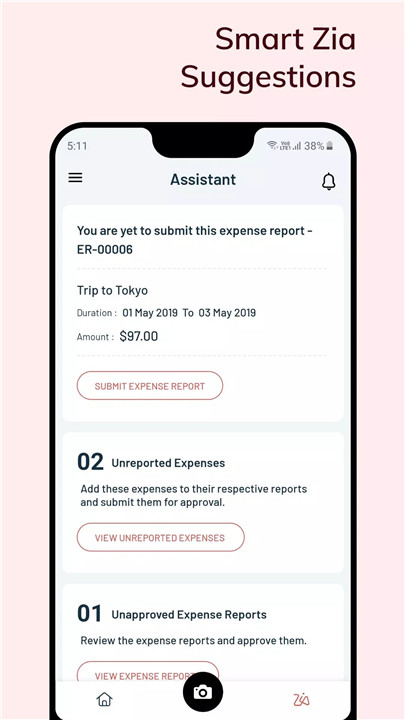
Zia, the intelligent assistant, helps users stay on top of pending tasks, ensuring that expense reports are submitted on time and nothing is overlooked.
Real-Time Notifications
Instant notifications keep users updated on report submissions, approvals, and travel requests. This ensures transparency and better communication across teams.
Insights and Analytics
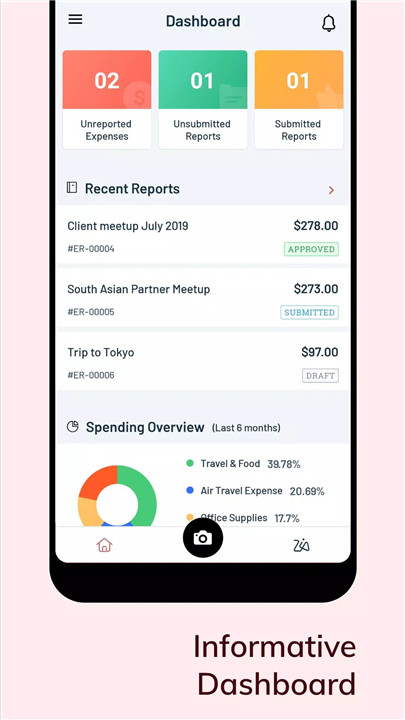
Detailed analytics provide valuable insights into spending patterns and trends. These reports help organizations make informed financial decisions and maintain better budget control.
Offline Access and Sync
Expenses can be recorded even without an internet connection. Once back online, data automatically syncs, ensuring uninterrupted workflow.
FAQs
Q1: How does receipt scanning work in Zoho Expense?
The Autoscan feature captures receipt details automatically by scanning images and creating expense entries instantly.
Q2: Can mileage expenses be tracked automatically?
Yes, the built-in GPS tracker records travel distance and calculates mileage expenses accurately.
Q3: Is it possible to use Zoho Expense offline?
Yes, expenses can be added offline and will sync automatically once an internet connection is restored.
Q4: Can credit card transactions be integrated?
Yes, both personal and corporate credit cards can be connected to track and convert transactions into expenses بسهولة.
Q5: Does Zoho Expense support expense approvals?
Yes, managers can review and approve expense reports and travel requests instantly within the app.
Version History
v3.7.28—19 Jun, 2025
* We've fixed a few bugs to improve the performance of the application.
Have new features you'd like to suggest? We're always open to suggestions and feedback. Please write to us at support@zohoexpense.com.
v3.7.26—8 Jun, 2025
* We've fixed a few bugs to improve the performance of the application.
Have new features you'd like to suggest? We're always open to suggestions and feedback. Please write to us at support@zohoexpense.com.
v3.7.25—2 Jun, 2025
* We've fixed a few bugs to improve the performance of the application.
Have new features you'd like to suggest? We're always open to suggestions and feedback. Please write to us at support@zohoexpense.com.