Swift Translate is a powerful Android translation app designed to eliminate language barriers across all apps. Whether engaging in WhatsApp chats, using AI chat platforms like Character AI or Chai AI, browsing foreign websites, watching international videos, or playing games in other languages, Swift Translate provides instant translation directly on the screen.
Instant Screen Translation (Overlay Translator)
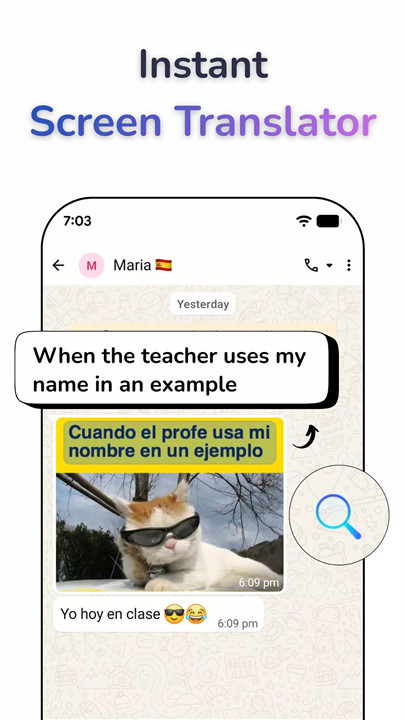
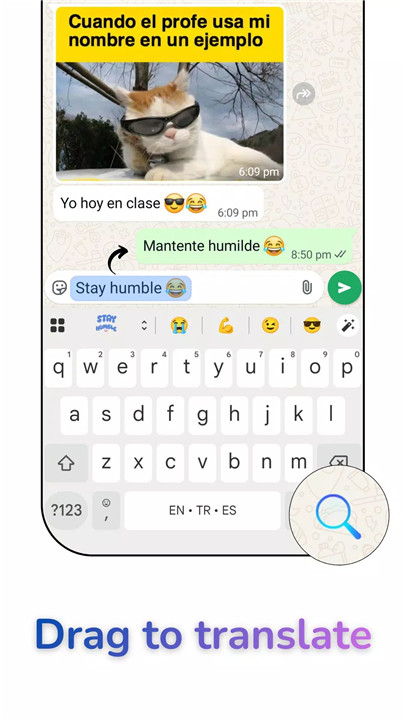
Swift Translate’s Floating Bubble allows instant screen translations anywhere on the device. Users can drag the bubble over text, long-press to scan specific areas, or tap for full-screen translation. This functionality is ideal for reading WhatsApp messages, AI chat conversations, comics, websites, menus, subtitles, and other app content without leaving the app.
Real-Time Chat Translator
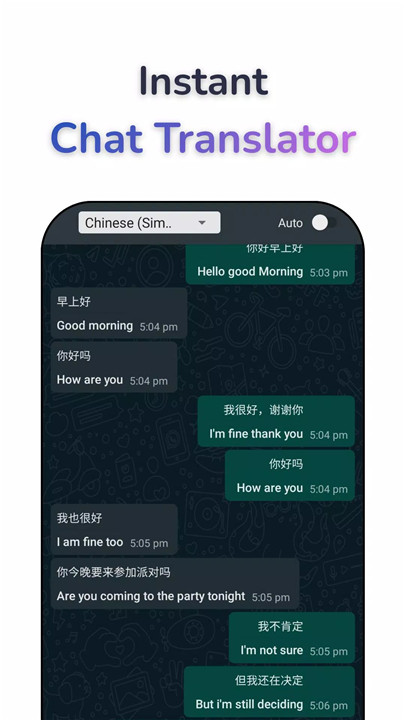
Translate messages directly within messaging apps such as WhatsApp, WhatsApp Business, Messenger, Telegram, Character AI, and Chai AI (Chai). Incoming messages appear in the user’s language, and outgoing messages can be typed in the user’s language and sent in the recipient’s language. This eliminates the need for copy-pasting or switching apps, enabling smooth international communication.
In-Game Translator
Swift Translate enhances gaming experiences by translating text from RPGs, MMOs, strategy games, visual novels, and mobile events instantly. Japanese, Chinese, and Korean game texts can be translated to English on the fly, helping gamers navigate and enjoy foreign-language games without confusion.
Camera, Photo & Screenshot Translation
Translate text from images, menus, signs, documents, or screenshots quickly using OCR (optical character recognition). Simply snap a picture or import a screenshot to convert the text into the desired language. This feature is fast, accurate, and ideal for travelers or content consumption in foreign languages.
Voice & Conversation Mode
Speak directly into Swift Translate to receive real-time translations. The two-way voice interpreter allows for fluent conversations with speakers of other languages, with text-to-speech pronunciations for improved understanding.
Support for 100+ Languages
Swift Translate supports over 100 languages with automatic language detection. Popular translations include English ↔ Spanish, English ↔ Chinese, English ↔ Korean, and more, making it suitable for both casual users and professionals.
Smart Tools for Everyday Use
The app includes offline translation with downloadable language packs, a fast translation engine, history saving for reuse, and intelligent language detection for effortless translation.
Privacy & Security
Swift Translate uses Android’s Accessibility Service to access and translate on-screen text. The app does not collect, store, or share personal information, passwords, messages, or sensitive data, ensuring complete user privacy.
FAQs
1. Can Swift Translate translate text in any app?
Yes, the Floating Bubble overlay allows translation directly on-screen in any app, including messaging apps, websites, and games.
2. Does Swift Translate support offline translation?
Yes, language packs can be downloaded for offline use, enabling translations without an internet connection.
3. Which languages are supported by Swift Translate?
The app supports over 100 languages, including English, Spanish, French, German, Chinese, Japanese, Korean, Arabic, and Hindi.
4. Can Swift Translate translate images and screenshots?
Yes, Swift Translate offers OCR translation for photos, screenshots, menus, signs, and documents for fast and accurate results.
5. Is my personal data safe with Swift Translate?
Yes, the app does not collect, store, or share personal information. It only uses Android’s Accessibility Service to perform translations on your screen.
Version History
v2.1.2—21 Jun, 2025
v2.1.1—4 Jun, 2025
v2.1.0—8 Feb, 2025