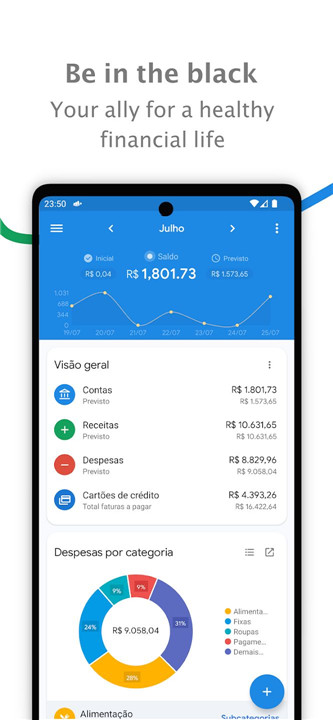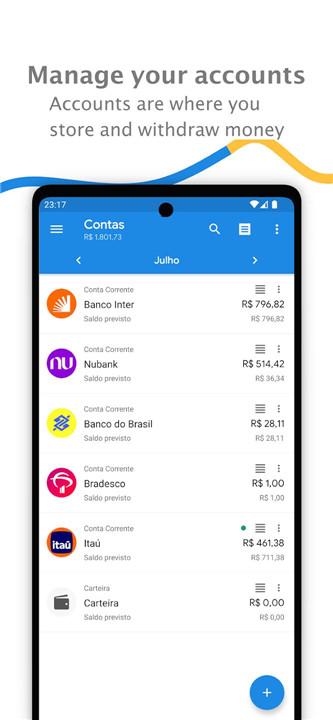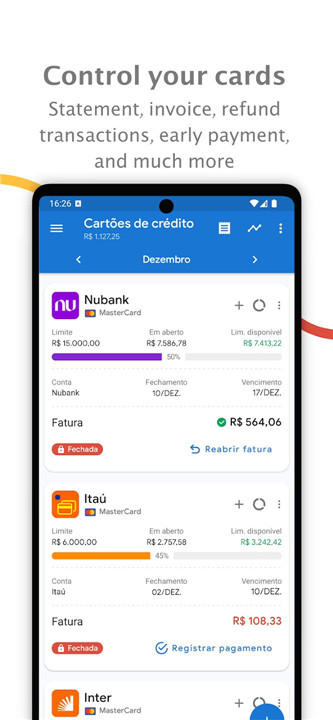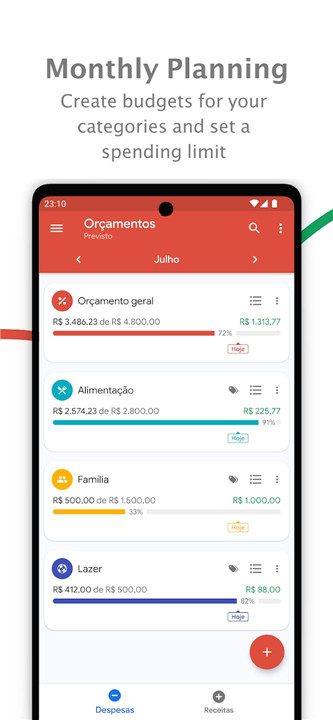
Managing personal finances can be overwhelming, but with My Finances - Bills Reminder, organizing and tracking financial transactions has never been easier. This comprehensive app is designed to help users gain a clear overview of their income, expenses, and savings, while providing powerful tools to manage budgets, track credit card statements, and monitor investments.
Income & Expense Management
My Finances - Bills Reminder allows users to track all types of income and expenses, from salary payments to informal income, as well as revenue from commerce. It also supports fixed and variable expenses, making it easy to monitor all financial aspects, whether personal or business-related.
Credit Card & Account Control
Managing credit cards can be a challenge, but with this app, users can easily track all their credit card transactions. Detailed statements for both credit cards and registered accounts help users monitor their spending and ensure they are staying within their budget.
Comprehensive Financial Reports
The app’s report menu is packed with functionality, allowing users to filter revenues and expenses by account, categories, and subcategories. This makes it easy to generate detailed reports and analyze financial habits over time. Additionally, users can view statistics to track spending patterns, including daily averages, and compare their current financial status to past periods, giving them a clearer picture of their financial health.
Customizable Dashboard & Data Export
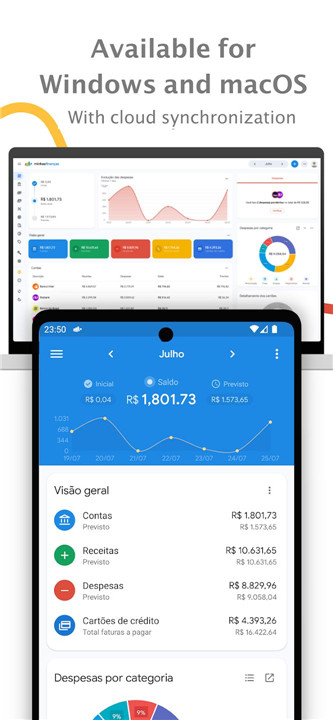
The app features a fully customizable home screen, allowing users to prioritize the most relevant financial information. Additionally, My Finances supports data export to multiple formats including Excel, PDF, CSV, and HTML, making it easy to back up or share financial data with others.
Visualization of Finances
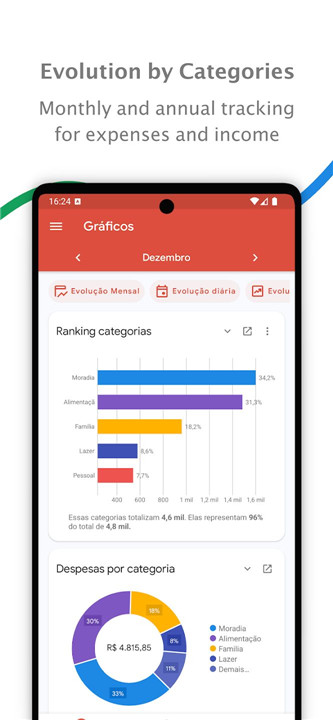
With various graphs available, users can visualize the evolution of their expenses and revenues over time. Bar, line, and pie charts help provide a clear, easy-to-understand view of financial trends. The app also includes a calendar to see how finances are distributed across the month, helping users plan better and track when bills are due or when payments should be made.
Notifications & Reminders
Stay on top of important financial tasks with the app's notification system. Users will be reminded of upcoming expenses, payments close to expiration, and credit card statement closings. This ensures that important financial dates are never missed. Additionally, the app integrates with Google Calendar and other available calendars, allowing users to receive reminders via email or push notifications.
Security & Customization
The app ensures privacy with password protection and supports biometric authentication on devices that have the feature. Users can also attach receipts (images or PDFs) to any revenue, expense, transfer, or credit card transaction, further helping them stay organized. Budgets can be set for different categories and subcategories, and the app also supports importing OFX files from bank accounts or CSV files to streamline the process of entering financial data.
Investment Tracking
For users interested in managing their investments, My Finances includes an investment calculator within the tools menu.
FAQs
1. What types of income and expenses can I track with My Finances?
My Finances allows users to track all types of income (salary, informal income, commerce) and expenses (fixed, variable, installments). It also provides credit card and account tracking.
2. Can I categorize my revenues and expenses?
Yes, the app supports detailed categorization and subcategorization of both revenues and expenses. This helps users stay organized and understand their spending habits better.
3. Does the app support exporting data?
Absolutely! My Finances allows users to export data to Excel, PDF, CSV, and HTML formats for easy backup or sharing with others.
4. How can I track my investments?
The app includes an investment calculator in the tools menu, which allows users to calculate and track the performance of their investments over time.
5. How secure is My Finances?
The app offers password protection and supports biometric authentication (if available on your device), ensuring your financial data remains secure. Additionally, you can attach receipts to transactions for better record-keeping.
Version History
v6.8.7—17 Dec, 2025
Improved credit card details — clearer and easier to track your spending.
You can now navigate between months directly from your account details — super handy!
Fixed the display of recurring expenses on card statements and improved XLS export.
We also made some budget improvements and general fixes to make the app even smoother.
Update now and keep managing your finances with peace of mind! ?
v6.8.6—23 Nov, 2025
Improved credit card details — clearer and easier to track your spending.
You can now navigate between months directly from your account details — super handy!
Fixed the display of recurring expenses on card statements and improved XLS export.
We also made some budget improvements and general fixes to make the app even smoother.
Update now and keep managing your finances with peace of mind! ?
v6.7.8—30 Jul, 2025
- NEW: Tag management for all types of transactions (hashtags can still be used in the notes);
- Goals can now be linked to accounts and managed based on the accounting of the linked account;
- Transfers now have posting and settlement dates, allowing for both cash and accrual basis accounting;
- Option to sort transfers;
- General fixes;