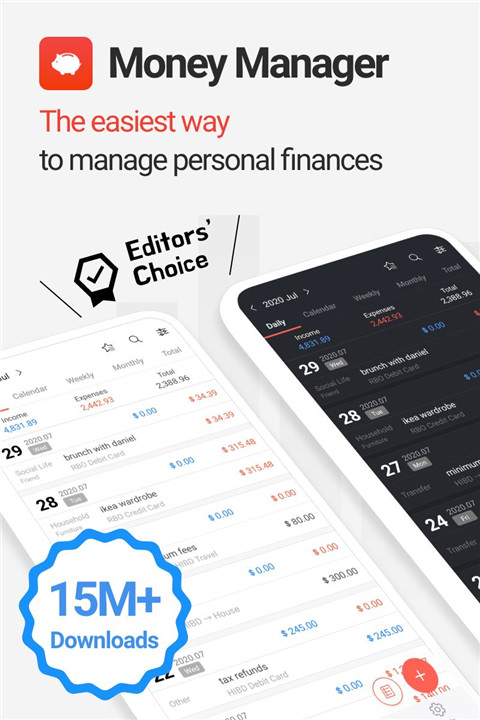
Track expenses, manage budgets, and plan finances easily with Money Manager—gain clear insights and take control of personal and business finances through a powerful and intuitive platform. Money Manager is a comprehensive financial planning and expense tracking app designed to simplify money management while delivering accurate and detailed financial analysis.
Double-Entry Accounting System
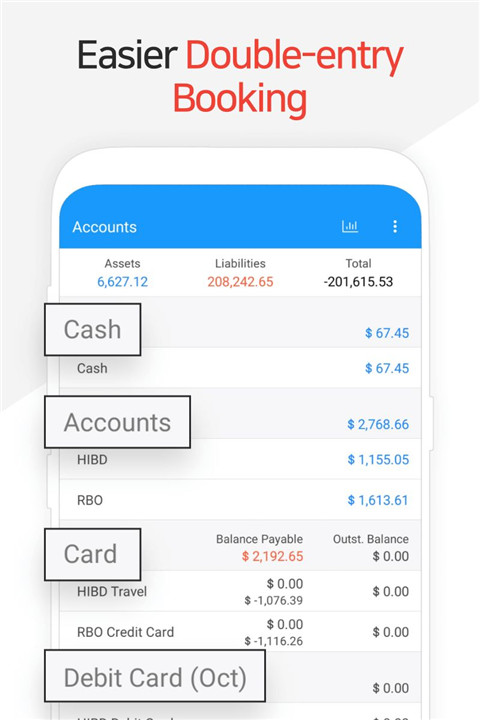
Money Manager uses a double-entry bookkeeping method to ensure precise financial tracking. Every transaction is automatically reflected in the account balance, providing a complete and accurate overview of income and expenses.
Budget and Expense Tracking
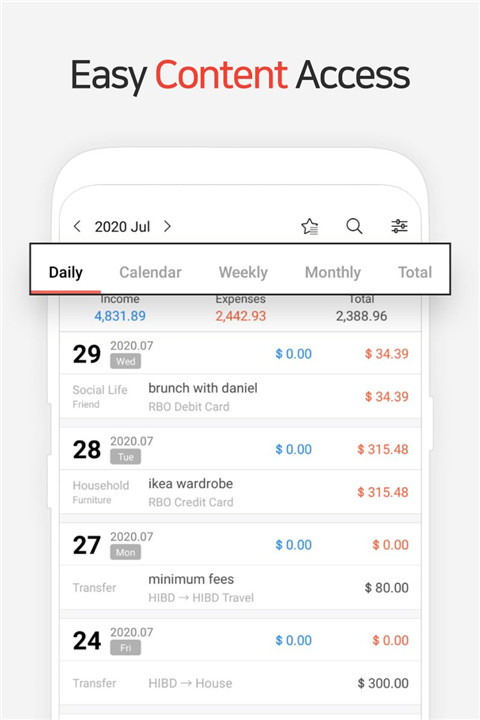
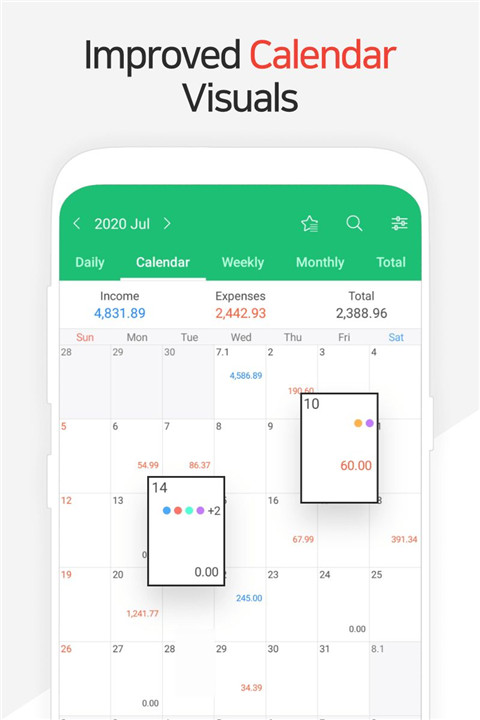
The app offers visual graphs that compare expenses against set budgets. This allows quick evaluation of spending habits and supports better financial decision-making. Daily, weekly, and monthly insights help maintain control over finances.
Credit and Debit Card Management
Users can manage credit and debit cards by setting payment dates and tracking outstanding balances. This feature helps monitor liabilities and ensures timely payments, reducing the risk of missed deadlines.
Secure Passcode Protection
A passcode feature ensures that financial data remains protected. This added layer of security safeguards sensitive information and allows safe access to personal financial records.
Automated Transfers and Recurring Transactions
The app supports automatic transfers, direct debits, and recurring transactions. This simplifies the management of salaries, bills, insurance, loans, and savings, ensuring consistent and organized financial tracking.
Instant Financial Statistics
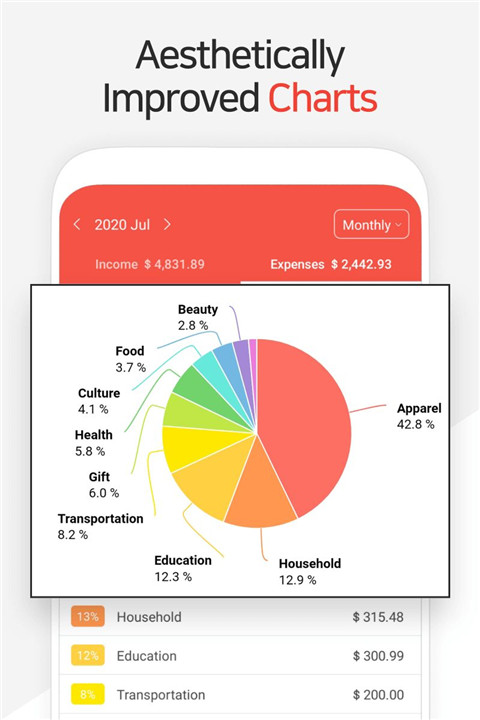
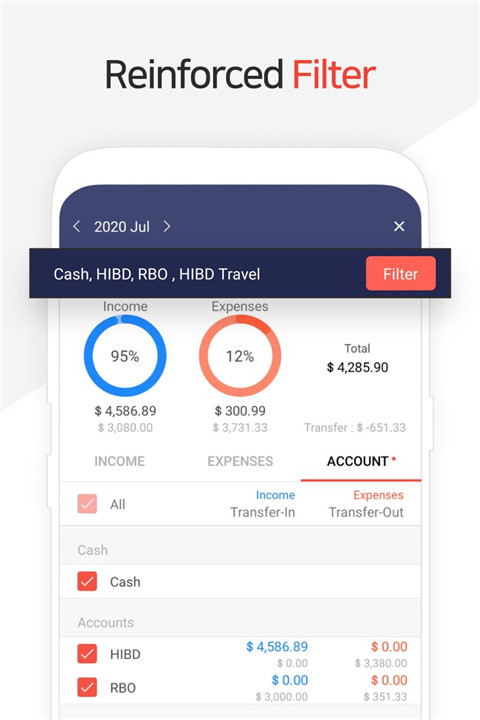
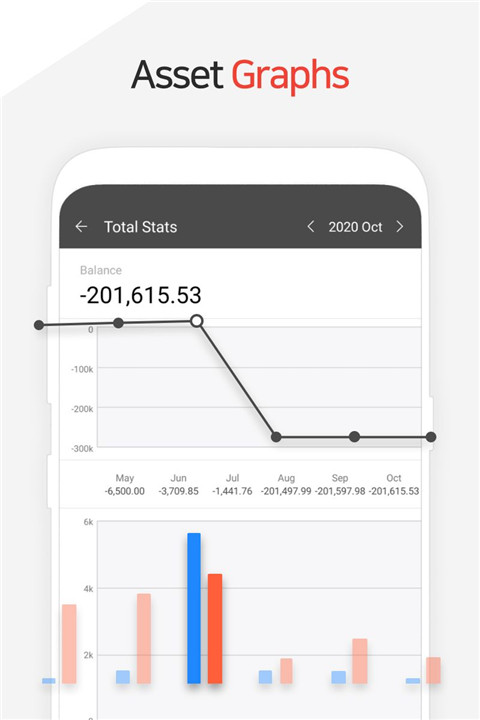
Real-time data analysis provides detailed insights into spending by category and changes over time. Graphical representations make it easier to identify trends and understand financial behavior.
Bookmark for Frequent Transactions
Frequently used transactions can be bookmarked for quick entry. This saves time and simplifies repetitive data input, improving overall efficiency.
Backup and Restore خيارات
Financial data can be backed up and exported as Excel files, ensuring data safety and accessibility. Restore functionality allows easy recovery of records when needed.
Cross-Platform Viewing
Data can be accessed and managed on a PC through Wi-Fi connectivity. This enables better visualization, sorting, and analysis of financial records on a larger screen.
Premium Features
The paid version removes ads, allows unlimited asset management, and provides extended functionality for enhanced financial control and flexibility.
FAQs
Q1: What is Money Manager used for?
Money Manager is used to track expenses, manage budgets, and monitor personal and business finances.
Q2: Does the app support accurate accounting methods?
Yes, it uses a double-entry bookkeeping system to ensure precise financial tracking.
Q3: Can recurring transactions be automated?
Yes, the app supports automatic transfers and recurring entries for salaries, bills, and other expenses.
Q4: Is financial data secure?
Yes, a passcode feature protects all financial information داخل the app.
Q5: Can data be backed up and accessed on other devices?
Yes, data can be backed up, restored, and viewed on a PC using Wi-Fi connectivity.
Version History
v4.10.5 GF—12 Feb, 2026
4.10.x
When entering a transfer, it’s possible to swap between the “From” and “To” Accounts.
You can collapse/expand each Account Group on the Accounts tab.
When copying a transaction, it is possible to choose between “today’s date” or “date when entry was recorded".
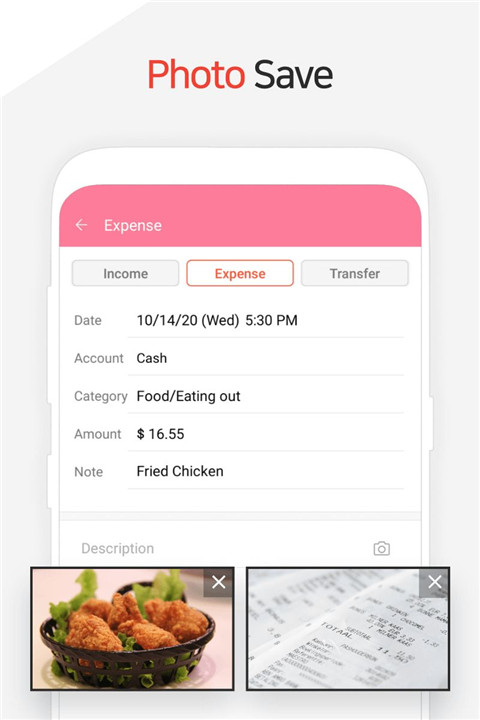
Multiple photos can be attached in one go.
v4.10.4 GF—9 Jan, 2026
4.10.x
When entering a transfer, it’s possible to swap between the “From” and “To” Accounts.
You can collapse/expand each Account Group on the Accounts tab.
When copying a transaction, it is possible to choose between “today’s date” or “date when entry was recorded".
Multiple photos can be attached in one go.
v4.10.3 GF—5 Dec, 2025
4.10.x
When entering a transfer, it’s possible to swap between the “From” and “To” Accounts.
You can collapse/expand each Account Group on the Accounts tab.
When copying a transaction, it is possible to choose between “today’s date” or “date when entry was recorded".
Multiple photos can be attached in one go.