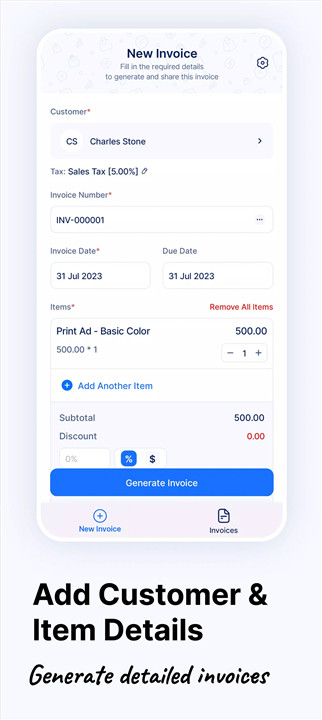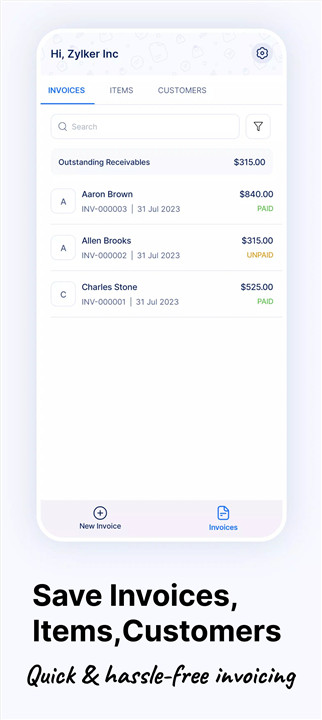
Create invoices fast with Zoho Invoice Generator—send, track payments, and manage expenses easily. Try it free and simplify billing today. This powerful yet simple invoice maker is designed to handle all invoicing needs for businesses of any size. It enables the creation of professional invoices or bills in just a few taps, making it easy to share them with customers anytime and from anywhere.
Easy Invoice Creation
Generate professional invoices using ready-to-use templates. Customize invoices quickly and send them directly to customers via email or other channels. Save and print invoices as PDFs for convenient record-keeping.
Quick Access with Widgets
Create invoices, log expenses, and track time directly from the home screen using the widget feature. This functionality reduces steps and improves productivity for busy users.
Expense Management
Capture expense receipts instantly by snapping photos and attaching them to recorded expenses. Categorize expenses for simplified tracking and better financial organization.
Payment Tracking and Reminders
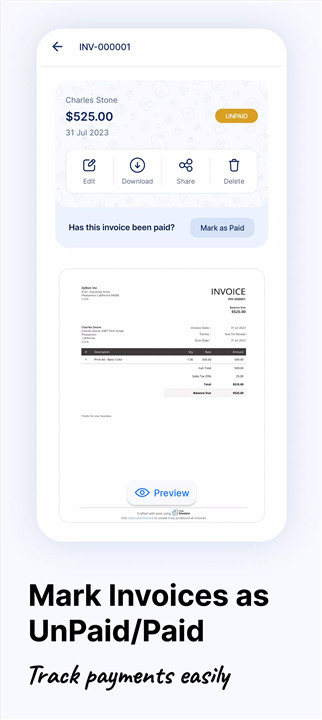
Track the status of every invoice in real time. Send friendly payment reminders to customers and accept payments online, ensuring timely collections and improved cash flow.
Multi-Currency and Multi-Language Support
Invoice customers in their preferred language and currency, making it suitable for global businesses and improving customer experience.
Customer Management
Store and manage all customer information in one place. Access contact details easily when creating invoices or sending updates.
Time Tracking for Projects
Track time spent on projects and bill customers accurately based on logged hours, making it ideal for freelancers and service-based businesses.
Data Security
Protect sensitive financial data with a secure passcode lock. This eliminates the need for repeated logins while ensuring information remains safe.
Insightful Reports
Generate detailed reports with a single tap to analyze income and expenses. Gain insights into business performance and make informed financial decisions.
FAQs
Q1: Can invoices be created offline?
Invoices cannot be created or edited offline; an internet connection is required to access full functionality.
Q2: Can invoice templates be customized in the mobile app?
Templates cannot be edited within the mobile app, but users can select from available templates and customize them later using the web app.
Q3: Is it possible to send invoices directly to customers?
Yes, invoices can be sent directly via email or shared digitally for quick and efficient communication.
Q4: Can expenses be tracked and managed in the app?
Yes, expenses can be recorded, categorized, and even supported with uploaded receipt images for accurate tracking.
Q5: Does the app support multiple currencies and languages?
Yes, it allows invoicing in different currencies and languages, making it suitable for international clients.
Version History
v4.5.10—16 Jun, 2025
v4.5.9—16 Apr, 2025
v4.5.8—15 Apr, 2025