Create stunning digital art with HiPaint – a powerful drawing app for sketching, painting, animation, and image editing. Designed for both tablets and smartphones, HiPaint offers a professional yet intuitive environment for artists, designers, illustrators, and hobbyists. The application combines advanced painting tools with a clean interface, allowing creativity to take center stage.
HiPaint supports a wide range of artistic workflows, from quick sketches and detailed illustrations to animation projects and image editing. With customizable brushes, advanced layer management, powerful editing tools, and flexible export options, the app provides everything needed to produce professional-quality digital artwork anywhere.
Minimal and Intuitive Interface
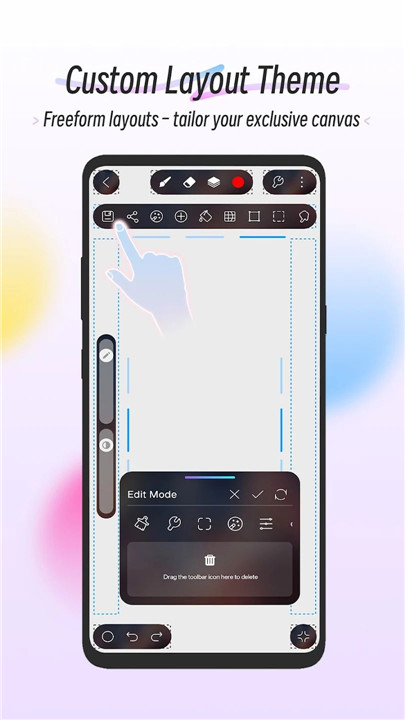
HiPaint features a clean and distraction-free interface that helps maintain focus on drawing and painting. The customizable canvas layout allows tools to be rearranged using drag-and-drop controls, creating a workspace that suits individual preferences. Custom themes further personalize the creative environment.
Powerful Brushes and Customization
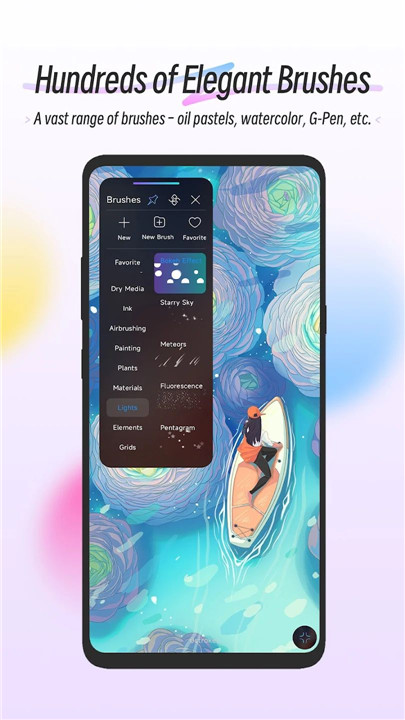
The app includes more than 100 built-in brushes such as pencils, markers, airbrushes, oil brushes, charcoal, crayons, smudge brushes, and fill brushes. The Brush Studio provides over 90 adjustable parameters, allowing artists to create unique brush styles tailored to specific techniques. Custom brushes and brush sets can also be imported and exported for greater flexibility.
Advanced Layer System
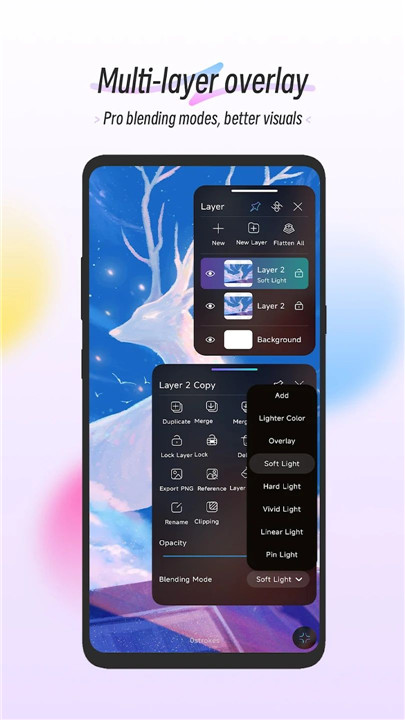
HiPaint supports professional layer management tools that make complex artwork easier to organize. Layers can be rasterized, duplicated, merged, grouped, and renamed for better workflow control. The app also includes 28 layer blend modes for high-quality compositing and visual effects.
Professional Drawing and Editing Tools
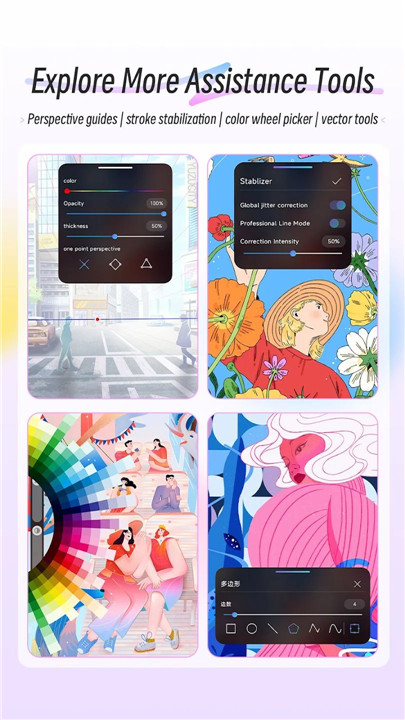
A comprehensive toolkit enables both digital painting and image editing. Key tools include vector drawing, liquify effects, clipping masks, precision selection tools, and shape insertion with transformation controls. Gradient tools support linear and radial styles, while symmetry tools create mirrored or kaleidoscopic designs.
Accessibility and Creative Assistance
HiPaint offers advanced stroke stabilization for smoother lines and improved accuracy. Visual guides support perspective, isometric views, 2D grids, and symmetry references to assist with structured drawings.
Animation Assist
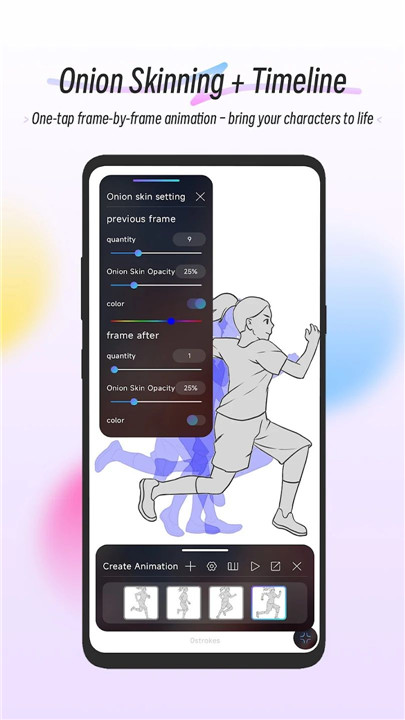
The built-in animation feature allows easy frame-by-frame creation using customizable onion skinning. Artists can create GIFs, storyboards, animatics, and simple animated scenes. Finished animations can be exported at the full resolution of the canvas.
Save, Export, and Share
HiPaint supports exporting artwork in multiple formats including JPG, PNG, PSD, and HSD. Painting processes can also be replayed and exported as MP4 videos, making it easy to showcase the creative process or share tutorials online.
FAQs
Q1: What is HiPaint used for?
HiPaint is a digital drawing and painting app designed for sketching, illustration, animation, and image editing on Android phones and tablets.
Q2: How many brushes are available in HiPaint?
The app includes over 100 built-in brushes and also allows custom brush creation with more than 90 adjustable settings.
Q3: Does HiPaint support layers?
Yes, HiPaint includes advanced layer management with grouping, merging, duplication, and 28 blend modes for professional compositing.
Q4: Can HiPaint create animations?
Yes, the app includes an animation assist feature that allows frame-by-frame animation and exports in full canvas resolution.
Q5: What file formats can HiPaint export?
Artwork can be exported as JPG, PNG, PSD, and HSD files, while painting playback videos can be exported in MP4 format.
Version History
v5.0.10—10 Jul, 2024
1. Fixed the issue that Gaussian blur sometimes returns
2. 3D layers support adding multiple models
3. Fixed the issue that MP4 and GIF exports crash on some devices when the canvas size is large
4. Fixed the issue that black edges sometimes appear when drawing
v5.0.6—11 Jun, 2024
1. Fixed the bug that the painting, erasing, and smearing could not be performed normally when switching to painting, erasing, and smearing in the selection state
2. Fixed the 3D function rendering style crash bug
3. Optimized the perspective angle effect of 3D layers
v5.0.5—7 Jun, 2024
1. Added temporary finger grip function in pen mode
2. Fixed the problem that the CTRL key shortcut function does not respond
3. Modified the problem that the software will crash when automatically reconnecting to Bluetooth when exiting and opening the software when connected to a Bluetooth draw tablet
4. Modified the problem that layer data is sometimes lost
5. Added some 3D rendering styles
6. Fixed some other BUGs