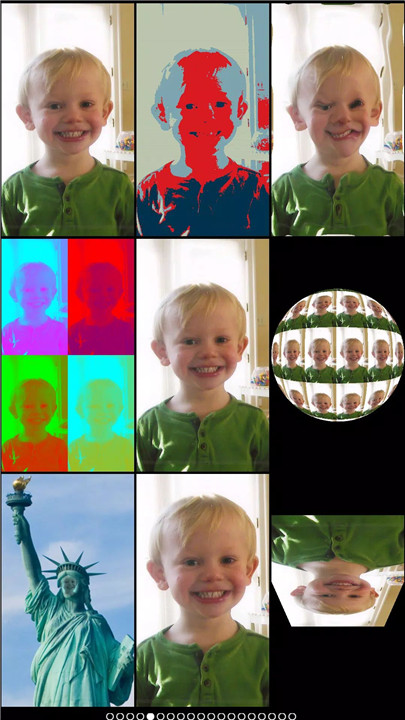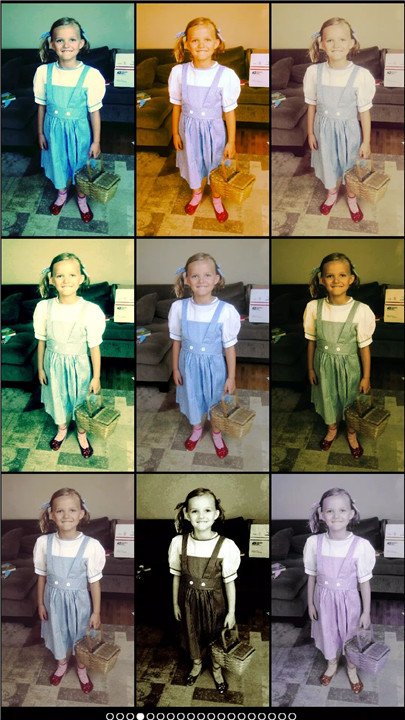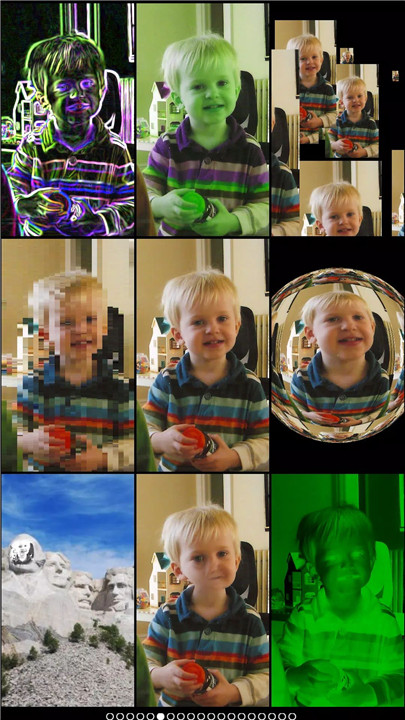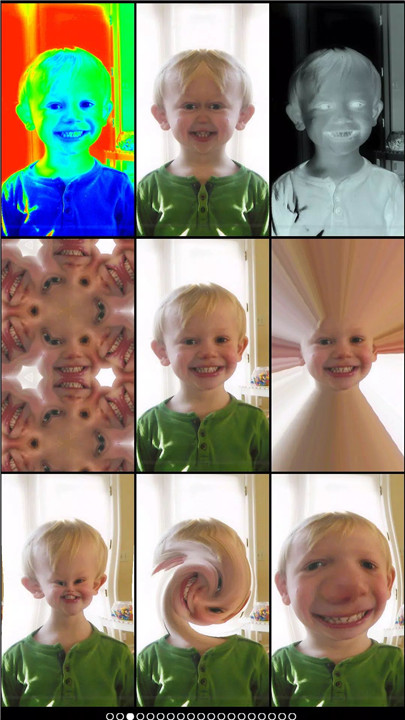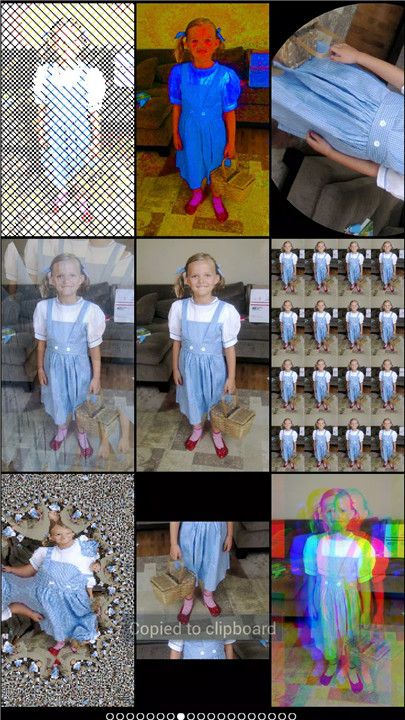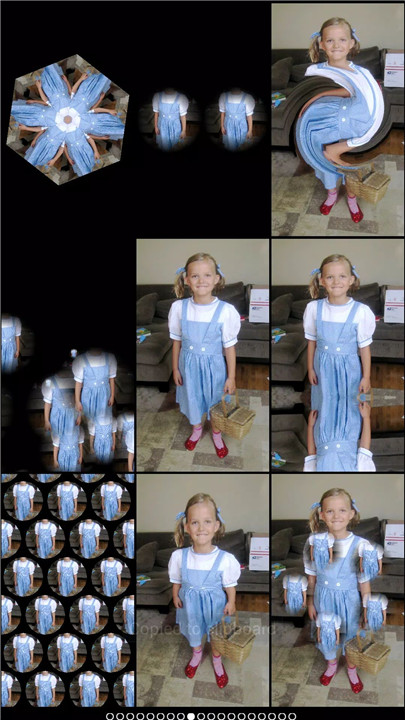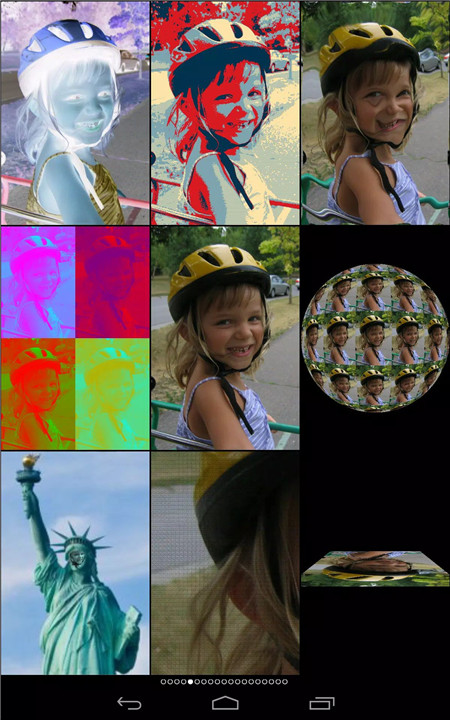
Mega Photo is the ultimate app for turning ordinary photos and videos into fun, creative, and inspiring masterpieces. Featuring over 100 free effects, the app allows users to twist, morph, pinch, warp, and even spin images in 3-D. Videos can also be enhanced with effects, and music can be added to create memorable clips.
Transform Your Photos and Videos
Mega Photo enables extraordinary photo and video transformations. Distort shapes, shift colors, apply motion blur, or create spinning cubes. Classic and modern effects, such as mosaic, puzzle, hue shift, tile, emboss, light tunnel, and night vision, can be applied in real-time for instant results. Interactive effects allow users to tap, drag, zoom, or rotate images for full personalization before capturing a photo or video.
Over 100 Free Effects
Users have access to over 100 free effects, including 40 vintage camera effects for a retro vibe. From tunnels and collages to halftone and x-ray styles, every effect delivers eye-catching and unique results. Mega Photo allows seamless switching between effects even during video recording, ensuring continuous creativity.
Interactive Features
Many of Mega Photo’s effects are interactive, letting users manipulate them with simple gestures. Adjust effects in real-time, experiment with different transformations, and instantly preview results. The front and rear-facing cameras can be switched with a single tap, providing flexibility for selfies, group shots, and creative compositions.
Video Recording and Music Integration
Mega Photo is designed for both photos and videos. Users can record video with any of the app’s effects, pause recording to switch effects mid-video, and add music from their library to create personalized music videos.
Sharing and Fun with Friends
Mega Photo makes sharing creations easy. Photos and videos can be emailed or posted directly to social media platforms like Facebook and Twitter. A built-in timer allows group photos to include everyone, making gatherings more fun and memorable.
Games and Entertainment
The app also incorporates playful features, including mini-games using live camera feeds. Users can interact with their photos in classic arcade-style gameplay, adding another layer of entertainment to their creations.
FAQs
Q1: What types of effects does Mega Photo offer?
Mega Photo provides over 100 effects, including tunnels, mosaics, motion blur, spinning cubes, halftone, and 40 vintage camera filters for a retro style.
Q2: Can I use Mega Photo for video as well as photos?
Yes, the app allows recording videos with live effects, pausing to switch filters mid-video, and adding music from your library.
Q3: Are the photo effects interactive?
Yes, users can tap, drag, zoom, and rotate effects in real-time to personalize photos and videos before capturing them.
Q4: How can I share my creations?
Photos and videos can be easily shared via email or posted to social media platforms like Facebook and Twitter.
Q5: Can I use existing photos from my library?
Yes, Mega Photo works with both new photos taken with the camera and existing images from your camera roll.
Version History
v1.7.1—9 Mar, 2025
Fix bugs in reprocessing videos.
v1.7.0—1 Feb, 2025
more effects
more effects are free
bug fixes
v1.6.5—14 Jan, 2025
bug fixes