Planday is a comprehensive shift planning app designed for both managers and staff, streamlining team management and daily operations in one place. It simplifies scheduling, time tracking, and team communication, helping businesses stay organized while empowering employees to manage their shifts with ease. Whether creating a schedule from scratch or joining a team already using Planday, the app ensures everyone stays connected and informed.
Detailed Schedules
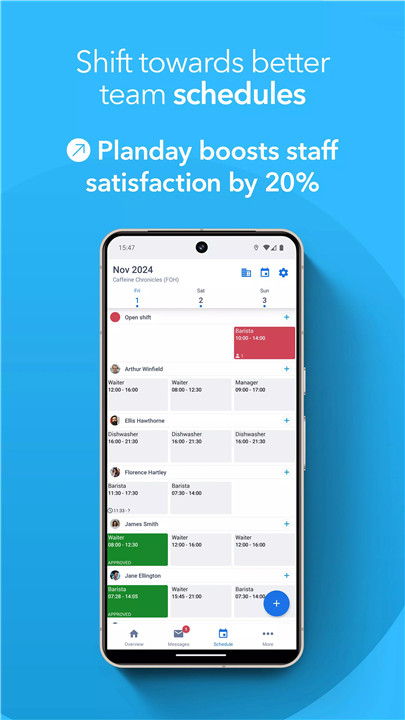
Planday provides clear, easy-to-read schedules, allowing staff and managers to view shift details at a glance. Each shift shows time, location, and role, reducing confusion and ensuring all team members are aware of their responsibilities.
Time Tracking
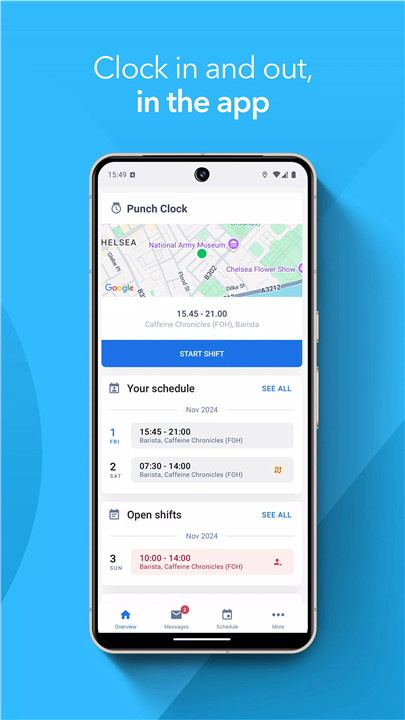
Clocking in and out is seamless with Planday’s in-app time tracking. Staff can log hours directly through the app, while managers gain access to accurate records for payroll and reporting purposes. This feature reduces manual timekeeping errors and ensures reliable attendance tracking.
Shift Swaps
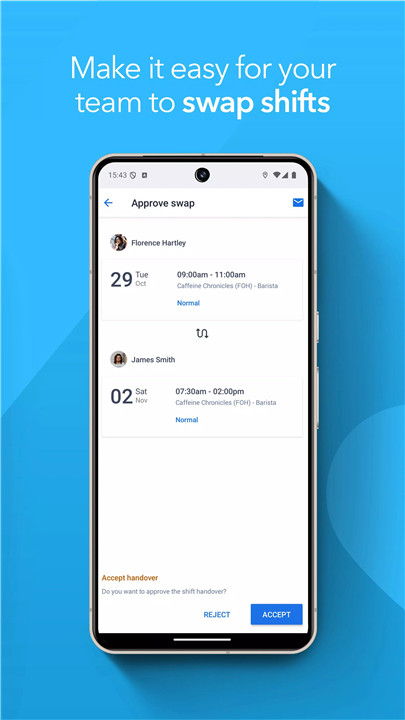
Shift management becomes flexible with Planday’s swap functionality. Employees can easily hand over or swap shifts with colleagues, and managers can approve or monitor changes, maintaining smooth operations without scheduling conflicts.
Availability
Managers can view staff availability and preferences directly within the app. This insight allows for smarter scheduling decisions, accommodating employees’ desired working hours while ensuring the team is fully staffed.
Time Off Requests
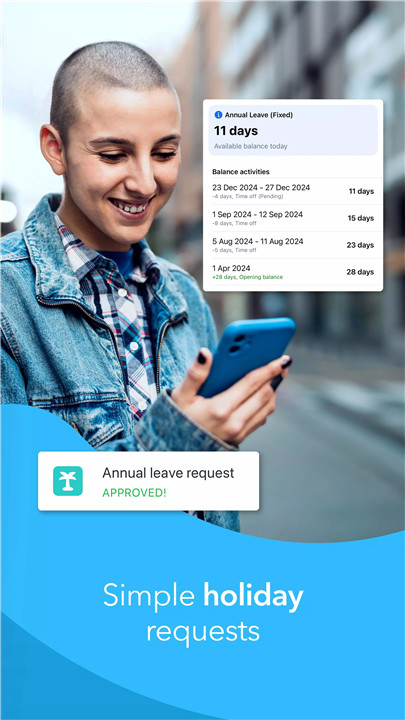
Planday simplifies vacation and leave management by allowing staff to request time off right in the app. Managers can approve or decline requests with a few taps, keeping schedules up-to-date and reducing administrative burden.
Team Messaging
Internal communication is streamlined with the built-in messaging feature. Staff can send quick messages to coworkers or managers about shift updates, swaps, or urgent matters, keeping the team informed and connected.
FAQs
Q1: Can employees view their schedules in Planday?
Yes, staff can easily view their shifts, including detailed times and roles, directly within the app.
Q2: How do I track work hours using Planday?
Employees can clock in and out through the app, while managers access accurate records for payroll and reporting.
Q3: Is it possible to swap shifts with coworkers?
Absolutely. Planday allows employees to hand over or swap shifts, subject to manager approval for smooth scheduling.
Q4: Can managers see staff availability?
Yes, managers can view staff preferences and availability to create optimal schedules and avoid conflicts.
Q5: How can staff request time off?
Employees can submit vacation or leave requests directly in the app, and managers can approve them easily.
Version History
v10.29.0—29 Jan, 2026
Welcome to the new and improved version of the Planday app!
The app update can include, but is not limited to:
- App stability improvements & bug fixes
- New and/or enhanced features
- Further improvements to performance
To get the best from the app, please keep the app up to date and regularly check for updates.
If you have any questions, please don't hesitate to reach out to us via support@planday.com
v10.28.1—22 Dec, 2025
Welcome to the new and improved version of the Planday app!
The app update can include, but is not limited to:
- App stability improvements & bug fixes
- New and/or enhanced features
- Further improvements to performance
To get the best from the app, please keep the app up to date and regularly check for updates.
If you have any questions, please don't hesitate to reach out to us via support@planday.com
v10.27.0—25 Oct, 2025
Welcome to the new and improved version of the Planday app!
The app update can include, but is not limited to:
- App stability improvements & bug fixes
- New and/or enhanced features
- Further improvements to performance
To get the best from the app, please keep the app up to date and regularly check for updates.
If you have any questions, please don't hesitate to reach out to us via support@planday.com