Why Download Zoho Invoice?
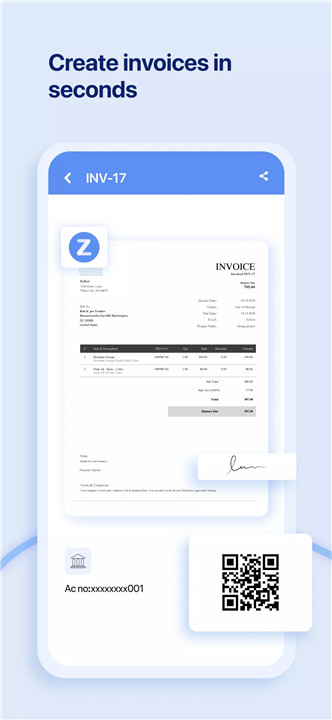
1. Swift Invoicing Made Easy Zoho Invoice allows you to create professional invoices quickly and effortlessly. With just a few clicks, you can draft an invoice, enter your customer's details, apply taxes, and send it out via email or as a PDF. This efficiency means you can spend less time on paperwork and more time growing your business.
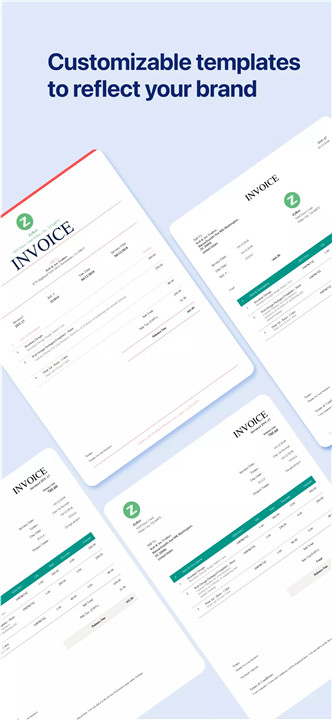
2. Customizable Templates Your business is unique, and your invoices should reflect that. Zoho Invoice offers a variety of versatile templates that you can customize to match your brand’s identity. Add your company logo, adjust the font size, and make any other modifications to ensure your invoices look polished and professional.
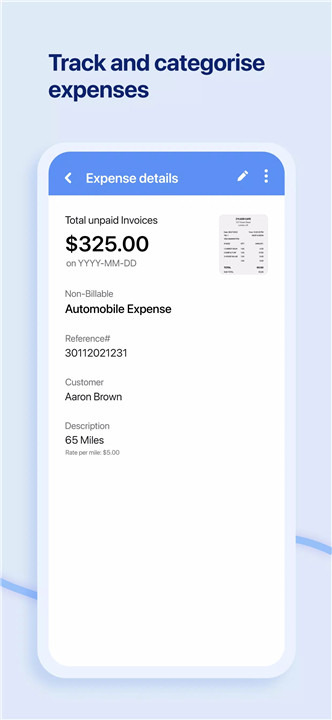
3. Efficient Expense Management Keep track of all your expenses by recording and categorizing them. Zoho Invoice helps you save receipts and provides an easy way to bill your customers for any expenses incurred. This feature ensures you have a clear view of your spending and can manage your budget more effectively.
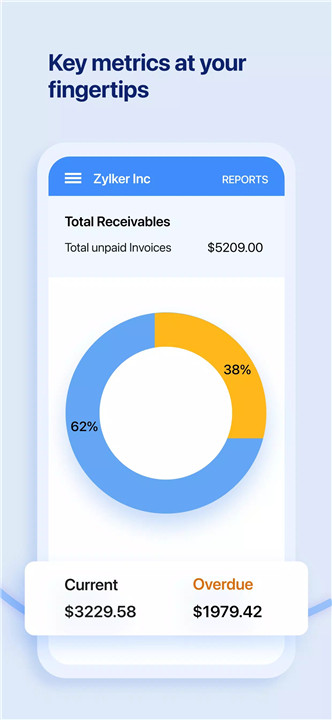
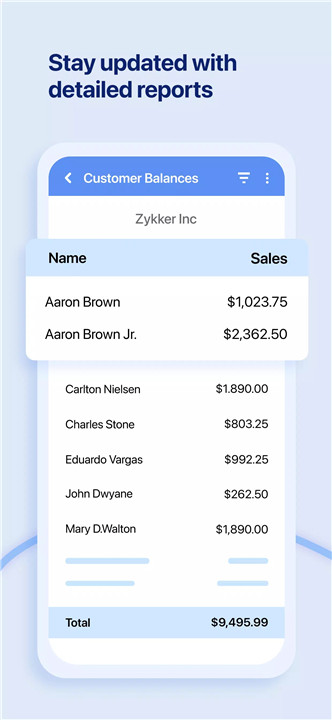
4. Valuable Business Insights Make smarter business decisions with access to over 30 different business reports and a detailed dashboard. Zoho Invoice’s comprehensive reporting tools offer insights into your financial health, helping you understand where your money is going and how your business is performing.
5. Strengthen Customer Relationships Zoho Invoice comes with a secure customer portal that allows your clients to store their payment information for future transactions, view and pay invoices, accept or negotiate estimates, and leave feedback on your services. This feature not only improves convenience for your clients but also enhances your professional image.
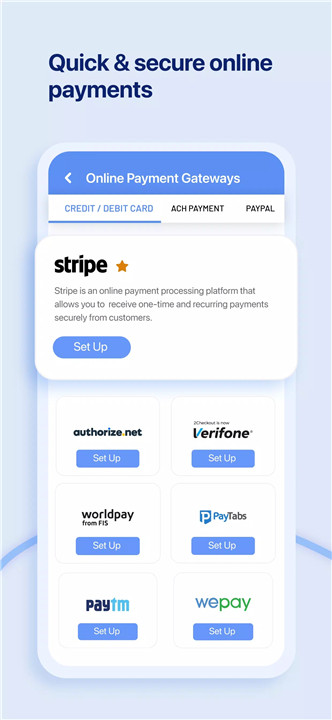
6. Faster Payments Speed up your cash flow with multiple payment options. Zoho Invoice supports credit and debit card transactions, ACH transfers, and more. You can also automate payment reminders to ensure timely payments and reduce the hassle of follow-ups.
7. Seamless Project Management Manage your projects efficiently by tracking time and billing clients accordingly. Zoho Invoice makes it easy to add users to projects, monitor progress, and ensure that you’re accurately compensated for your work.
8. Expandable Ecosystem Zoho Invoice integrates seamlessly with over 10 other Zoho applications, and you can also migrate data from major tech platforms like Google and Microsoft. This flexibility ensures that Zoho Invoice grows with your business and fits smoothly into your existing workflow.
How Does It Work?
Zoho Invoice is designed to be user-friendly and intuitive. Once you sign up, you can start by setting up your account with your business details. The dashboard will guide you through the process of creating and sending invoices, managing expenses, and generating reports.
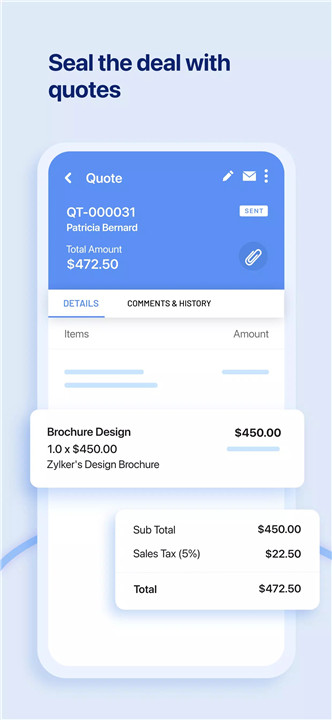
Create an Invoice: Select from customizable templates, input client information, add line items, and apply any relevant taxes. Send the invoice instantly via email or download it as a PDF.
Track Expenses: Enter your expenses and categorize them for better financial tracking. Attach receipts for future reference and ensure that all your spending is accounted for.
Generate Reports: Use the built-in reporting tools to view detailed financial reports and get a clear picture of your business performance. The dashboard consolidates key metrics and insights for easy access.
Manage Projects: Add users, track time, and handle billing through the project management features. This helps you stay organized and ensure accurate invoicing for project-related work.
Receive Payments: Offer your clients various payment methods and set up automated reminders to streamline the payment process. The secure customer portal simplifies transactions and keeps your cash flow smooth.
FAQs
Q: Is Zoho Invoice free to use?
A: Yes, Zoho Invoice offers a free version with essential features suitable for small businesses and freelancers. There are also paid plans available with additional features for growing businesses.
Q: Can I integrate Zoho Invoice with other software?
A: Absolutely! Zoho Invoice integrates with over 10 other Zoho applications and supports data migration from platforms like Google and Microsoft.
Q: How do I customize my invoice templates?
A: Zoho Invoice provides various templates that you can customize to fit your branding. You can add your logo, change the font size, and adjust other elements to create a unique look for your invoices.
Q: What kind of reports can I generate?
A: Zoho Invoice offers over 30 different business reports, including financial summaries, expense reports, and project-related insights, to help you make informed decisions.
Q: How does the customer portal work?
A: The customer portal allows your clients to view and pay invoices, store payment information, accept or negotiate estimates, and leave feedback, all in a secure environment.
Q: Can I automate payment reminders?
A: Yes, Zoho Invoice allows you to set up automated payment reminders to ensure timely collection of payments and reduce the need for manual follow-ups.
What's New in the Latest Version 6.1.11
Last updated on Jul 17, 2024
* Minor bug fixes and enhancements.
Have new features you'd like to suggest? We're always open to requests and feedback. Please write to support+mobile@zohoinvoice.com