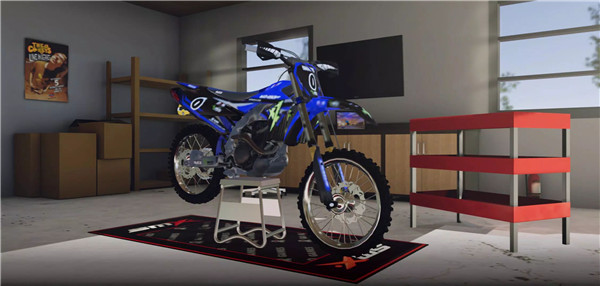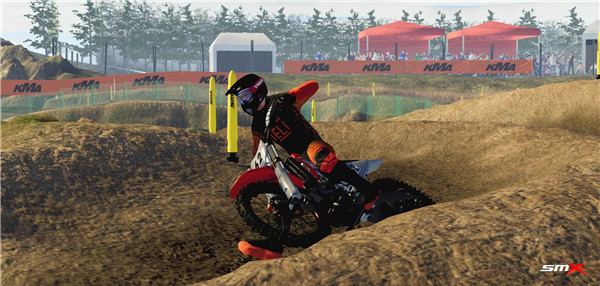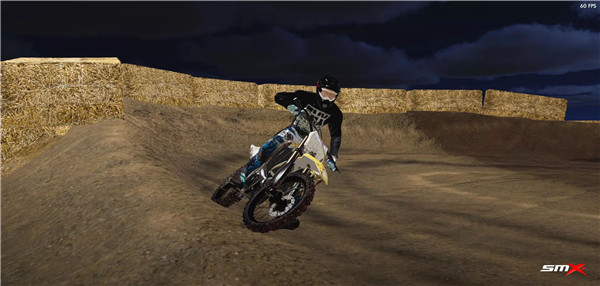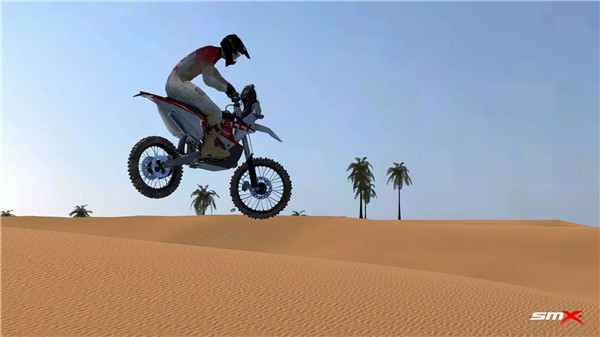
Get ready to rev your engines and feel the adrenaline with SMX—a motocross racing game that brings console-quality visuals and mechanics right to your mobile device. Designed for thrill-seekers and motocross fans alike, SMX delivers lifelike gameplay, customizable bikes, gear, and tracks—all from the convenience of your phone.
Please note: A minimum of 4 GB of RAM is recommended for smooth performance.
Tracks
Choose from 7 detailed, high-quality tracks and 4 legacy tracks from previous versions to satisfy every type of racer—from rookies to pros. Each track is designed to push your skills and immerse you in high-octane motocross action.
Events
Take part in 6 high-intensity rally events and test your skills with 1 snowcross challenge. Whether you enjoy timed trials or tricky terrains, there’s a mode for you to conquer.
Bikes
Ride and personalize one of 14 unique dirt bikes. Customize everything—from exhaust systems and rims to graphics and guards—to create a machine that reflects your racing identity.
Gear
Express your style and stay protected with 45 pieces of racing gear, including a wide variety of helmets, goggles, and riding suits. Combine performance with fashion to stand out on the track.
Track Editor
Got a creative streak? Use the in-game Track Editor to design your own racing environments. Let your imagination run wild and challenge others with your custom-built tracks.
User-Made Content
Take your experience further by downloading user-generated mods, including custom:
· Tracks
· Gear
· Engine sounds
· Graphics and more
Unleash a limitless world of motocross creativity from a passionate SMX community.
Note on Game Status
SMX is currently in active development, meaning:
· Some features may still be under testing
· Occasional bugs or incomplete elements might occur
· Regular updates will continue to improve the game and introduce new features
Your feedback and support help shape the future of SMX.
FAQs
1. Where are photos taken in "Photo Mode" saved?
Photos captured using the in-game Photo Mode are automatically stored in your device's photo gallery.
2. How can I manually install a mod in SMX?
To install mods manually, place your files into this directory:
/android/data/com.evag.smx/files/mods/
3. How do I back up my custom track from the Track Editor?
Your created tracks are saved in the following location:
/android/data/com.evag.smx/files/TrackEditor
Copy the relevant files from this folder to back them up safely.
4. How can I back up my game progress without using the cloud feature?
Locate the file named user1.save in the following directory:
/android/data/com.evag.smx/files/user1.save
Copy this file to a safe location before uninstalling the game, and move it back to the same directory to restore progress.
5. Why does the game get stuck at “Initializing ads services” or crash after pressing PLAY?
This can happen due to a weak internet connection, ad servers being down, or adblockers interfering with Unity Ads.
Make sure to:
· Use a stable internet connection
· Whitelist the game in your adblocker
· Relaunch the app after troubleshooting
Devices with less than 4 GB of RAM may also experience crashes. Free up memory by closing background apps and try again.
Version History
v8.0.4—19 Sep, 2025
New multiplayer with cross-platform accounts and leaderboards, friend system with joinable games, improved rider animations and bike physics, more immersive first-person view, new languages, and major bug fixes.
v8.0.3—13 Sep, 2025
v8.0.2—12 Sep, 2025