Air Navigation Pro is a premium flight planning and real-time navigation app designed for pilots worldwide. The app combines intuitive planning tools, live navigation, and comprehensive aeronautical data to enhance flight safety and efficiency. From short local trips to international flights, Air Navigation Pro offers everything needed for accurate, informed, and relaxed flying. With a free 28-day trial, pilots can experience the app’s advanced features without commitment.
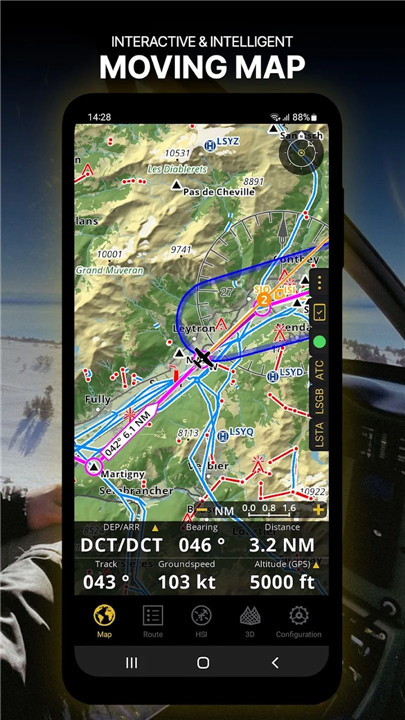
Moving Map
Plan and navigate flights using an interactive moving map with customizable backgrounds, including aeronautical charts, satellite imagery, and vector maps. The map displays waypoints, NOTAMs, airspaces, and obstacles from a constantly updated global aeronautical database. Routes can be created by tapping waypoints directly on the map, while the navigation bar can be personalized to show key data such as altitude, vertical speed, bearing, distance to the next waypoint, and ETA. Departure and arrival procedures can also be displayed for enhanced situational awareness.
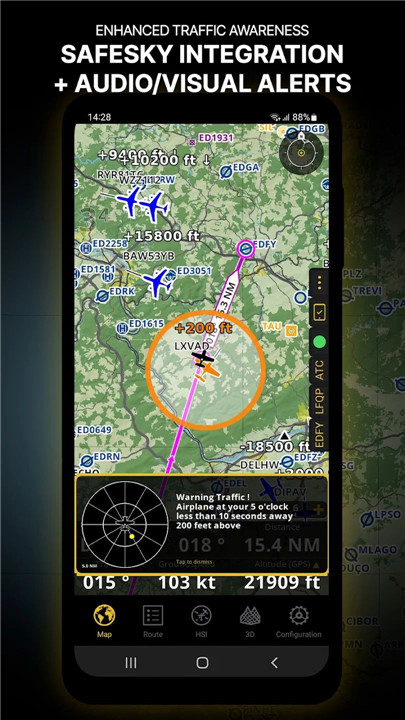
Enhanced Traffic Awareness
Air Navigation Pro provides visual and audio alerts for nearby traffic in all languages. Pilots can choose traffic icons, including generic, aircraft, or TCAS symbols. Integration with SafeSky ensures access to live traffic data, improving safety during flight. Smart Lite, Smart Classic, and Smart Advanced subscriptions include native SafeSky support, offering a two-in-one solution for traffic awareness.
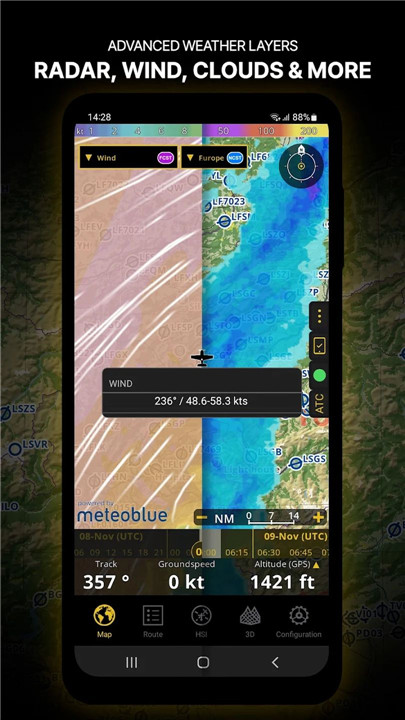
Advanced Weather Layers
Beyond standard wind and TAF/METAR reports, the Smart Advanced plan offers see-through weather layers on the moving map, including rain radar, wind, pressure, clouds, visibility, gusts, and region-specific GAFOR reports. Weather forecasts for up to three days can be accessed by tapping any point on the map.
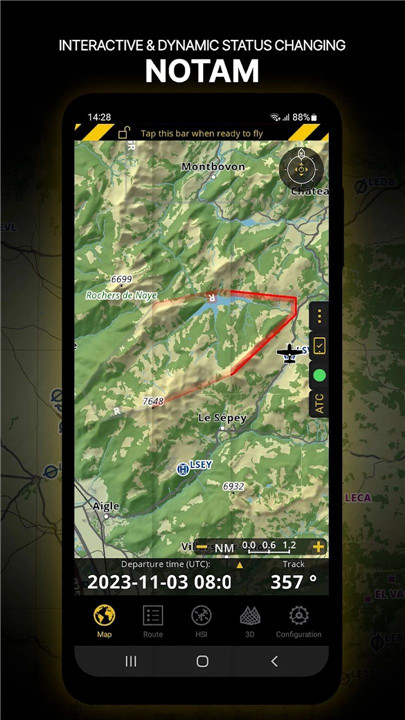
NOTAM Integration
Set the departure time to display NOTAMs relevant for that specific time. Dynamic color coding helps pilots quickly identify active, pending, or expired NOTAMs on the map.
SmartChart
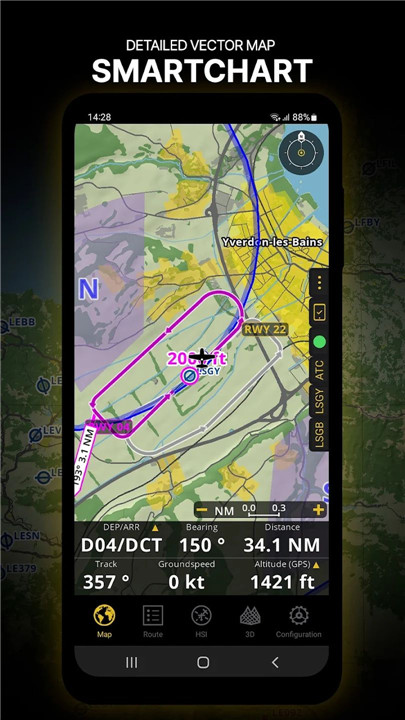
The intelligent vector-based SmartChart adapts to the zoom level, displaying optimized terrain shadows, forests, and detailed airport information while maintaining clear readability. This feature ensures pilots always have critical information presented accurately.
Elevation Profile & Synthetic View
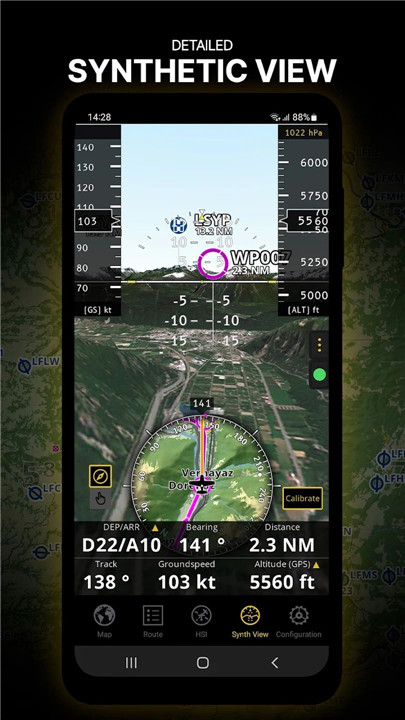
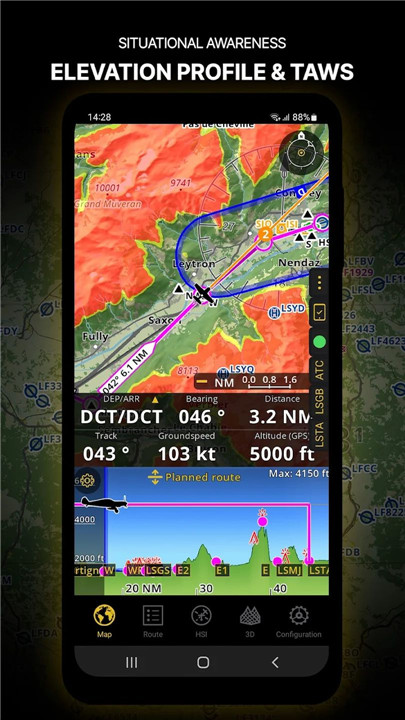
The elevation profile allows pilots to visualize terrain along the route, overlaying airspaces, obstacles, wind, and populated areas. The synthetic view provides additional terrain awareness with an artificial horizon, altitude, and vertical speed indicators. TAWS integration ensures enhanced safety.
Aeronautical & Approach Charts
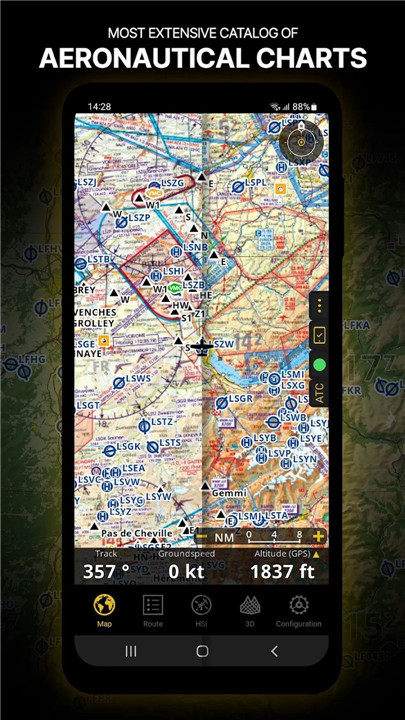
Access a comprehensive catalog of worldwide aeronautical and ICAO charts. Georeferenced approach charts can be displayed directly on the moving map or synthetic view for convenient flight planning.
Briefing Section
Prepare flights with detailed briefings including NOTAMs, weather charts, and stations relevant to the route. Aircraft profiles can pre-fill ATC flight plans and calculate weight and balance, saving time and optimizing preparation.
FAQs
Q1: Can Air Navigation Pro be used on multiple devices?
Yes, a single subscription allows access on up to three devices, and an Air Navigation account helps manage them efficiently.
Q2: Does the app provide real-time traffic alerts?
Yes, it offers visual and audio alerts for nearby traffic and integrates with SafeSky for live traffic data during flights.
Q3: Are weather layers available in the app?
Advanced weather layers, including rain radar, wind, clouds, and GAFOR reports, are available for Smart Advanced plan subscribers.
Q4: Can I view NOTAMs for a specific flight time?
Yes, the moving map dynamically displays NOTAMs based on the scheduled departure time, with color-coded status for easy identification.
Q5: What types of charts are included?
The app provides worldwide aeronautical charts, ICAO charts, and georeferenced approach charts, all available for use on the moving map or synthetic view.
Version History
v8.3.361.403130854—19 Mar, 2024
Happy New Year! Thanks for your continuous support!
Discover what's new:
-Map Annotations: Highlight, draw or write on top of the map in Edit Mode. Enable it on Map Options - Guides
-Enhanced vector map resolution for clearer navigation at high zoom levels
-Improved Theme Color Handling: Switch between Light, Dark or let the app adapt automatically. Find it on Map Options
-Seamless Cross-Platform Synchronization: Enjoy a smooth experience between your device and the new PC version!
v8.3.351.401160835—19 Mar, 2024
Happy New Year! Thanks for your continuous support!
Discover what's new:
-Map Annotations: Highlight, draw or write on top of the map in Edit Mode. Enable it on Map Options - Guides
-Enhanced vector map resolution for clearer navigation at high zoom levels
-Improved Theme Color Handling: Switch between Light, Dark or let the app adapt automatically. Find it on Map Options
-Seamless Cross-Platform Synchronization: Enjoy a smooth experience between your device and the new PC version!
v8.3.301.311101617—6 Jan, 2024
- Fixed an issue with the 3D View