Why Download Inoreader?
Here’s why Inoreader should be your go-to tool for news management:
Personalized Experience: Tailor your newsfeed to fit your interests by following specific websites, content creators, and newsletters.
Streamlined Content: Collect and save articles from across the web, reducing clutter in your inbox and streamlining your reading experience.
Advanced Features: Utilize powerful automation tools to set up rules and filters that cater to your unique preferences.
Accessibility: Enjoy a user-friendly interface that’s both accessible for beginners and feature-rich for power users.
Flexible Consumption: Read or listen to articles on the go, mark important content, and customize your view for a better experience.
Key Features of Inoreader
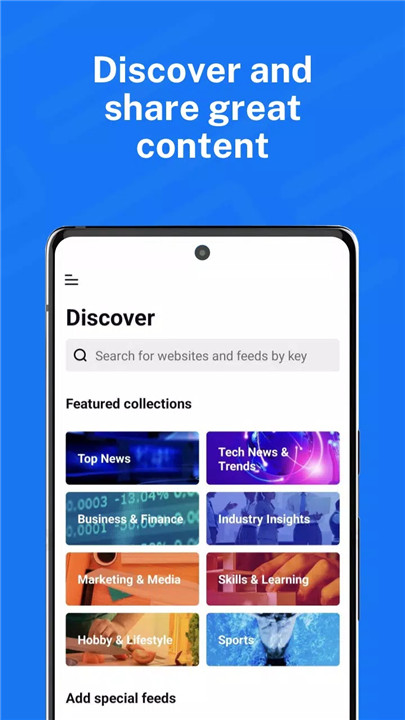
Discover and Share Great Content:
Follow Favorite Sources: Stay updated with your preferred websites, blogs, and creators.
Save and Collect Articles: Bookmark articles from across the web and organize them for future reading.
Custom Newsletters: Subscribe to newsletters with personalized email preferences to keep your inbox tidy.
Curated Collections: Explore collections curated by Inoreader’s team, featuring top sources and trending content.
Social Media Feeds: Monitor Facebook pages, Reddit threads, and Telegram channels all in one place.
Multimedia Content: Subscribe to YouTube channels and podcasts for a complete media experience.
Easy Sharing: Distribute content across social media and messaging platforms effortlessly.
Stay Informed: Create monitoring feeds for breaking news and important updates.
Become a Mindful Reader:
Automated Organization: Use automation tools to set up rules and filters, making content management a breeze.
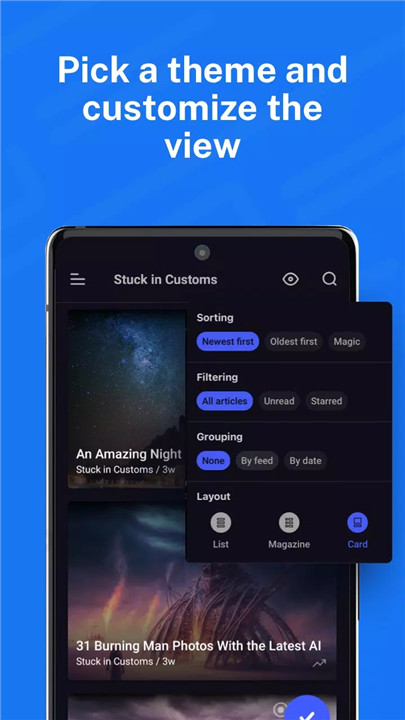
Custom Layouts and Themes: Enhance your reading experience with personalized layouts and themes.
Content Curation: Organize your content with folders and tags for easy access.
Annotations and Highlights: Mark and highlight essential information to keep track of key points.
Translation: Translate articles into your preferred language without needing additional extensions.
Offline Reading: Download articles to read offline, ensuring you can catch up on news anytime.
Text-to-Speech: Listen to articles on the go with Inoreader’s text-to-speech feature.
Cloud Integration: Save articles to Pocket, Evernote, OneNote, Google Drive, and Dropbox for seamless access across devices.
FAQ
What is Inoreader?
Inoreader is an advanced RSS reader that helps you manage and customize your newsfeed. It allows you to follow various sources, save articles, and automate content filtering.
How can I start using Inoreader?
Simply download the Inoreader app, create an account, and start adding your favorite websites, content creators, and newsletters. Customize your settings and explore the advanced features to tailor your news experience.
Is Inoreader free?
Inoreader offers both free and premium plans. The free version provides essential features, while the premium plan includes additional functionalities and customization options.
Can I use Inoreader offline?
Yes, Inoreader allows you to download articles for offline reading, so you can stay informed even without an internet connection.
How does the automation feature work?
Inoreader’s automation tools let you create rules and filters to manage your content. For example, you can set up rules to automatically tag or archive certain articles based on keywords or sources.
Can I listen to articles instead of reading them?
Yes, Inoreader has a text-to-speech feature that lets you listen to articles while on the go.
How does Inoreader integrate with other apps?
Inoreader supports integration with various apps like Pocket, Evernote, OneNote, Google Drive, and Dropbox, allowing you to save and access content across different platforms.
What's New in the Latest Version 7.7.4
Last updated on Jul 11, 2024
Fixed a problem with offline sections intermittently showing connection errors when the connection is poor.
Important! If you have been experiencing freezes while opening an article, this should be fixed now. It was not caused by Inoreader or Android update, but was an experiment ran by the Chromium team on a small percentage of users. Inoreader uses a component called WebView to render articles, and a now-disable experimental flag in this component was causing Inoreader to freeze.