Milanote
Overview
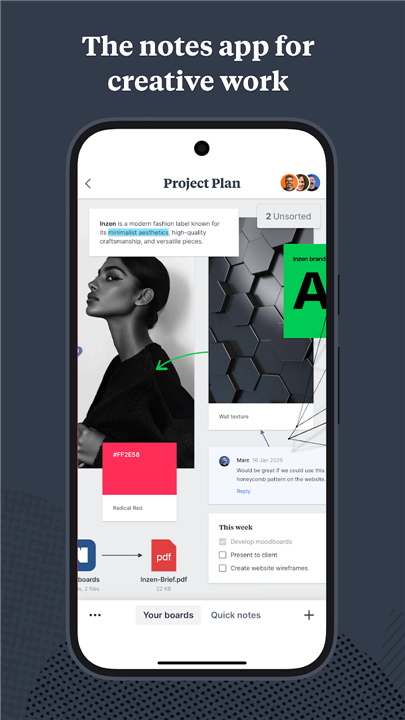
• Milanote serves as an all-encompassing digital workspace meticulously designed for creative professionals, designers, and project managers who require a more fluid way to organize complex ideas.
• It successfully bridges the gap between traditional linear note-taking applications and free-form brainstorming tools, providing a versatile canvas where every disparate element of a project can coexist in a logical, visual structure.
Capturing Creative Sparks and Multimedia Assets
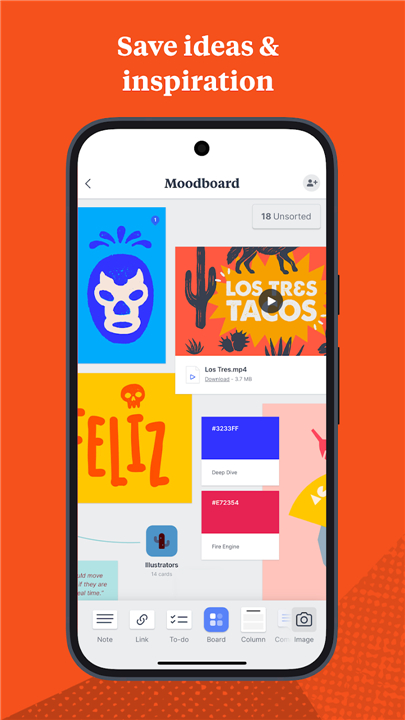
• Use the platform to gather a diverse range of assets including formatted text notes, high-resolution images, streaming video links, and digital sketches.
• Capture any fragment of information that stimulates your creative process, effectively transforming fleeting thoughts into permanent, searchable digital assets.
• Build comprehensive moodboards and inspiration galleries that allow you to explore various aesthetic directions before committing to a final project design.
Intuitive Visual Project Organization
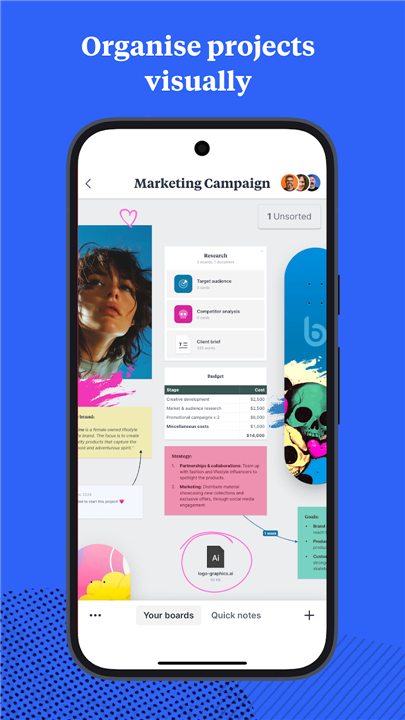
• Arrange your ideas, task checklists, and reference materials on an infinite canvas to better visualize the hierarchical relationship between different core project components.
• Maintain a clear, birds-eye overview of the entire project scope while retaining the ability to zoom in instantly on specific, granular details.
• Leverage spatial organization techniques to structure your workflow in a way that matches your unique cognitive style and creative habits.
Streamlined Collaboration and Workspace Privacy
• Manage your boards as private sanctuaries for deep individual thinking or convert them into dynamic shared environments for real-time team collaboration.
• Maintain absolute control over user permissions and visibility, ensuring that early-stage drafts remain confidential while collaborative areas stay open for peer feedback.
• Centralize communication by allowing team members to provide context-specific comments directly on the visual elements within the workspace.
Universal Syncing and Mobile Accessibility
• Utilize the Android application to upload files, professional photographs, and video clips directly from your mobile device while working remotely or in the field.
• Take advantage of precise stylus support to sketch new concepts and annotate existing board content on compatible tablets and smartphones.
• Benefit from instantaneous synchronization across all registered devices, which ensures that your most recent edits are immediately reflected on your desktop, laptop, or mobile interface.
• Stay updated with automated push notifications that alert you to critical comments and content updates the moment they happen.
FAQ
Q: How does Milanote help in the early stages of a creative project?
A: You can use the workspace to capture creative sparks as soon as they happen, turning fleeting thoughts into permanent digital assets. It is particularly effective for building moodboards and inspiration galleries, allowing you to explore various aesthetic directions and visual themes before you commit to a final design path.
Q: What types of multimedia assets can I include on my boards?
A: The platform is incredibly versatile when it comes to content, allowing you to gather everything from formatted text notes and high-resolution images to streaming video links and digital sketches. This variety ensures that all your disparate project elements coexist in one logical and visually structured environment.
Q: What does it mean that the canvas is infinite?
A: An infinite canvas means you never run out of room to expand your ideas or map out a project’s hierarchy. You can arrange your task checklists and reference materials spatially, which helps you better visualize the relationships between different components of your work without being confined by page breaks.
Version History
v3.18.91——13 Apr 2026
The notes app for creatives Download the latest version of Milanote to enjoy new features and updates immediately!
*3.18.91
- Documents now display the correct menu when you select text
- General performance improvements
*3.18.88
Fixed login and registration forms interactions
*3.18.87
Minor bug fixes and improvements. Install or update to the newest version to check it out!