Microsoft Whiteboard is a versatile digital workspace offers a freeform environment where ideas can flow naturally, whether working individually or as part of a team. Built with flexibility in mind, it supports touch, typing, and pen input, making it easy to sketch concepts, organize thoughts, and communicate visually.
Infinite Canvas for Creative Freedom
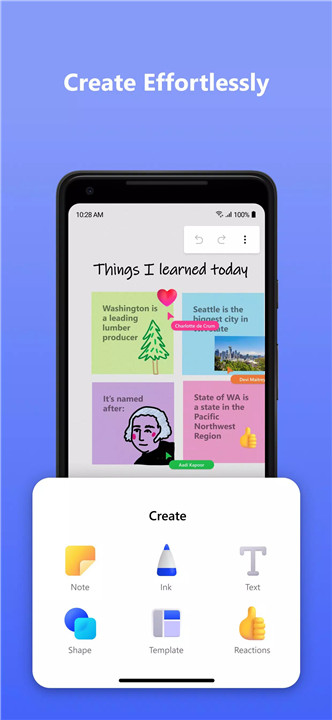
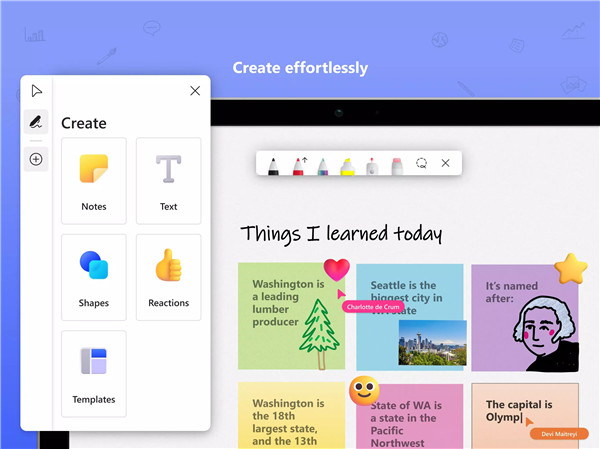
Microsoft Whiteboard offers a limitless digital canvas that allows ideas to expand without restriction. Users can draw, type, add sticky notes, or arrange content freely. The intuitive interface ensures that creativity is not constrained by structure, enabling natural and fluid expression.
Intelligent Inking and Drawing Tools
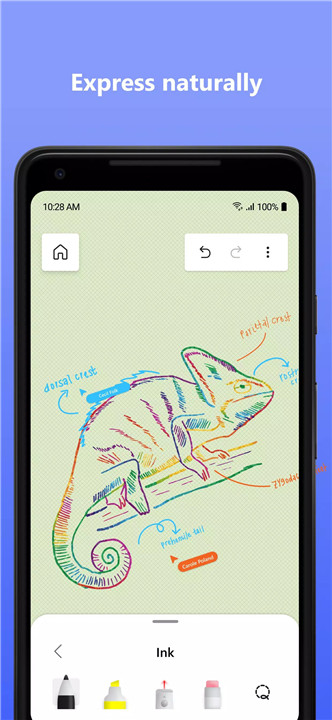
Advanced inking technology enhances the drawing experience by transforming rough sketches into clean shapes and lines. Features such as ink arrows and creative ink effects, including rainbow and galaxy pens, make diagramming and visual storytelling more engaging and precise.
Real-Time Collaboration
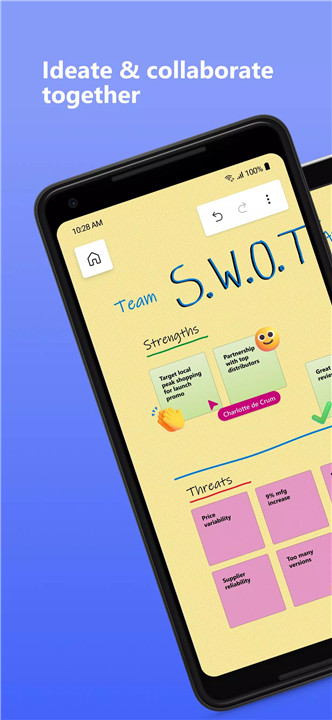
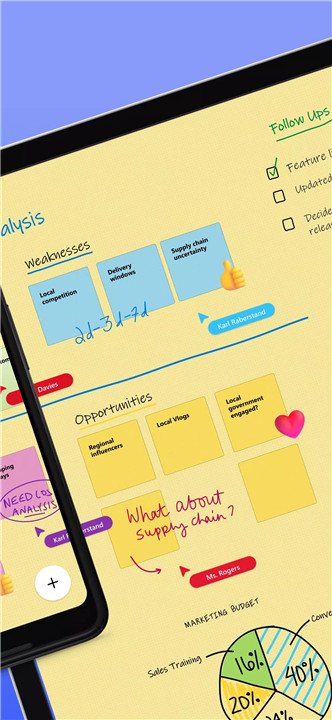
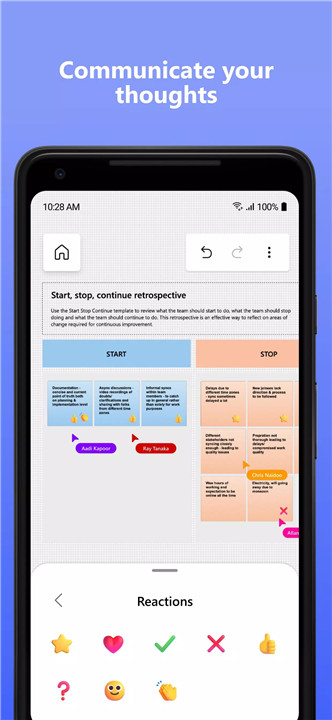
Teams can work together simultaneously from different locations, with every change reflected instantly on the canvas. This real-time interaction fosters effective communication and ensures that all participants stay aligned during brainstorming and planning sessions.
Templates and Content Creation Tools
A wide selection of over 40 customizable templates helps accelerate workflows. These templates support various use cases such as brainstorming, project planning, and flowchart creation. Additionally, a shapes library and content gallery simplify the process of building structured visuals.
Interactive and Engagement Features
Reactions provide a quick and expressive way to give feedback during collaboration. These lightweight interactions enhance communication without interrupting the creative flow, making teamwork more dynamic and engaging.
Organization and Formatting Options
Tools like object alignment, snapping, and copy-paste functionality allow precise arrangement of elements on the canvas. Background customization options further enhance personalization, enabling different visual styles for different projects.
Cloud Integration and Seamless Access
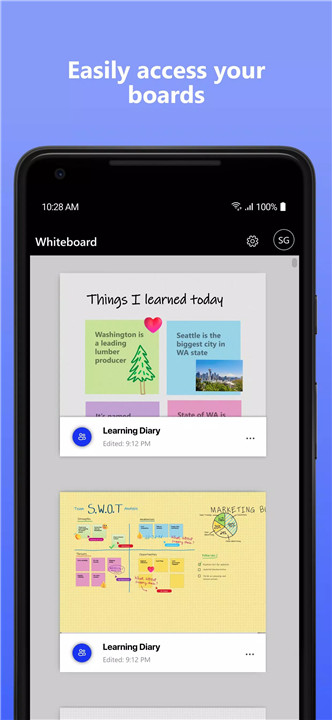
All work is automatically saved to the cloud, eliminating the need for manual backups. This ensures that content can be accessed, edited, and resumed from any device at any time. Support for personal Microsoft accounts makes it easier to get started and stay connected.
Streamlined User Experience
A modern interface design prioritizes simplicity and usability. The layout maximizes canvas space while keeping tools easily accessible, ensuring a smooth and distraction-free creative process.
FAQs
Q1: What is Microsoft Whiteboard used for?
It is a collaborative digital canvas used for brainstorming, drawing, planning, and sharing ideas visually in real time.
Q2: Can multiple users work on the same board simultaneously?
Yes, it supports real-time collaboration, allowing multiple users to edit and interact on the same canvas from different locations.
Q3: Are templates available for quick setup?
Yes, more than 40 customizable templates are available to help users start projects quickly and efficiently.
Q4: Is work saved automatically?
All content is automatically saved to the cloud, making it easy to resume work anytime without manual saving.
Q5: Can it be used with personal accounts?
Yes, users can now sign in using personal Microsoft accounts in addition to other supported account types.
Version History
v1.301.0.25080505—29 Aug, 2025
This version adds the following functionalities/updates:
1. App user interface update for tablets.
2. Expanded reaction sticker set for tablets.
3. Canvas object duplication functionality from object menu.
4. Eraser size increase based on erase velocity (applicable when point eraser is selected).
v1.301.0.25061007—16 Jun, 2025
This version adds the following functionalities/updates:
1. App user interface update for tablets.
2. Expanded reaction sticker set for tablets.
3. Canvas object duplication functionality from object menu.
4. Eraser size increase based on erase velocity (applicable when point eraser is selected).
v1.301.0.25052209—3 Jun, 2025
This version adds the following functionalities/updates:
1. App user interface update for tablets.
2. Expanded reaction sticker set for tablets.
3. Canvas object duplication functionality from object menu.
4. Eraser size increase based on erase velocity (applicable when point eraser is selected).