Game Booster Fire GFX — Fix Lag
Overview
• Step into a smoother gaming experience.
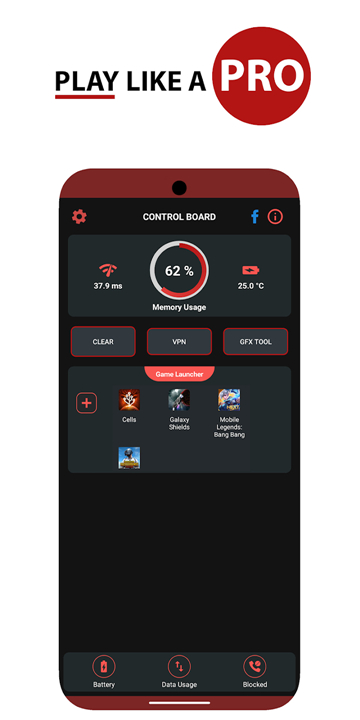
• Game Booster Fire GFX consolidates your library, eliminates lag, and optimizes performance — all with a single tap.
• Whether you're dominating ranked matches or exploring vast open worlds, this all-in-one toolbox keeps your gameplay fluid and distraction-free.
Core Features
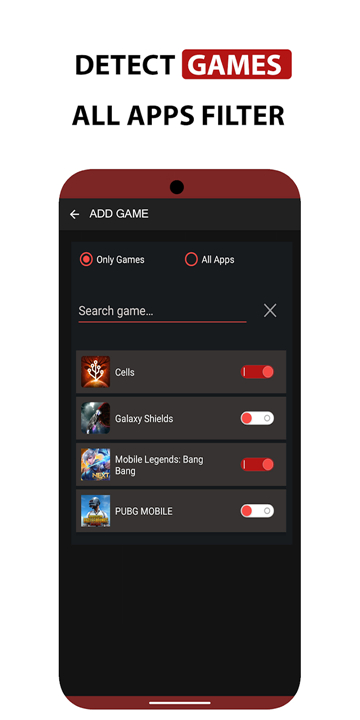
• Unified game launcher — access your entire library from one convenient hub
• One-touch cleaner — instantly free up resources for peak performance
• Smart network listener — maintains stable connections when it matters most
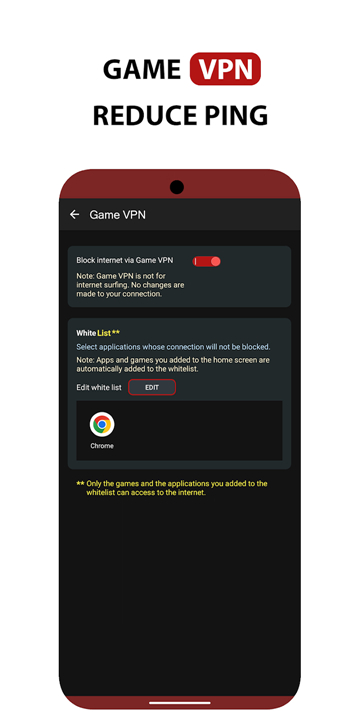
• Game VPN — blocks internet access for background apps, focusing bandwidth on your game
• Advanced lag fixer — reduces latency and stutter for responsive gameplay
• Background app manager — closes competing processes to conserve memory (optimized for older Android versions)
GFX Benchmark Tool
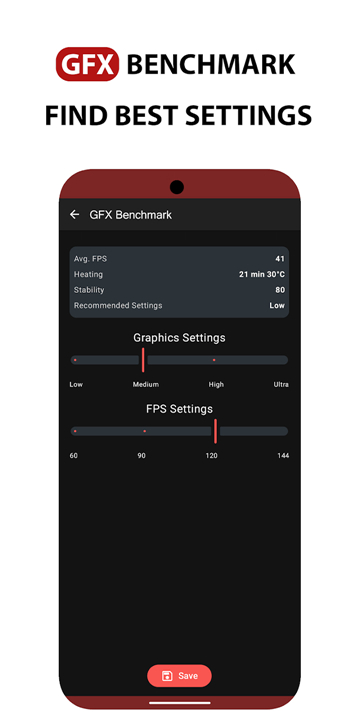
• High FPS detection — automatically identifies optimal graphics settings to maximize frame rates
• Performance profiling — benchmarks your device to fine-tune visual quality
• System Monitor
• Real-time memory tracking
• Battery temperature gauge
• Network ping measurements
Important Disclaimers
1. VPN Notice:
• Our VPN functionality strictly blocks internet access for other applications.
• We do not log user activity, transmit data to external servers, or exploit this feature for monetization purposes.
2. Hardware Limitations:
• This application optimizes software performance only.
• It cannot enhance physical hardware capabilities.
• For significant performance gains, upgrading to a device with superior RAM, CPU, or GPU may be necessary.
3. Premium Access:
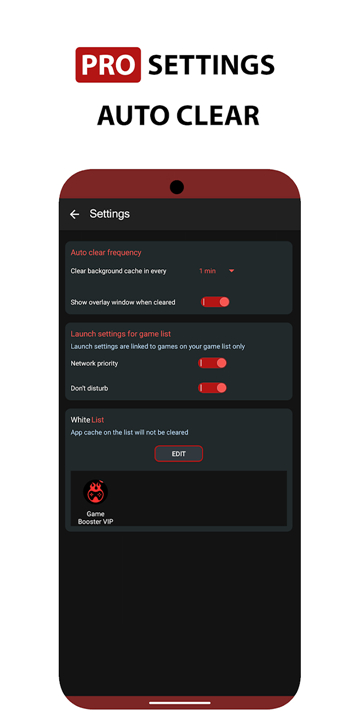
• Advanced features, including the Game VPN and Pro Settings configurations, require a paid subscription.
Thank you for choosing Game Booster Fire GFX. Happy gaming.
FAQ
Q: How does the one-touch cleaner actually work to improve performance?
A: The one-touch cleaner function operates by performing several simultaneous optimization tasks behind the scenes. First, it scans your device's active memory and identifies applications and services that are running unnecessarily in the background, consuming valuable RAM that could otherwise be allocated to your game. It then safely closes these processes while being careful not to interfere with essential system functions. Simultaneously, the cleaner clears temporary cache files that accumulate over time and slow down your device, and it optimizes network routing to ensure your game data receives priority bandwidth. The entire process takes just a few seconds, and once complete, you'll receive a summary showing how much memory was freed and what resources are now dedicated to your gaming session.
Q: Is the Game VPN feature safe to use, and what exactly does it do?
A: The Game VPN functionality in Game Booster Fire GFX is designed with privacy and security as top priorities. Unlike traditional VPN services that route your traffic through external servers and potentially log your activity, our VPN serves a specific purpose: it creates a localized network barrier that blocks internet access for all applications except the game you're currently playing. This means your game receives uninterrupted bandwidth while other apps cannot download updates, sync data, or consume network resources in the background. The application does not log your browsing activity, does not transmit any personal data to external servers, and does not use this feature for monetization purposes. You can enable or disable the Game VPN with a single tap, and it only activates during your gaming sessions to preserve battery life when you don't need it.
Q: Will Game Booster Fire GFX work on my older Android device?
A: Game Booster Fire GFX is designed to be compatible with a wide range of Android devices, including older models running Android 5.0 Lollipop and later versions. The application is particularly optimized for devices with limited resources, as the background app manager feature includes specific routines tailored for older Android versions that tend to have less efficient memory management. However, it's important to understand that the app can only optimize software performance—it cannot magically overcome physical hardware limitations. If your device has less than 2GB of RAM, an older processor, or integrated graphics with limited capability, you may still experience performance constraints in graphically demanding games. In such cases, the app will still help you achieve the best possible performance your hardware can deliver, but significant improvements may require upgrading to a device with better specifications.
Version History
v238——4 May 2026
Game Booster & GFX Tool: Better game play experience with reduced lag Download the latest version of Game Booster Fire GFX- Fix Lag to enjoy new features and updates immediately!
*238
LEGEND IS BACK
- Please rate the app to support us
- Auto Launch feature added
- Bugs fixed
*237
LEGEND IS BACK
- Please rate the app to support us
- Auto Launch feature added
- Bugs fixed
*230
LEGEND IS BACK
- Please rate the app to support us
- Auto Launch feature added
- Bugs fixed