Pie Launcher
Efficient App Management
• Pie Launcher is a minimalist Android launcher designed to streamline how you navigate your device.
• By prioritizing muscle memory and rapid search, it transforms the way you interact with your applications.
Core Navigation
1. The Pie Menu:
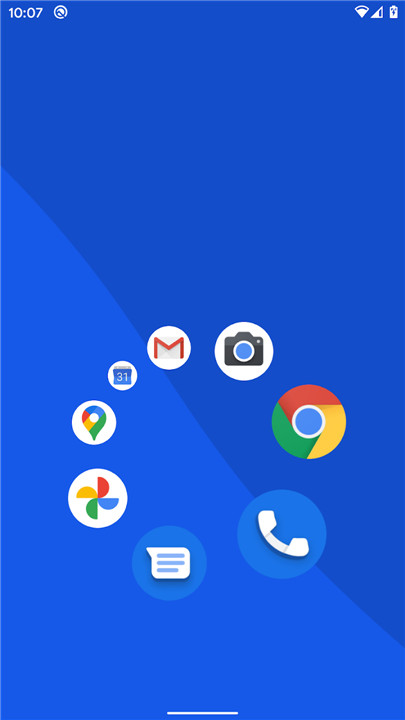
• Simply tap and hold anywhere on the screen to trigger the radial pie menu.
• From there, swipe in the direction of your desired app to launch it instantly.
2. Rapid Search:
• For apps you use less frequently, you do not need to hunt through folders.
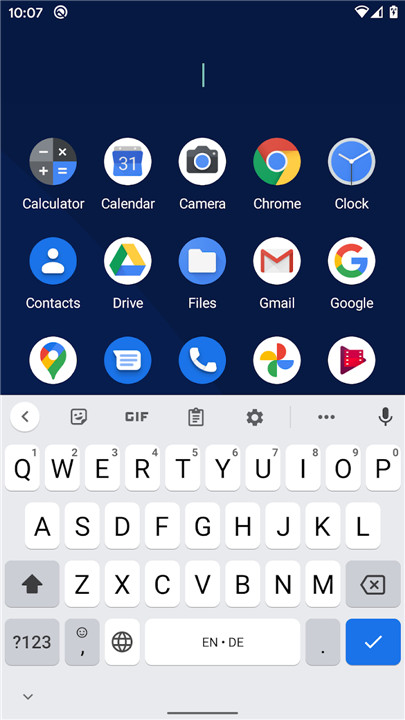
• Just tap and type the first one or two letters to filter your list and select your target.
Customization and Layout
1. Tailored Interface:
• Long-press any app within the list to access the pie menu editor.
• You can configure the menu to display 4, 6, or 8 slots, allowing you to optimize the layout based on your personal usage patterns.
2. Muscle Memory:
• The design is specifically crafted for speed.
• With consistent use, you will be able to launch your most-accessed applications through intuitive, blind gestures without needing to look at your screen.
Philosophy and Access
1. Efficiency First:
• By separating high-frequency apps into the gesture-based pie menu and low-frequency apps into the quick-search bar, the launcher drastically reduces the time spent navigating the app drawer.
2. Open Source Commitment:
• Pie Launcher is built with transparency and community contribution in mind.
• You can view the source code, report issues, or contribute to development on GitHub at the following location: https://github.com/markusfisch/PieLauncher
FAQ
Q: How do I initiate the Pie Menu?
A: You can trigger the menu at any time by performing a simple tap and hold action anywhere on your screen, which will cause the radial pie interface to appear under your finger.
Q: What is the fastest way to open an app I don’t use very often?
A: For less frequently used applications, the best method is the rapid search feature where you simply tap and type the first one or two letters of the app name to filter the list and quickly select your desired target.
Q: Can I change how many apps appear in the Pie Menu?
A: Yes, you can customize the layout to fit your specific needs by long-pressing on any app within your list to open the pie menu editor, where you can select a configuration of 4, 6, or 8 slots.
Version History
v1.28.0——15 Jul 2026
Home screen launcher that uses a dynamic pie menu instead of tables of icons. Download the latest version of Pie Launcher to enjoy new features and updates immediately!
*1.28.0
• Add support for launching pinned shortcuts
• Limit recent-apps gesture workaround to Android 14
*1.27.0
* Add frecency app sorting and circle swap option
* Preserve pie entries across app icon changes
* Fix going back for some version of Android
*1.26.5
• Fix broken recent-apps overview for some Android versions