Read Later
Curate Your Curiosity
• Never let a brilliant idea or a compelling story slip through your fingers again.
• Read Later is more than just a bookmarking tool; it is a dedicated space to cultivate your personal knowledge library.
• Whether you are catching up on industry trends during your commute or diving into thought-provoking long-form journalism at midnight, our app ensures your reading material is always ready when you are.
• We strip away the noise of the modern web to provide a refined, distraction-free environment tailored to the way you consume information.
Core Capabilities
1. Effortless Curation:
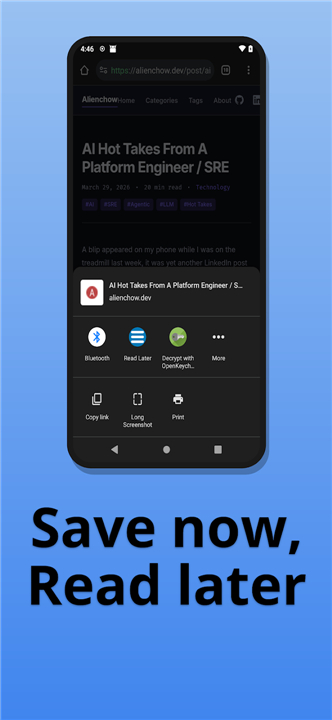
• Capture articles from any browser or application with a single tap.
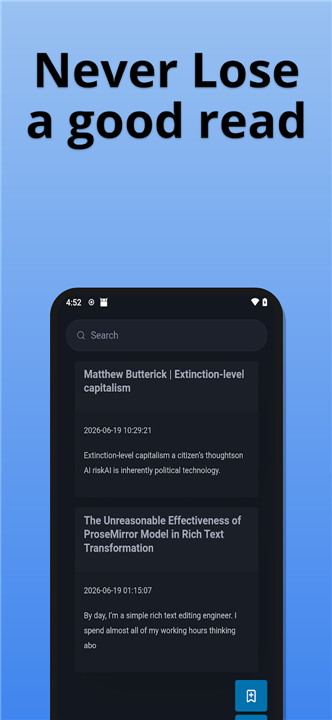
• Your saved content is automatically organized into a streamlined, clutter-free feed that turns your digital scavenging into a manageable archive.
2. Audio Integration:
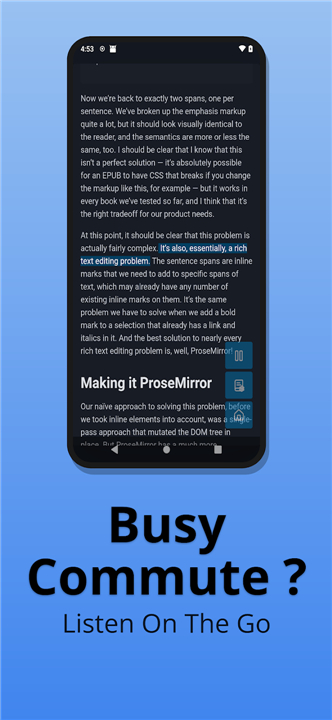
• Transform your reading list into a podcast-quality experience.
• Our high-fidelity text-to-speech engine allows you to listen to any article, with fully adjustable speed and pitch settings to suit your personal listening pace.
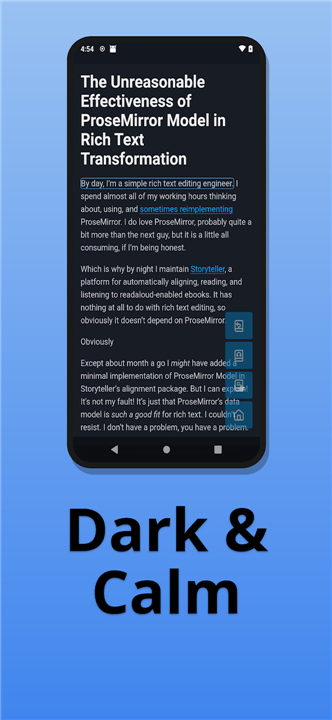
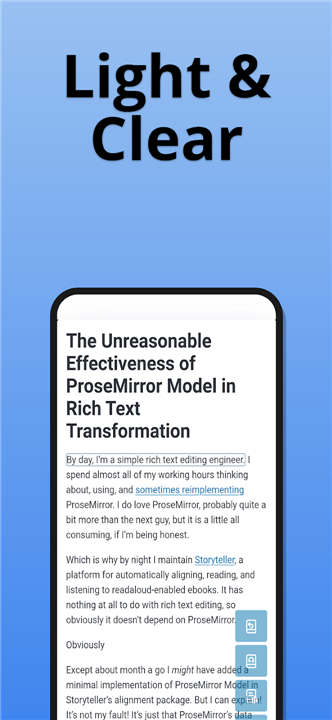
3. Adaptive Visual Environments:
• Protect your focus and your eyes with intelligent themes.
• Switch seamlessly between a crisp Light Mode for sunlit reading and a deep Dark Mode to minimize strain and preserve battery during late-night explorations.
4. Minimalist Control:
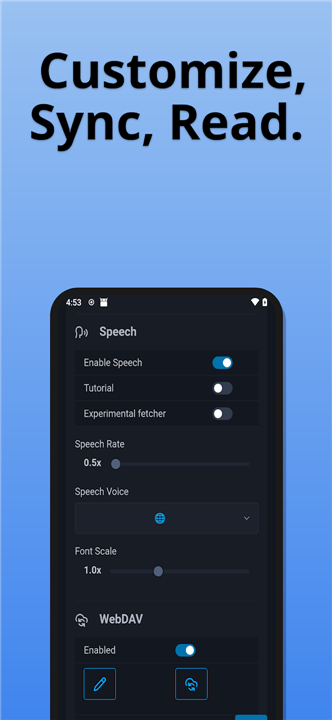
• Our streamlined settings menu puts you in command without the complexity.
• Customize your interface and audio preferences in seconds, ensuring the technology stays invisible while you focus entirely on the content.
Why Choose Read Later?
1. Focus-First Design:
• By removing invasive ads and sidebar clutter, we return the power of concentration to the reader.
2. Inclusive Accessibility:
• Built for everyone, our platform bridges the gap between traditional reading and modern, on-the-go listening.
3. Optimized Performance:
• Experience a lightweight, lightning-fast interface that respects your device’s resources while delivering premium functionality.
Download Read Later today
• Reclaim your time for the ideas that matter.
• Stop collecting bookmarks and start building your intellect.
FAQ
Q:Can I save content from any device or application?
A: Yes, you can capture articles from virtually any browser or mobile application with a single tap. This makes it incredibly easy to curate your interests as you come across them, ensuring your personal archive grows effortlessly throughout your day.
Q: How does the audio integration feature work?
A: Our high-fidelity text-to-speech engine converts your saved articles into a podcast-quality listening experience. You can listen to your reading list on the move, and you have full control over the speed and pitch to ensure the audio perfectly matches your personal listening pace.
Q: Will Read Later help me focus better while reading?
A: Absolutely. We prioritize a focus-first design by removing invasive advertisements and distracting sidebar clutter from your articles. This creates a refined, serene environment that allows you to concentrate entirely on the substance of the ideas you are exploring.
Version History
v0.1.78——16 Jul 2026
Bookmark. Read. Listen. The simple way to manage your reading list. Download the latest version of Read Later to enjoy new features and updates immediately!
*0.1.78
Minor bug fixes and improvements. Install or update to the newest version to check it out!
*0.1.77
Minor bug fixes and improvements. Install or update to the newest version to check it out!
*0.1.76
Minor bug fixes and improvements. Install or update to the newest version to check it out!