Bibledit
Overview
• Bibledit is a versatile, professional Bible translation software designed to empower translation teams globally by enabling secure Scripture editing on almost any modern device.
Device Compatibility and Access
• Multi-Platform Support: Offers features comparable to Paratext, fully compatible with Windows, macOS, Linux, Android tablets, and iPads.
• Cloud Version: Allows team members to work instantly via any internet browser without installing software.
• Client Version: A local installation option designed for offline work. It saves changes to the local device and automatically synchronizes with the cloud once an internet connection is established.
Translation Resources
• Scholarly Tools: Provides direct access to a vast library of academic and scholarly translation resources.
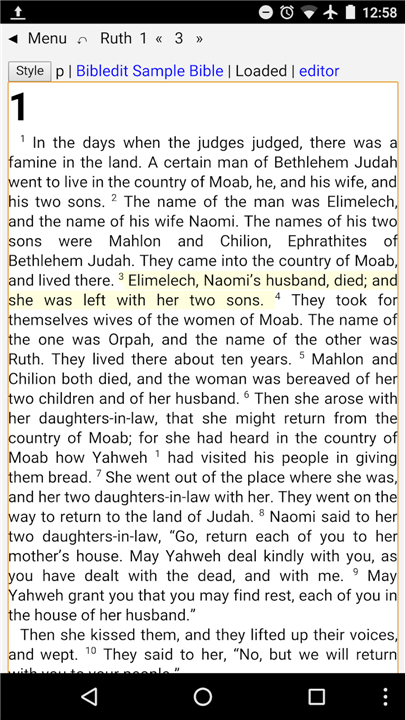
• Split-Screen Editing: Enables translators to view reference materials and source texts on the same screen alongside their translation draft for efficient editing.
Paratext Integration
• Bidirectional Syncing: Seamlessly ports edited Scripture files from Bibledit to a local instance of Paratext.
• Data Retrieval: Allows team leaders to import existing Bible texts and updates from Paratext back into Bibledit.
Publishing and Exporting
• Web-Ready HTML: Exports translations into HTML format for immediate website publication.
• Print Preparation: Generates formatted OpenOffice files that are ready for easy conversion into high-quality PDFs.
• App Integration: Creates Sword modules, allowing the translated text to be loaded onto popular Bible-reading applications across various smart devices.
FAQ
Q: How does Bibledit compare to other professional software like Paratext?
A: Bibledit offers features that are comparable to Paratext, giving translators powerful editing tools while adding the convenience of multi-device support and browser-based access.
Q: What is the Cloud version of Bibledit?
A: The Cloud version allows team members to start working instantly using any standard internet browser. It requires no software installation, making it ideal for quick access from any computer or tablet.
Q: How does the Client version of Bibledit support offline work?
A: The Client version is a local installation designed for situations where internet access is unavailable or unstable. It saves all of your edits directly to your device and automatically synchronizes your changes with the cloud once you connect back to the internet.
Version History
v5.1.047——25 Aug 2026
Bible editor for Android. Tool for Bible translators to translate the Bible. Download the latest version of Bibledit to enjoy new features and updates immediately!
*5.1.047
Minor bug fixes and improvements. Install or update to the newest version to check it out!
*5.1.035
Minor bug fixes and improvements. Install or update to the newest version to check it out!
*5.1.034
Minor bug fixes and improvements. Install or update to the newest version to check it out!