BridgeWay
Overview
• BridgeWay is a robust mobile application designed to simplify the management of device-level VPN connections on Android.
• By leveraging the native Android VpnService, the app provides a secure and transparent way to establish encrypted network tunnels, ensuring that your data traffic remains private.
Getting Started
• Users can initiate a secure connection by selecting a preferred node from the available list and tapping the Connect button.
• Upon the first attempt, the app will prompt for standard Android system authorization.
• Once approved, the VPN tunnel is established, and a persistent status notification appears in your notification shade, allowing you to monitor the session and disconnect instantly at any time.
Core Functionality and Features
BridgeWay offers a comprehensive suite of tools to manage and analyze your connection:
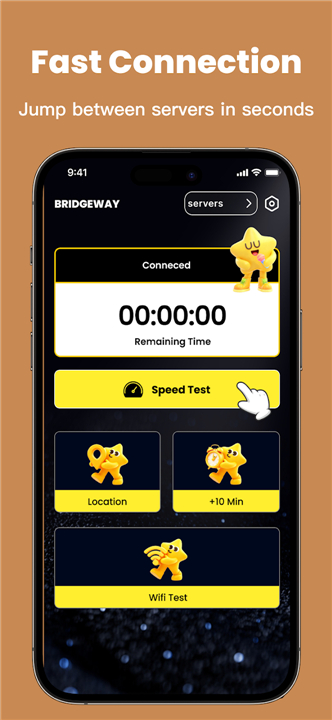
• Connection Management: Easily connect or disconnect from the VPN with a single tap following system authorization.
• Node Selection: Browse and switch between various available server nodes to optimize your connection.
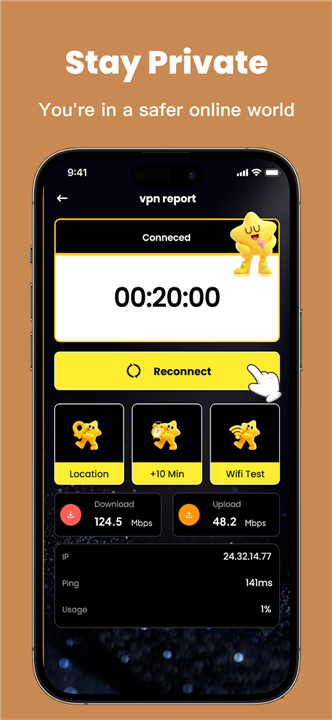
• Network Transparency: View your current public IP address and associated geographic location data.
• Performance Testing: Utilize the integrated speed test tool to evaluate the latency and throughput of your active VPN session.
• Diagnostic Tools: Access detailed information regarding your current Wi-Fi status and specific network configuration parameters.
• Session Monitoring: Keep track of real-time connection status, elapsed session duration, and overall usage data.
Privacy and Security
• BridgeWay operates with a user-first approach to transparency.
• The VPN session is only activated following an explicit user action.
• To maintain a secure environment, the application enforces a mandatory ongoing notification during active use, ensuring you are always aware when the VPN is protecting your device.
• This design ensures that you retain full control over your network traffic, providing a seamless balance between security and user experience.
FAQ
Q: How do I start a secure connection using the app?
A: Absolutely. The application features a built-in camera scanner that allows you to digitize your physical documents instantly, turning them into high-quality digital files with just a few taps.
Q: Why do I see a persistent notification in my status bar while using BridgeWay?
A: That notification is there for your security and transparency. The app enforces a mandatory ongoing notification whenever a VPN session is active so that you are always aware that your traffic is being routed through an encrypted tunnel. This ensures you are never connected to the VPN without your knowledge.
Q: Can I easily disconnect from the VPN whenever I want?
A: Absolutely. You have full control over your connection at all times. You can disconnect instantly by using the persistent notification in your status shade or by accessing the app’s main interface.
Version History
v1.0.4——30 Jun 2026
VPN app with node switching, speed checks, and IP details. Download the latest version of BridgeWay to enjoy new features and updates immediately!
*1.0.4
Minor bug fixes and improvements. Install or update to the newest version to check it out!
*1.0.3
Minor bug fixes and improvements. Install or update to the newest version to check it out!
*1.0.2
Minor bug fixes and improvements. Install or update to the newest version to check it out!