Gitling
Overview
• Gitling is a modern, full-featured Git client designed specifically for Android.
• Rebuilt from the ground up using Jetpack Compose and Material 3 Expressive, it modernizes its predecessors (MGit and SGit) with a updated toolchain, an entirely new user interface, and a fresh brand identity.
Authentication and Security
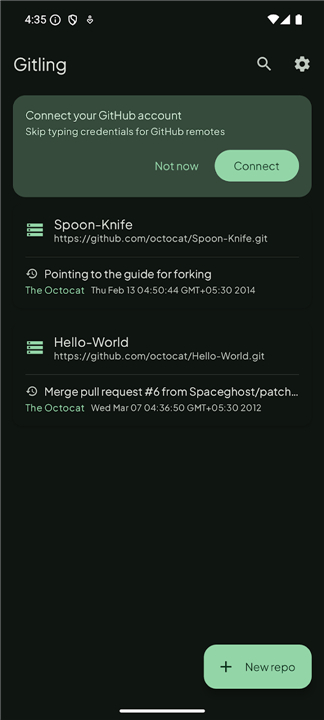
• One-tap GitHub connection using the OAuth Device Flow, removing the need to manually manage tokens or passwords for GitHub remotes.
• Comprehensive host support accepting standard username/password pairs and personal access tokens across any Git provider.
• Support for HTTP, HTTPS, and SSH protocols, including SSH connections secured with passphrase-protected private keys.
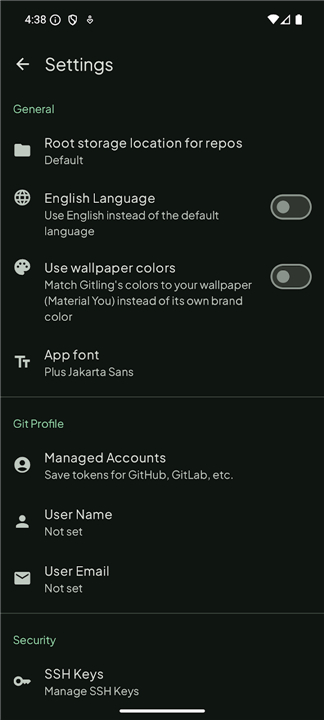
• Built-in utility for generating and managing private SSH keys directly on the device.
Repository and Version Control Features
• Complete local project management: clone remote repositories, initialize new projects, import existing local directories from device storage, and delete unwanted repositories.
• Full branch and tag lifecycle control, including creating, checking out, and merging local or remote branches and tags.
• Core Git operations support: view working directory status, stage changes, run rebases, execute cherry-picks, and perform checkouts.
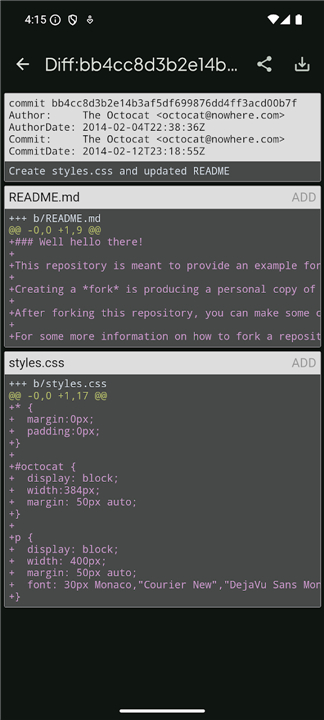
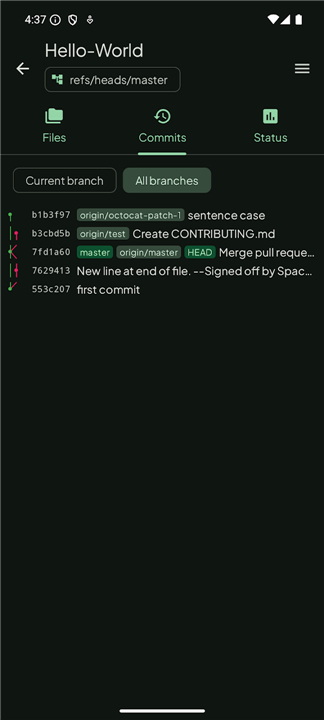
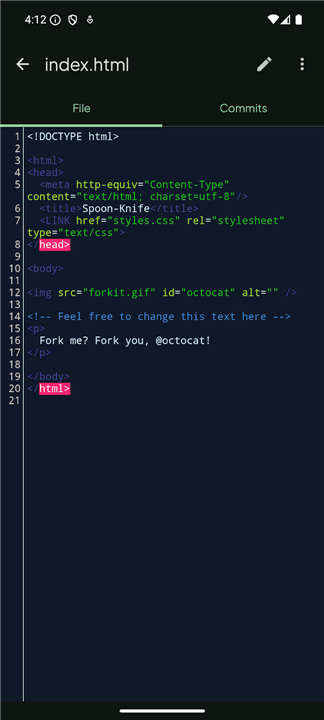
• Rich history tracking: browse project files, inspect full commit histories, and review clear git diffs between commits.
User Interface and Integration
• Responsive design featuring automatic light and dark themes synchronized with system preferences.
• Flexible color customization allowing a choice between a fixed brand color scheme or wallpaper-based Material You dynamic coloring.
• Modular file workflow: leverages the native Android File Provider system to seamlessly open and edit repository files using your preferred external text or code editor app.
FAQ
Q: How does Gitling build upon older Android apps like MGit and SGit?
A: Gitling serves as the modern spiritual successor to MGit and SGit. It refreshes the underlying development toolchain completely while delivering a brand-new user interface, updated branding, and smoother performance, solving many of the interface and compatibility limitations found in older clients.
Q: What frameworks power Gitling's user interface?
A: Gitling is built using modern Android development practices, leveraging Jetpack Compose for a fluid UI declarative framework and Material 3 Expressive for styling. This ensures that the interface remains responsive, scalable, and visually intuitive across various screen sizes and Android device configurations.
Q: How quick is the authentication process for GitHub users?
A: Gitling provides a streamlined one-tap sign-in process for GitHub using the OAuth Device Flow. This convenient feature allows you to authenticate quickly without needing to manually copy and paste long personal access tokens or enter account passwords.
Version History
v1.0.59——10 Aug 2026
Git client built with Jetpack Compose and Material 3 Expressive Download the latest version of Gitling to enjoy new features and updates immediately!
*1.0.59
Minor bug fixes and improvements. Install or update to the newest version to check it out!
*1.0.58
Minor bug fixes and improvements. Install or update to the newest version to check it out!
*1.0.57
Minor bug fixes and improvements. Install or update to the newest version to check it out!