NetGuard - no-root firewall
Overview
• Take charge of your digital life.
• NetGuard empowers you to regain complete control over your phone's internet connection.
• By letting you decide exactly which apps can access the web, NetGuard safeguards your privacy and optimizes your device without requiring complicated system modifications like rooting.
The Benefits of Total Control
• Reclaim your privacy by stopping unauthorized data sharing.
• Lower your mobile bills by stopping background data hogging.
• Extend your battery life by preventing silent, energy-draining connections.
Core Features
• Simple and root-free: Safe, accessible, and ready to use on Android 5.1 and above.
• Absolute privacy: Completely ad-free, with zero trackers, analytics, or home-calling.
• Open and transparent: 100% open-source software that you can trust.
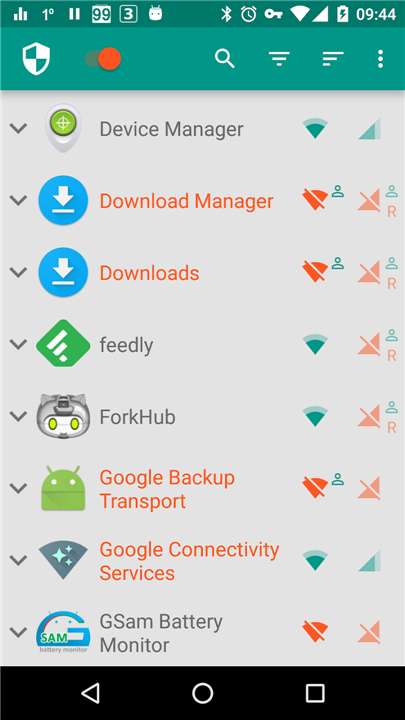
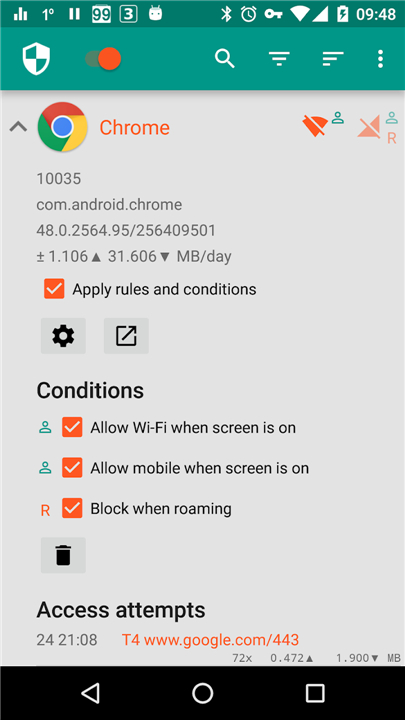
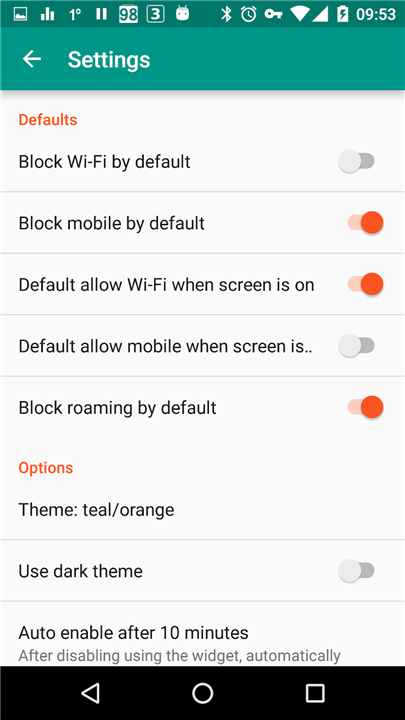
• Flexible blocking: Custom-tailor your access by blocking system apps, disabling data when roaming, or allowing connection only when your screen is on.
Advanced Controls (PRO)
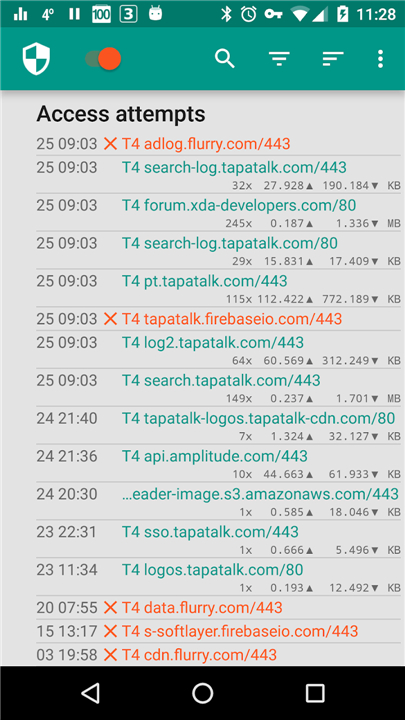
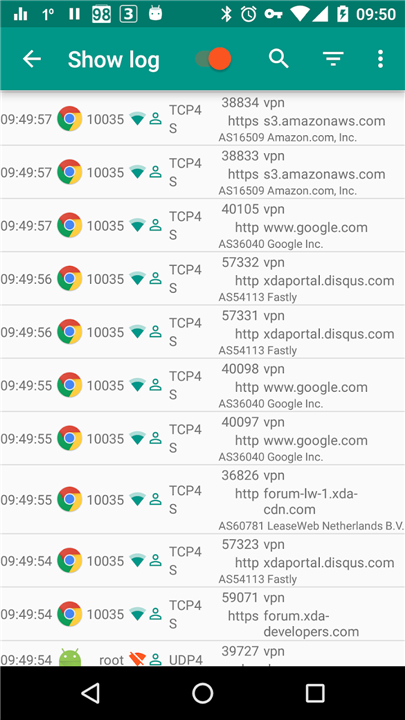
• Deep traffic analysis: Track all outgoing connections, filter access attempts, and export PCAP files to inspect your data.
• Micro-management: Allow or block specific web addresses for individual applications.
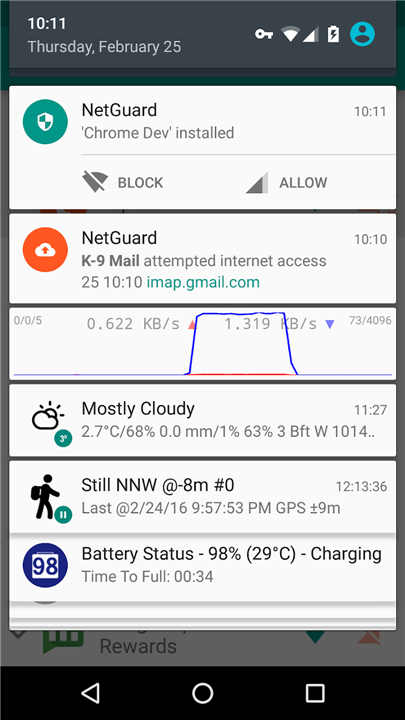
• Real-time monitoring: View network speed graphs in your status bar and manage settings instantly through interactive notifications.
• Personal style: Customize your interface with five additional light and dark themes.
Transparency and Technical Details
• NetGuard protects your device by routing traffic through a secure, on-device VPN.
• Your data is filtered locally and never sent to an external server.
• Please note that Android only allows one active VPN service at a time.
+ View the source code: https://github.com/M66B/NetGuard
+ Read about app permissions: https://github.com/M66B/NetGuard/blob/master/FAQ.md#user-content-faq42
+ Test new features: https://play.google.com/apps/testing/eu.faircode.netguard
FAQ
Q: Do I need to root my Android phone to use NetGuard?
A: Not at all! NetGuard is built specifically to operate without requiring root access. You can simply install it on any standard Android device running version 5.1 or higher and start managing your network connections right away without risking your phone's warranty or altering core system security settings.
Q: How does NetGuard block internet access without needing root permissions?
A: NetGuard cleverly utilizes Android's built-in virtual private network interface. It creates a local, on-device VPN connection through which your traffic passes. Because NetGuard manages this internal bridge locally, it can selectively inspect outgoing requests and block or allow connections based on the custom rules you create.
Q: Can I run NetGuard alongside another VPN app?
A: Unfortunately, Android system restrictions allow only one active VPN service at a time. Since NetGuard relies on the local VPN framework to monitor and filter network traffic, you cannot run a traditional VPN service simultaneously without turning off NetGuard.
Version History
v2.337——10 Aug 2026
NetGuard is an internet security app that lets you control apps' access to the internet. Download the latest version of NetGuard - no-root firewall to enjoy new features and updates immediately!
*2.337
Minor bug fixes and improvements. Install or update to the newest version to check it out!
*2.336
Minor bug fixes and improvements. Install or update to the newest version to check it out!
*2.335
Minor bug fixes and improvements. Install or update to the newest version to check it out!