GitSync
Overview
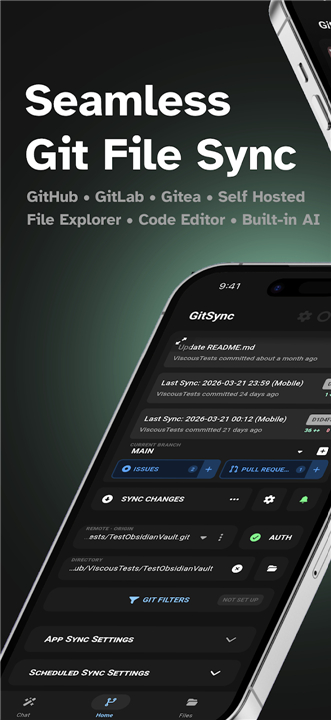
• Empower your mobile workflow with GitSync, the ultimate Git client designed for Android 5+.
• Seamlessly bridge the gap between your local files and remote repositories with a background syncing solution that works quietly in the background.
• Set up your connection once and experience the freedom of a fully synchronized workspace wherever you go.
Flexible Synchronization
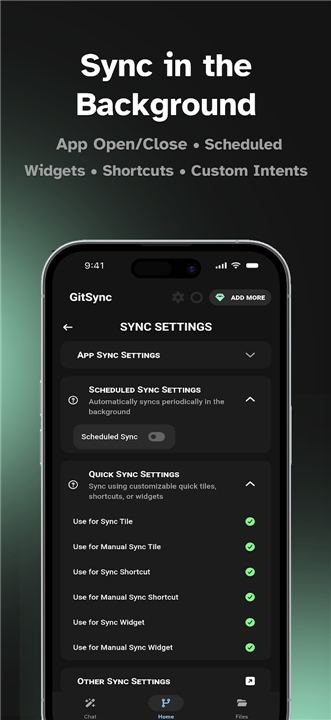
• Automate your syncs based on app activity, custom schedules, or advanced system intents.
• Trigger manual updates instantly using convenient Quick Settings tiles or home screen widgets.
• Keep your progress secure with automatic retries that resume syncing the moment your network reconnects.
Comprehensive Repository Control
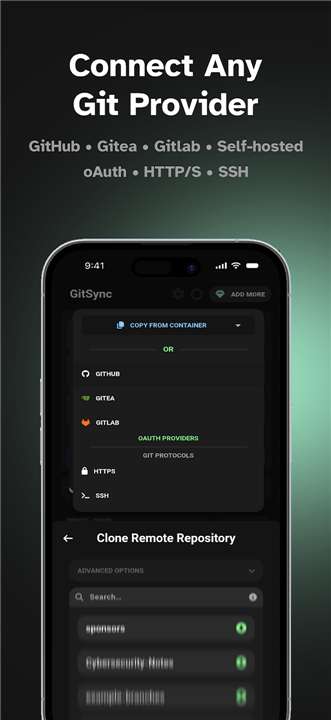
• Secure your connection using SSH, HTTPS, or OAuth integrations with GitHub, GitLab, and Gitea.
• Execute standard Git commands including clone, fetch, pull, stage, commit, and push.
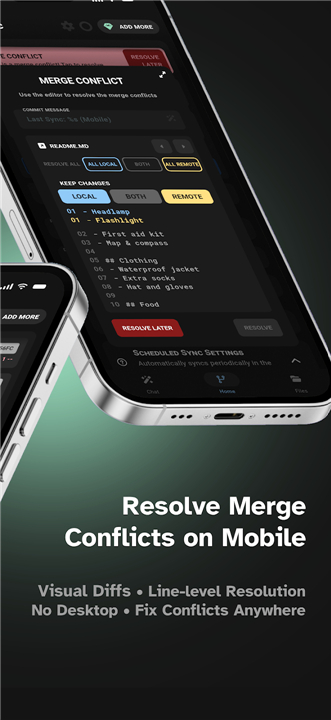
• Resolve merge conflicts, manage branches, and track changes using detailed visual diffs.
• Navigate and modify your code on the go with a built-in file explorer, code editor, and image viewer.
• Collaborate effortlessly by managing issues, pull requests, and GitHub Actions directly from your device.
Advanced Power Features
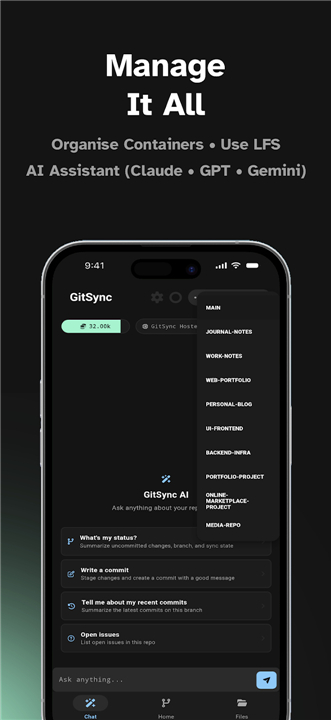
• Organize and isolate multiple projects using secure container management.
• Support heavy-duty configurations with Git LFS, git-crypt encryption, and GPG-signed commits.
• Leverage integrated AI to chat with your codebase, auto-complete commit messages, and execute repository actions.
Premium, AI, and Enterprise Editions
• Upgrade to Premium to unlock unlimited repository containers, Git LFS, and encrypted storage.
• Subscribe to hosted AI services for intelligent coding assistance, or bring your own API key.
• Deploy across organizations with Enterprise codes that feature secure email verification and centralized admin control.
Privacy and Accessibility
• GitSync utilizes Android’s Accessibility Service solely to detect app activity and trigger smart syncs.
• Your privacy is fully protected; no personal data is ever collected, stored, or transmitted.
• You retain full control and can toggle these permissions in your system settings at any time.
FAQ
Q: Does GitSync support background synchronization so I don’t have to manually pull changes every time?
A: Yes, GitSync is designed to work quietly in the background without requiring constant manual intervention. You can set it up to automate your syncs based on specific app activity, custom time schedules, or even advanced system intents, ensuring your workspace is always up to date.
Q: How do I initiate a quick update if I need to sync my repository immediately?
A: If you need to perform an instant update, you don't even have to open the full app. GitSync provides convenient Quick Settings tiles and home screen widgets that allow you to trigger manual pulls or pushes with just a single tap.
Q: What authentication methods can I use to connect to my remote repositories?
A: The app offers flexible and secure connection options to suit your security needs. You can connect to platforms like GitHub, GitLab, and Gitea using SSH keys, standard HTTPS credentials, or seamless OAuth integrations.
Version History
v1.8.61——27 Jul 2026
Git client for syncing a repository between remote and a local directory Download the latest version of GitSync to enjoy new features and updates immediately!
*1.8.61
Minor bug fixes and improvements. Install or update to the newest version to check it out!
*1.8.60
Minor bug fixes and improvements. Install or update to the newest version to check it out!
*1.8.59
Minor bug fixes and improvements. Install or update to the newest version to check it out!