PROset App by Zumtobel
About This Technology
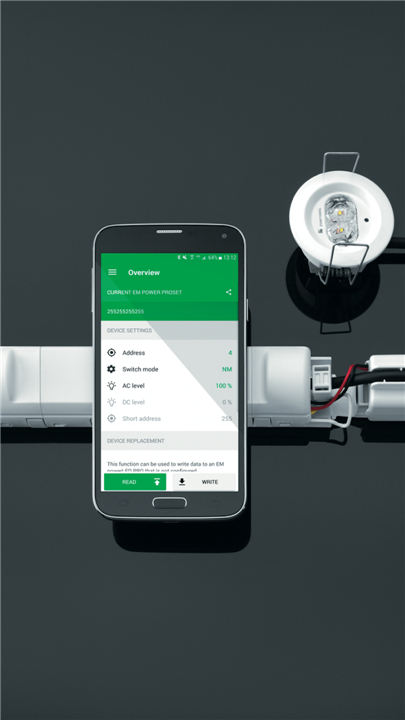
• The PROset App transforms how professionals manage emergency lighting.
• By leveraging cutting-edge NFC and Bluetooth technology, the system eliminates cumbersome physical controls and replaces them with intuitive digital solutions.
• What once required ladders and manual adjustments now happens seamlessly through a smartphone interface—making lighting management more efficient than ever before.
Getting Started
Programming your luminaires is straightforward and flexible:
• Direct NFC Connection: Simply tap your smartphone against the control gear to program settings instantly
• Bluetooth Alternative: Pair your phone with the PROset Pen when direct access to installed gear isn't practical—select "Connection via Bluetooth" from the home screen
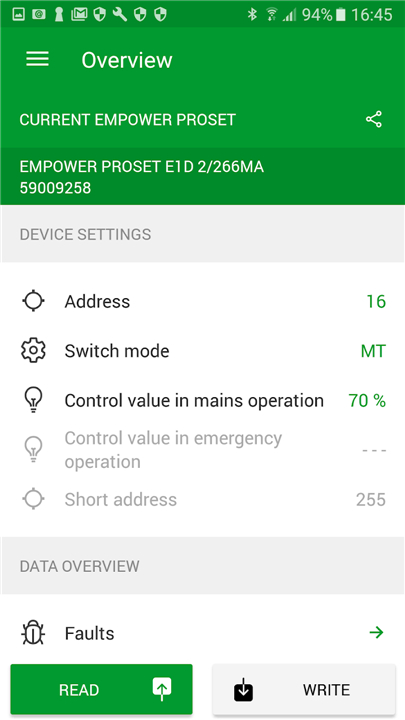
• First-Time Setup: Always read a control gear before writing to it; this ensures the article number, luminaire designation, and address range are properly recognized
Core Capabilities
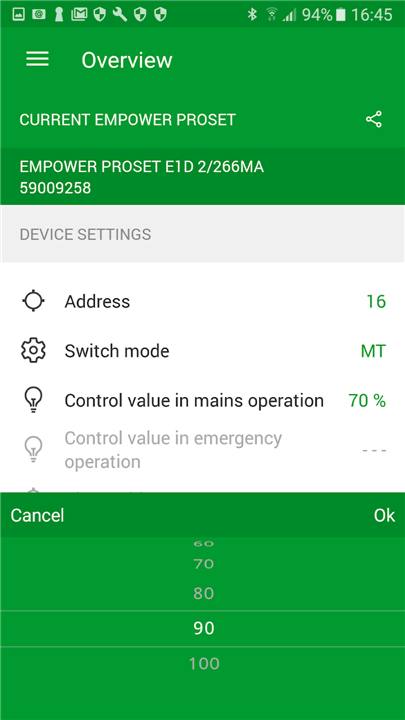
1. Intelligent Addressing
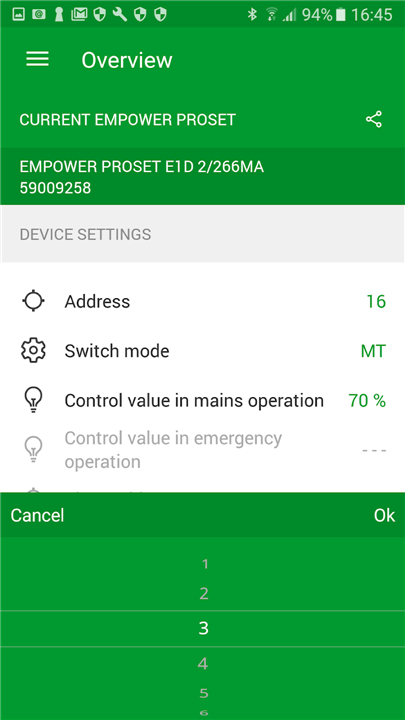
• Forget about fiddling with tiny rotary switches in awkward positions.
• The PROset App lets you select addresses with a simple scrolling motion.
• This digital approach removes the possibility of incorrect switch settings entirely, giving you confidence in every configuration.
2. Flexible Switching Modes
Choose the operating mode that suits your space:
• Maintained Light: Luminaires stay illuminated during both normal mains operation and emergency situations
• Non-Maintained Light: Fixtures remain off during regular operation and activate only during power failures
• Note: Luminaires not connected to a system will automatically default to maintained light mode.
3. Adaptive Dimming Levels
Set the perfect ambiance for every situation:
• AC Level: Adjust dimming during standard mains operation
• DC Level: Fine-tune emergency operation settings (available for centrally supplied systems)
• Unconfigured luminaires automatically revert to default dimming settings.
Smart Maintenance
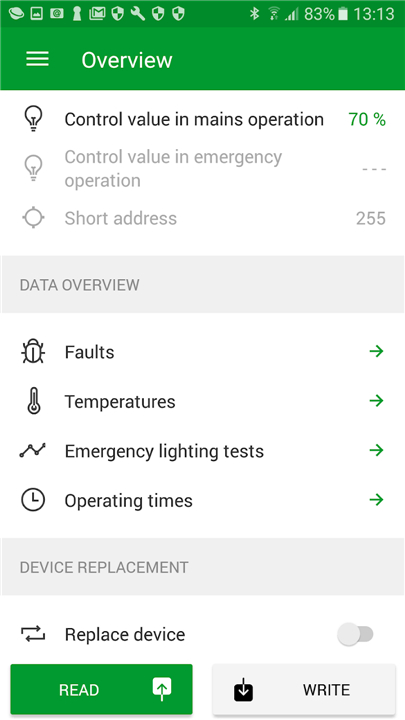
1. Black Box Diagnostics
The built-in NFC interface provides instant access to essential performance data:
• Error history and troubleshooting information
• Operating temperature monitoring
• Test records and results
• Total operating hours
• This data can be forwarded to headquarters for deeper analysis, supporting proactive maintenance strategies.
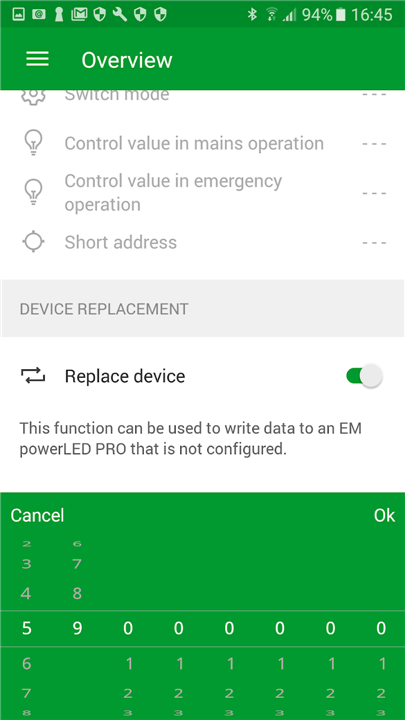
2. Effortless Device Replacement
When a control gear needs replacing, the PROset App handles the transition smoothly:
• Copy Function Route
I. Activate device exchange mode
II. Read configuration from the old control gear
III. Write settings to the new unit Your address, switching mode, and dimming levels transfer automatically.
• Database Route
I. Select the appropriate article number
II. Write configuration to the new control gear
III. Customize address, switching mode, and dimming levels as needed
Why Choose PROset?
• Speed and Simplicity: Intuitive controls mean faster installations and adjustments
• Error-Free Configuration: Digital settings eliminate the risk of manual switches being incorrectly positioned
• Standalone Capability: Configure luminaires without requiring a central controller
• Data-Driven Maintenance: Black box statistics help predict issues before they become problems
• Seamless Upgrades: Copy settings from old gear or pull from an integrated database
Innovation Highlight
• The breakthrough lies in complete NFC integration—addressing, configuration, and maintenance now happen through a simple smartphone tap, ushering in a new era of connected emergency lighting management.
FAQ
Q: What connection options does the PROset App offer for programming luminaires?
A: The PROset App provides two primary methods for connecting to and programming your emergency lighting control gear. The first option is Direct NFC Connection, which allows you to simply tap your smartphone against the control gear to program settings instantly. This method is ideal when you have direct access to the installed gear and want the fastest possible connection. The second option uses Bluetooth connectivity through the PROset Pen, which comes in handy when direct access to installed gear isn't practical. In this mode, you simply select "Connection via Bluetooth" from the home screen of the app, and the system will establish a wireless connection to the pen device, which then communicates with the control gear.
Q: What is the proper procedure for first-time setup of a luminaire?
A: When programming a luminaire for the first time, it is essential to always read the control gear before writing any new settings to it. This read operation ensures that the article number, luminaire designation, and address range are properly recognized by the system. Skipping this step can result in configuration errors or incompatibility issues. Think of this initial read as establishing a baseline conversation between your phone and the control gear—the app learns what specific device it's working with before you tell it how you want that device to behave.
Q: How does intelligent addressing work in the PROset system?
A: Intelligent addressing completely transforms how you assign and manage addresses for your emergency lighting fixtures. Traditional systems required physical rotary switches that were often difficult to access and easy to misconfigure, especially when working in awkward positions or with limited visibility. The PROset App eliminates these challenges by letting you select addresses through a simple scrolling motion on your smartphone screen. Because everything is done digitally, there is no possibility of incorrect switch settings—this removes an entire category of installation errors and gives you complete confidence that every luminaire has been addressed correctly.
Version History
v1.8.1——4 May 2026
Addressing, configuration and maintenance via NFC. Download the latest version of Zumtobel PROset App to enjoy new features and updates immediately!
*1.8.1
Bug fixes
*1.8.0
Main Updates
- Added support for new device types: High Power Luminaire and Exit Sign With ERI
General improvements and bug fixes
*1.7.0
– Support for Smartsign luminaires
– Bug fixes