PlainApp: Phone Web Portal
Overview
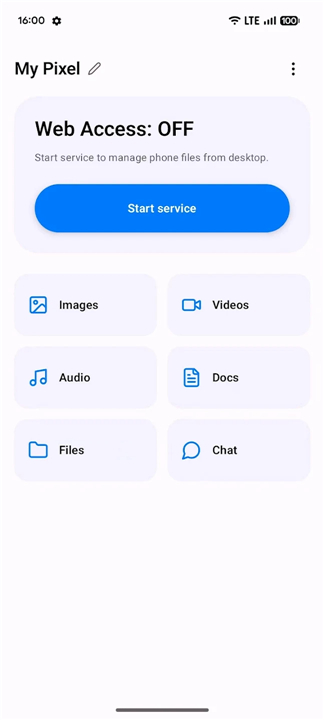
• PlainApp provides a sophisticated web-based interface for managing your smartphone from any computer on the same network.
• By running a localized server on your mobile device, it creates a bridge that allows for seamless data interaction without the need for internet connectivity or cloud-based intermediaries.
File and Media Management
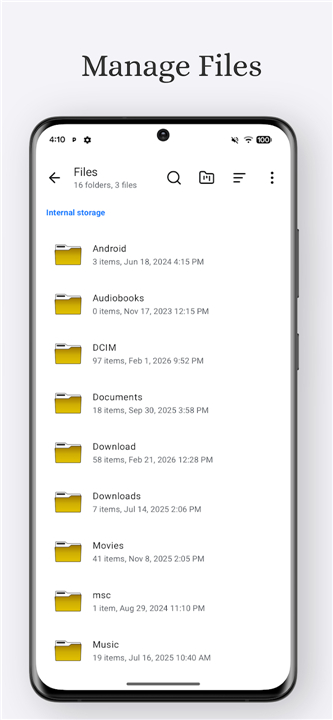
• Complete access to internal storage, SD cards, and USB peripherals.
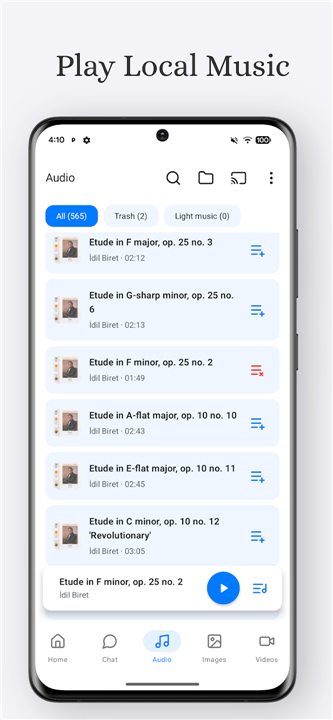
• Direct browser-based viewing of photos, video streaming, and audio playback.
• Screen mirroring functionality for real-time device display on larger screens.
• Technical diagnostics and detailed device hardware information.
• Intelligent AI-powered image search processed directly on the device.
Security and Data Integrity
• Decentralized architecture ensures all data remains strictly on your local hardware.
• Zero reliance on third-party servers, account registrations, or mandatory signups.
• Industry-standard encryption using TLS and XChaCha20-Poly1305 for all local transfers.
• Absolute exclusion of advertisements, analytics, and user tracking scripts.
Integrated Productivity Suite
• Built-in Markdown editor for organized note-taking and documentation.
• Integrated RSS reader to aggregate and manage personalized news feeds.
• Comprehensive multimedia players with support for casting content to television sets.
• Support for Progressive Web App installation to provide a native desktop-like experience.
Open-Source Solution
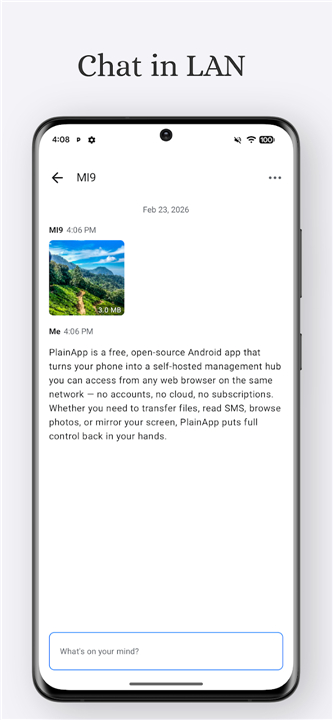
• PlainApp is an open-source solution designed for users who prioritize data sovereignty and simple, cross-platform device management.
• Detailed resources, source code, and community discussions are available via the official website, GitHub repository, and the dedicated Reddit community.
• This tool simplifies the link between mobile and desktop environments while maintaining a zero-trust approach to external cloud providers.
FAQ
Q: Do I need an active internet connection to use PlainApp?
A: Not at all! PlainApp operates entirely on your local area network, meaning your data travels directly between your phone and your computer without ever needing to access the internet. This localized architecture ensures that you can manage your files, stream media, and use all features even when you are completely offline or have no cellular reception.
Q: How does PlainApp keep my private data secure from external threats?
A: Security is at the heart of PlainApp, which utilizes a decentralized architecture to ensure your data remains strictly on your local hardware. To protect your information from interception on your network, the application employs industry-standard encryption protocols, specifically TLS and XChaCha20-Poly1305, for all local transfers, keeping your connection safe from prying eyes.
Q: Do I need to create an account or sign up to start using the platform?
A: You will be happy to hear that there are absolutely no account registrations, signups, or third-party cloud server requirements to use PlainApp. The app embraces a zero-trust approach to external cloud providers, allowing you to use all of its features anonymously and privately right out of the box.
Version History
v3.3.0——13 Aug 2026
Access your phone from browser Download the latest version of PlainApp: Phone Web Portal to enjoy new features and updates immediately!
*3.3.0
Minor bug fixes and improvements. Install or update to the newest version to check it out!
*3.2.7
Minor bug fixes and improvements. Install or update to the newest version to check it out!
*3.2.6
Minor bug fixes and improvements. Install or update to the newest version to check it out!