Fake Call - Prank
Overview
• Fake Call is a versatile mobile application designed to simulate realistic incoming calls, providing an entertaining way to execute pranks or create excuses to exit awkward social situations.
• By mimicking the interface of a genuine phone call, the app ensures your prank remains convincing.
How to Use Fake Call - Prank
1. Access the main menu and select the Simulate a Call option to initiate the prank setup.
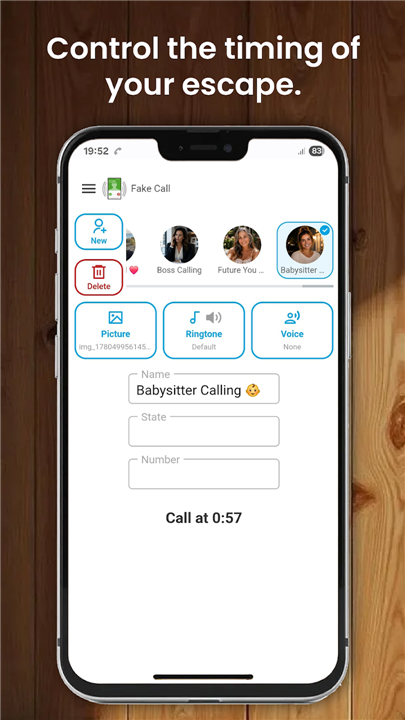
2. Determine the timing of the call by choosing from three available options: select Now for an immediate ring, or opt for a 10-second or 30-second delay to catch your friends off guard.
3. Once the desired interval is set, activate the command to trigger the simulation.
Key Features of Fake Call Prank
1. Customization:
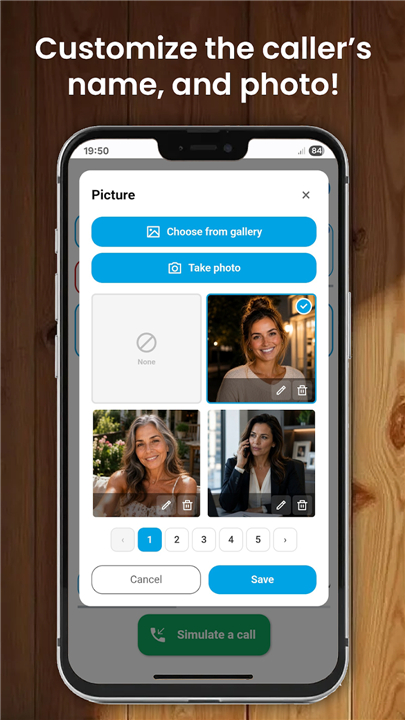
• Personalize the incoming call screen by inputting a specific caller name and phone number.
2. Visual Identity:
• Assign a specific contact photo or choose from a library of preset characters, such as a police officer or a pizza delivery person, to enhance the realism of the call.
3. Audio Settings:
• Customize the experience by selecting a specific ringtone or utilizing your device default.
4. Voice Simulation:
• Add a layer of authenticity by assigning a pre-recorded voice to the caller.
• You have the option to record your own custom audio or upload clips from your media gallery to play once the call is answered.
Disclaimer
• Fake Call is strictly an entertainment application and does not facilitate real communication.
• The software does not feature actual incoming calls; it serves solely to simulate the appearance of a call for harmless prank purposes.
• Please use this application responsibly and ensure that your pranks do not cause distress or disruption to others.
FAQ
Q: Can I use this app to make actual phone calls?
A: No, this application does not facilitate any real communication. It is strictly for entertainment purposes and is designed only to simulate the appearance of an incoming call on your device screen.
Q: How do I initiate a fake call using the app?
A: To get started, simply open the main menu and select the option to simulate a call. From there, you will be able to customize your settings and choose the timing for your prank before activating the simulation command.
Q: What are my options for timing the arrival of the call?
A: You have complete control over when the call rings. You can select the "Now" option for an immediate ring, or you can choose a delay of either 10 or 30 seconds if you want the call to catch your friends off guard later.
Version History
v1.0.60——13 Jul 2026
Simulate a fake call prank from anyone you choose. Download the latest version of Fake Call - Prank to enjoy new features and updates immediately!
*1.0.60
New theme added.
*1.0.59
Minor bug fixes and improvements. Install or update to the newest version to check it out!
*1.0.58
Minor bug fixes and improvements. Install or update to the newest version to check it out!