OneTwo: TableTop Tools
Overview
• OneTwo is a free, open-source utility suite designed to streamline tabletop roleplaying games, board games, and Magic: The Gathering sessions.
• Built with a lightweight, distraction-free Material Design aesthetic, the toolkit is engineered to remain unobtrusive, allowing you to focus on the game rather than the interface.
Game Setup and Utilities
• Finger-based chooser: A shared-screen feature to randomly select who starts the game.
• Random player order: Automated sorting to determine turn sequences.
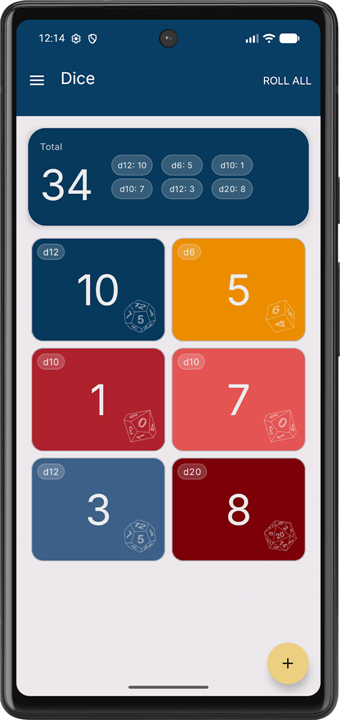
• Custom dice roller: Supports dice ranging from 2 to 99,999 faces for any game system.
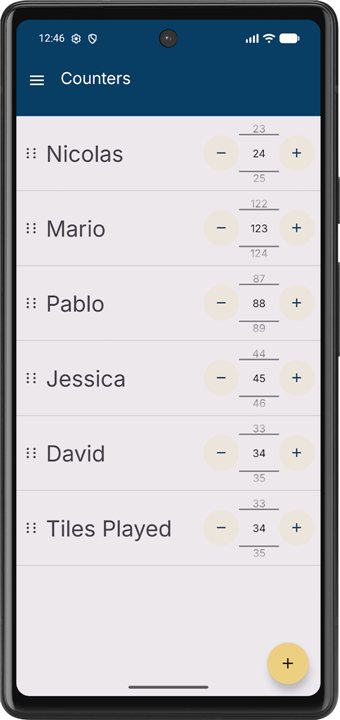
• Versatile counters: Flexible tracking for scores, health, or any numerical game values.
Magic: The Gathering Features
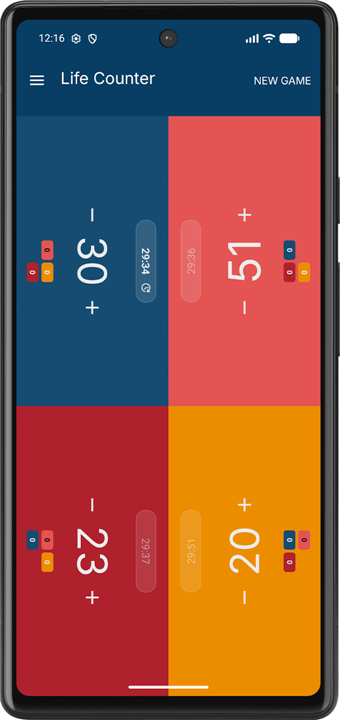
• Life tracking: Dedicated interface for 1 to 6 players.
• Commander damage: Comprehensive tracking with automatic 21-damage threshold highlighting.
• Turn management: Optional, per-player timers with integrated pass controls to keep matches moving.
Competitive Timing
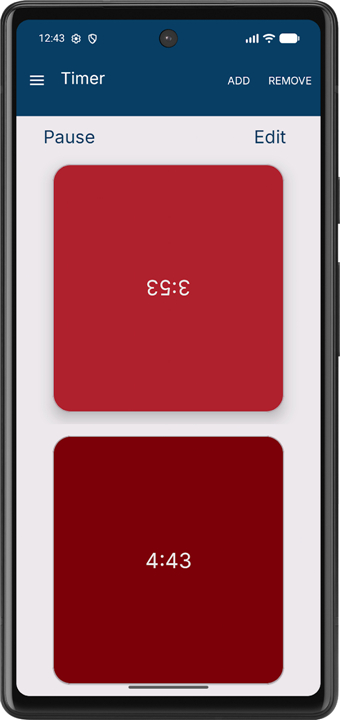
• Chess-style clocks: Synchronized timing for up to 15 players, perfect for drafting or complex board game turn management.
Development and Philosophy
• OneTwo prioritizes practicality and efficiency.
• By consolidating essential tabletop mechanics into a single, cohesive application, users can transition between tracking life totals and managing complex turn timers without friction.
• The project is entirely open-source, welcoming community contributions and transparency.
+ Access the source code and contribute to the development of the platform at: https://github.com/ndleyton/OneTwo
FAQ
Q: Can I use OneTwo for games other than Magic: The Gathering?
A: Absolutely, while it features specific tools for Magic, its core utilities like the dice roller, turn order sorter, and versatile counters are system-agnostic and work perfectly for virtually any tabletop or board game.
Q: How does the "Finger-based chooser" feature work?
A: The finger-based chooser is a fun, shared-screen tool where multiple players place their fingers on the device screen simultaneously. The application then randomly selects one of those fingers to determine who goes first, adding an element of chance to the game start.
Q: What is the maximum number of sides I can set for the dice roller?
A: The custom dice roller is remarkably flexible and supports any die ranging from 2 faces all the way up to 99,999 faces, making it suitable for even the most obscure or complex tabletop systems.
Version History
v2.1.4——7 Jul 2026
A tabletop toolkit for board games and MTG Download the latest version of OneTwo: TableTop Tools to enjoy new features and updates immediately!
*2.1.4
Add an MTG setup coach mark to the life screen
*2.1.3
Update commander damage layout tests for board order
*2.1.2
• feat: Highlight active turn timer player by @ndleyton in #66
• Feat & Polish: Add life counter haptics, refine color palettes, and modernize UI by @ndleyton in #67
• style: update MTG life counter player colors and add anchor backgroun… by @ndleyton in #68
• Use measured timer list height to cap TimerFragment rows by @ndleyton in #70
• Refactor timer controls into the toolbar and settings dialog by @ndleyton in #71
• Refine chooser animations and countdown visuals by @ndleyton in #72