Screen Translator - FLOAT
Your Instant Bridge Across Languages
• Ever stared at a foreign game menu, a gripping webtoon, or a dense novel, wishing you didn’t need a degree in linguistics just to understand what’s happening?
• Stop struggling with manual copy-pasting.
• With Float, the world’s content is finally yours to read.
• One button, one tap, and the language barrier vanishes.
Why Float Outperforms the Rest
1. Translation That Actually Makes Sense:
• We don’t just swap words; we capture the vibe.
• Whether it’s snappy comic dialogue or the heavy lore of an RPG, Float maintains the tone and nuance so it doesn't sound like a robot wrote it.
2. Bulk Processing for Binge-Readers:
• Stop translating one page at a time.
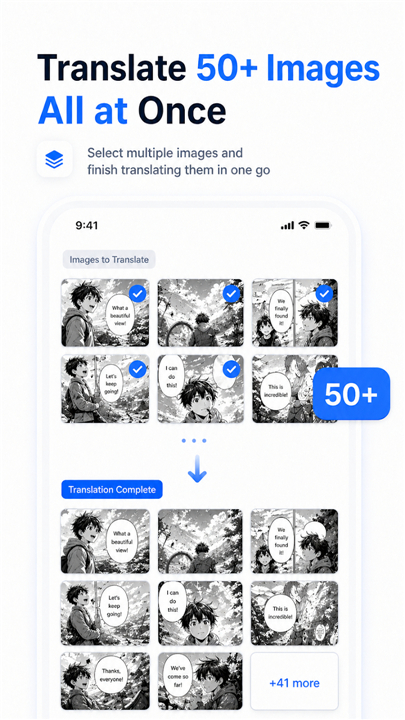
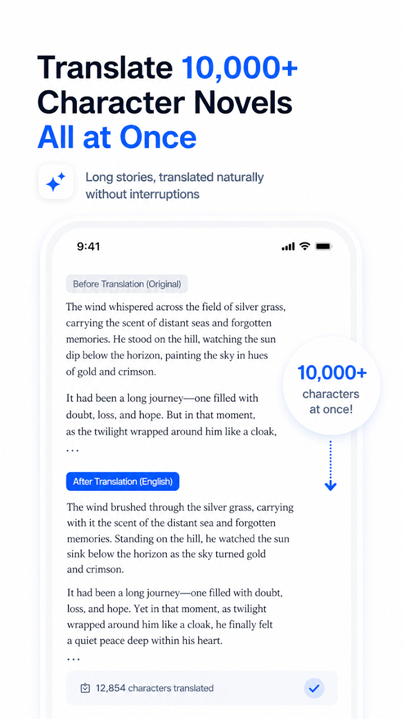
• Process 50 comic pages or a massive chapter of a light novel in one go.
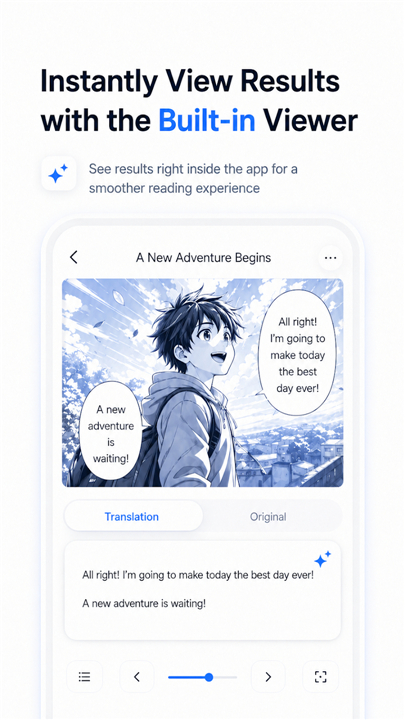
• Our dedicated built-in viewer lets you dive back into your story without missing a beat.
3. Context-Aware Intelligence:
• Unlike apps that chop your text into tiny, confusing chunks, Float keeps the big picture in mind.
• Character names, honorifics, and niche world-building terms stay consistent from the first page to the last.
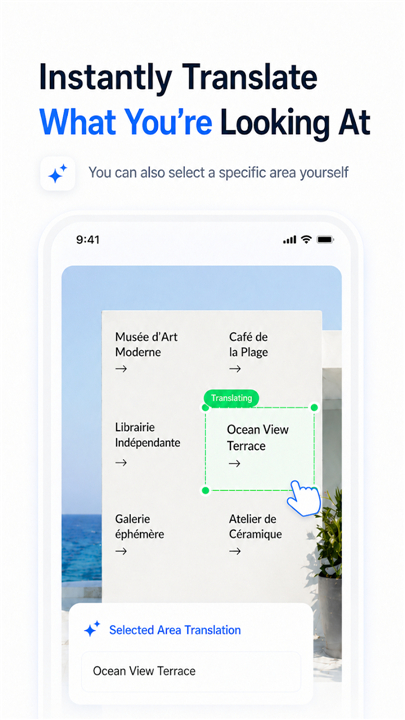
4. Precision Control:
• Don’t need the whole screen?
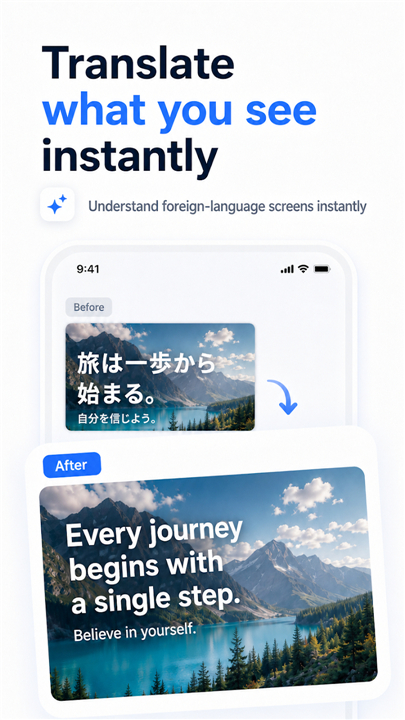
• Just drag and select the specific speech bubble or menu item you’re curious about.
• If it’s on your screen, we can read it.
Who is Float For?
1. Manga & Webtoon Fans:
• Experience your favorite series without waiting for official licenses.
• The text overlays neatly, keeping the original artwork front and center.
2. Gamers:
• From obscure indie titles to massive Japanese RPGs, navigate complex interfaces and item descriptions instantly.
• If it’s not localized, Float will handle it for you.
3. Novel Enthusiasts:
• Devour web novels chapter by chapter with perfect continuity.
4. The Pragmatic User:
• Easily decode foreign product manuals, overseas shopping listings, or important PDF documents on the fly.
How It Works
• Launch: Activate Float to reveal your trusty floating button.
• Navigate: Open any game, browser, or comic.
• Translate: Tap the button for full-screen magic, or drag to highlight exactly what you need to know.
Get Started for Free
• Experience the power of instant translation today.
• Want to level up your experience?
• Unlock unlimited, high-volume translation for less than the price of a fancy coffee per month.
Install Float and start understanding
• Stop guessing what that dialogue says.
FAQ
Q: Can I use Float on any application installed on my device?
A: Absolutely, because Float is designed to be a universal tool that works on anything displayed on your screen. Whether you are navigating an obscure indie game, reading a webtoon, or viewing a complex PDF, our floating button is ready to assist you at any time.
Q: Does the app support bulk translation for long-form reading?
A: Yes, we have specifically included features for binge-readers who want to move quickly through content. You can process up to 50 comic pages or entire chapters of a light novel in one go, allowing you to stay immersed in your story without the constant interruption of manual translations.
Q: How does the precision selection feature work?
A: If you do not want to translate the entire screen, you can simply drag and highlight a specific area of interest. This is perfect for when you only need to understand a single speech bubble or a specific item description in a game menu rather than the entire page.
Version History
v1.0.2——6 Jul 2026
Real-time screen translation, batch image translation, and novel translation Download the latest version of Screen Translator - FLOAT to enjoy new features and updates immediately!
*1.0.2
Minor bug fixes and improvements. Install or update to the newest version to check it out!
*0.12.3
Minor bug fixes and improvements. Install or update to the newest version to check it out!
*0.10.3
Minor bug fixes and improvements. Install or update to the newest version to check it out!