MagicMarker – Neon‑Style Illustrations
Overview
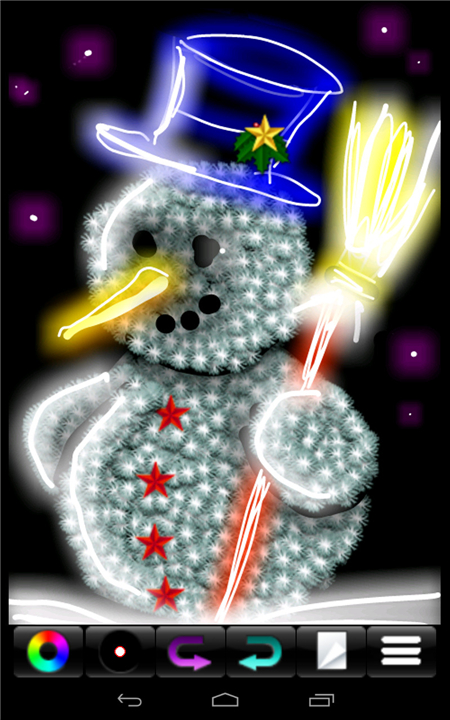
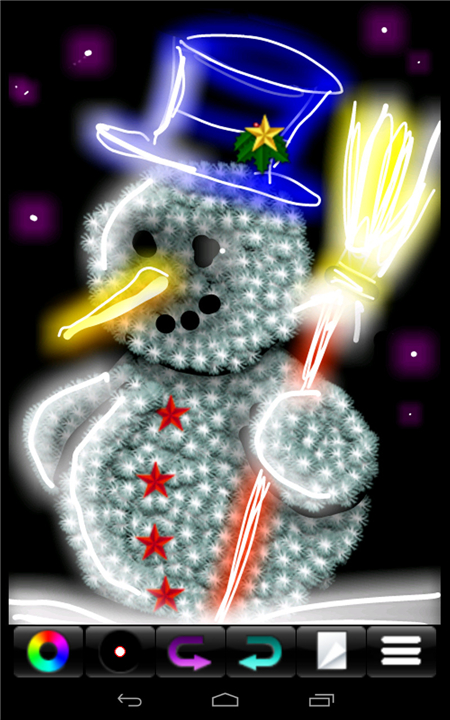
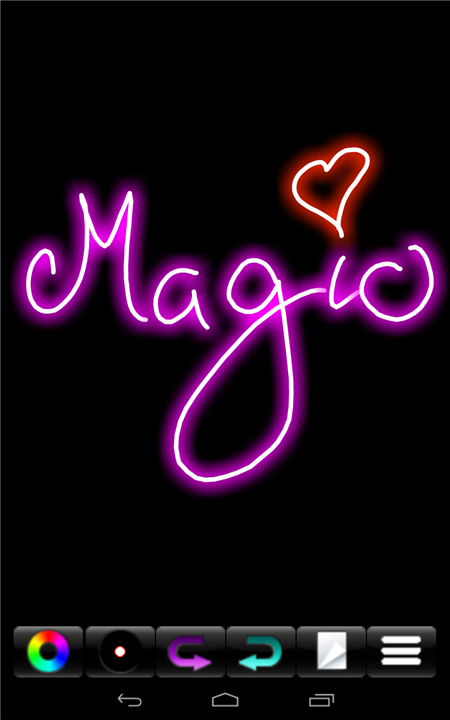
• The MagicMarker brand is built around a striking visual language that mimics the glow of neon lights.
• By combining clean line work with a limited color palette, the style delivers a “simple effect” that feels sophisticated and instantly eye‑catching.
• The result is a series of bold, high‑impact images that look as if they were illuminated in a darkened room, yet the process remains straightforward enough for beginners and pros alike.
Visual Characteristics
• Color Choice: Predominantly bright, saturated hues (electric blue, hot pink, lime green, vivid orange) set against a deep, often black or charcoal background.
• Line Quality: Uniform, medium‑thick strokes that suggest the tubular form of neon tubes.
• Glow Simulation: Subtle outer glows or soft blurs added sparingly to reinforce the illusion of light emission.
• Minimal Detailing: The emphasis stays on shape and color rather than intricate textures, keeping the composition clean.
Required Tools & Materials
• Digital brush packs specifically designed for neon effects (often labeled “neon brush” or “glow stroke”).
• Vector software (Adobe Illustrator, Affinity Designer) for crisp line definition.
• Raster editors (Photoshop, Procreate) to add glow layers and fine‑tune opacity.
• Optional: Physical neon‑inspired markers for sketching concepts before digitizing.
Step‑by‑Step Workflow
• Concept Sketch: Draft the basic silhouette or typography in pencil or a thin digital brush.
• Line Art: Replace the sketch with solid neon‑style strokes, maintaining consistent thickness.
• Color Fill: Apply the chosen neon hue directly onto the stroke; avoid gradients unless a subtle transition is desired.
• Glow Layer: Duplicate the colored line, blur it slightly, and lower its opacity to create a realistic halo.
• Background Adjustment: Keep the backdrop dark; add a slight vignette if extra depth is needed.
Advantages of the Neon Approach
• High Visibility: Works well for posters, social‑media graphics, and UI icons where quick visual impact is essential.
• Versatility: Adapts to various subjects—logos, characters, abstract shapes, or typographic compositions.
• Time Efficiency: The limited palette and simplified detailing reduce production time while still delivering a polished look.
Practical Applications
• Event flyers for concerts, night‑life venues, or tech conferences.
• Brand identities that aim to convey energy, modernity, or futuristic themes.
• Album covers, street‑art murals, and digital wallpapers.
Tips for Optimising Results
• Test the neon colors on multiple monitors to ensure consistent brightness.
• Use a slight offset between the line and its glow to avoid a flat appearance.
• Pair neon elements with a single contrasting accent color to prevent visual overload.
From Zero to Hero
• By following these guidelines, artists can achieve the “simple effect, amazing result” promised by MagicMarker’s neon‑style drawing technique.
FAQ
Q: What are the primary visual characteristics that make a MagicMarker illustration stand out?
A: These illustrations are defined by their use of bright, saturated colors set against very dark backgrounds, such as deep black or charcoal. The lines themselves are usually uniform and medium-thick to mimic the physical nature of neon tubes, and the style uses subtle soft blurs sparingly to suggest that the image is actually emitting light in a darkened room.
Q: How should I go about choosing the right color palette for a neon-styled project?
A: When selecting your colors, you should focus on highly saturated hues like electric blue, hot pink, lime green, or vivid orange. Because the style relies on the contrast between the light and a dark backdrop, these specific colors provide the necessary "pop" to make the illustration feel energized and modern while maintaining a clean composition.
Q: Why is maintaining a uniform line quality so important in this specific style?
A: Consistency in your line weight is vital because it mimics the tubular form of real neon lights. If the lines vary too much in thickness, the illustration can lose its structural integrity and fail to look like an authentic light fixture, so keeping your strokes medium-thick and steady is key to reinforcing the neon illusion.
Version History
v5.9——3 Sep 2026
Drawing with neon light - simple effect, amazing result Download the latest version of MagicMarker to enjoy new features and updates immediately!
*5.9
Minor bug fixes and improvements. Install or update to the newest version to check it out!
*5.8
Minor bug fixes and improvements. Install or update to the newest version to check it out!
*5.7
Minor bug fixes and improvements. Install or update to the newest version to check it out!