Simple Time Tracker
Overview
• Simple Time Tracker is a robust productivity application designed to help you gain a deeper understanding of how your daily hours are utilized.
• It streamlines the process of monitoring various tasks, allowing for better time management and personal accountability through a series of intuitive features.
Core Functionality and Tracking
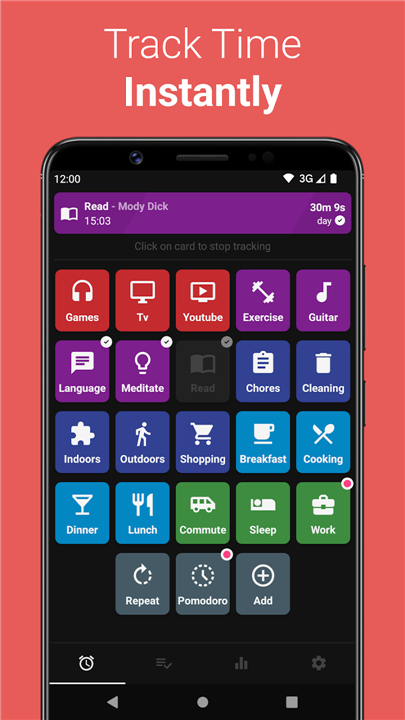
• Start or switch between different activities instantly with a single-click interface.
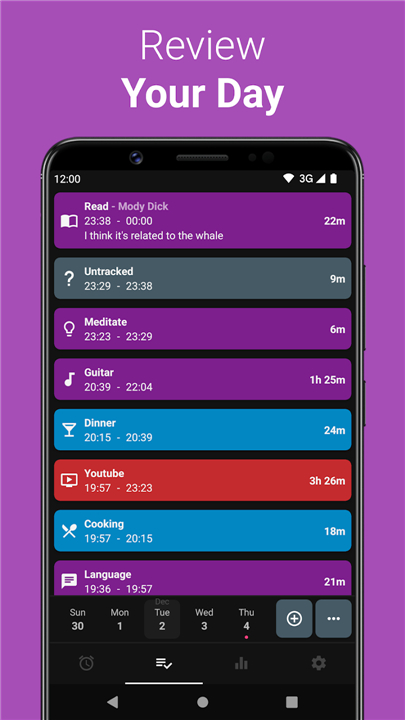
• Access a comprehensive history of previous records to review past performance.
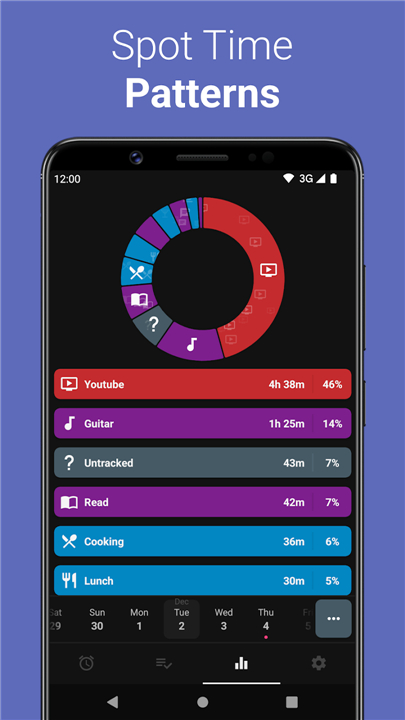
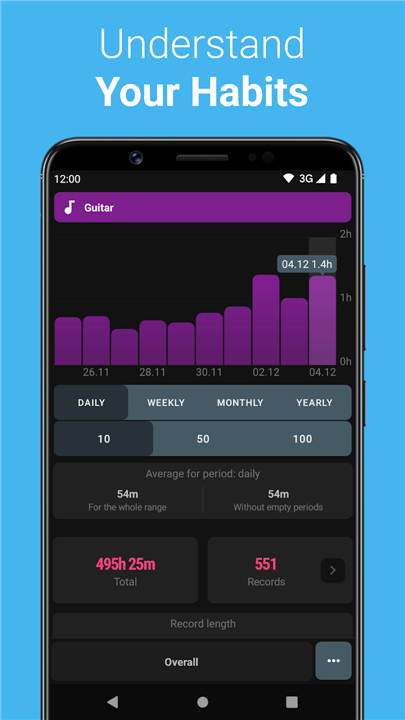
• View detailed statistical breakdowns to analyze time expenditure trends over days, weeks, or months.
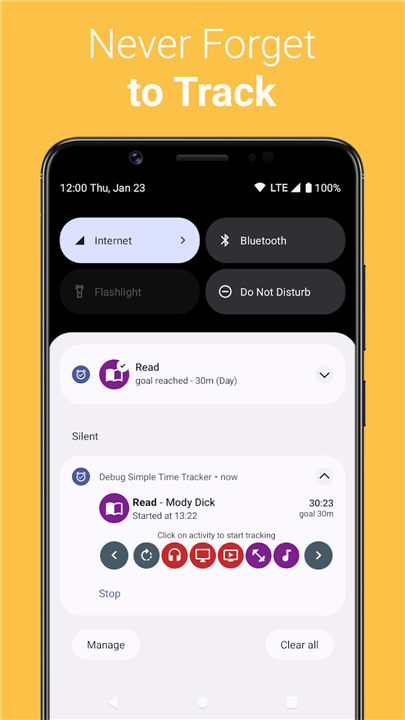
• Utilize built-in notifications to stay informed about the status of active timers.
User Interface and Customization
• Experience a minimalist design that prioritizes ease of use and removes unnecessary visual clutter.
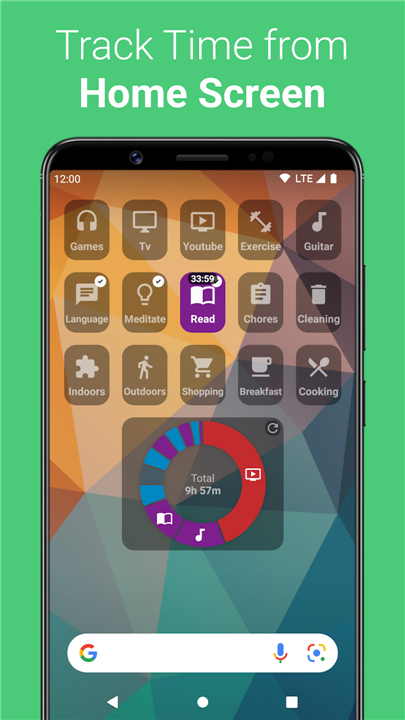
• Add functional widgets to your home screen for immediate tracking access without opening the app.
• Enable dark mode to customize the visual appearance and reduce eye fatigue in low-light environments.
• Benefit from a system that requires no intrusive permissions for standard operation.
Privacy and Security Standards
• Operate the application completely offline with no requirement for an active internet connection.
• Protect your personal information as no account creation or registration is necessary.
• Keep your data strictly on your local device, ensuring that neither developers nor third parties can access your logs.
• Utilize local backup and restore options to maintain full control over your historical data.
Wearable Support and Open Source Ethics
• Integrate with Wear OS devices to manage your time directly from your smartwatch.
• Use watch face complications to monitor tracking status and start activities from your wrist.
• Access the software entirely for free, without advertisements or hidden in-app purchases.
• Examine or contribute to the project via its open-source code, ensuring full transparency and community trust.
FAQ
Q: How quick is it to start tracking or switch between different activities?
A: Switching between tasks is virtually instantaneous thanks to the app's single-click interface. Whenever you move from one project to another, a simple tap lets you swap active timers immediately, allowing you to maintain your momentum without getting bogged down by complicated setups.
Q: Can I review my past performance and analyze long-term trends?
A: Yes, you can easily evaluate your overall performance. Simple Time Tracker provides a comprehensive history of your previous logs alongside detailed statistical breakdowns. This makes it easy to analyze your time expenditure patterns over daily, weekly, or monthly periods so you can optimize your schedule.
Q: How do notifications keep me updated on running timers?
A: Built-in system notifications ensure you are always aware of your current status. The app sends subtle alerts about active timers directly to your device screen, helping you stay informed about what you are currently tracking and preventing you from forgetting to stop a running clock.
Version History
v1.59——27 Jul 2026
Time tracker for work, study, and building better daily habits. Download the latest version of Simple Time Tracker to enjoy new features and updates immediately!
*1.59:
- Show date filter in detailed statistics
- Add ability to hide finished goals
- Improve similar comments search
- General bug fixes and improvements
*1.58
- Add tag search for tag selection
- Add ability for adding favourite comments per activity
- Add ability to change activity in divide record action
- Add separate notification channels for pomodoro phase
- Add shortcut for activity order
- Show days without records in the all records view
- Add some translations
- General bug fixes and improvements
*1.57
- Add shortcuts screen to Additional settings
- Add ability to create shortcuts for settings
- Add categories and tags relations view
- Add action to duplicate running timer
- Add some translations
- General bug fixes and improvements