MoasdaWiki App
Overview
• Take complete control of your personal knowledge network with the MoasdaWiki App.
• Designed for privacy, speed, and effortless access, this powerful mobile companion ensures your notes and schedule stay securely in your hands.
Core Benefits
1. Uncompromising Data Privacy:
• Connects directly to your private local network with zero cloud dependencies, third-party servers, or tracking software.
• Your information stays entirely yours.
2. Instant Information Retrieval:
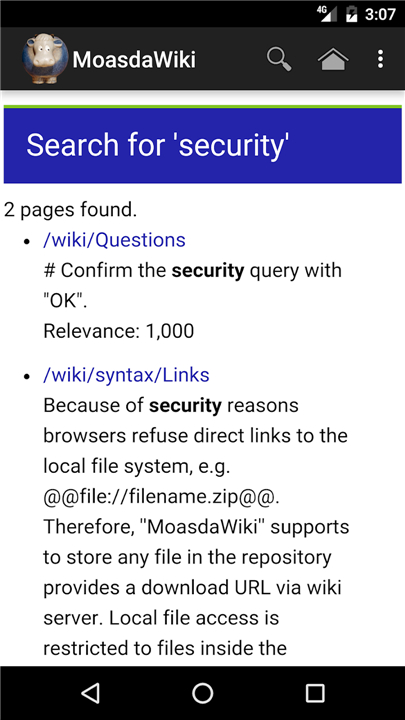
• Find any note, project, or idea in seconds using high-speed full-text search.
3. Integrated Scheduling:
• Automatically brings your personal calendar to life by pulling birthdays and events directly into your mobile agenda.
4. Distraction-Free Viewing:
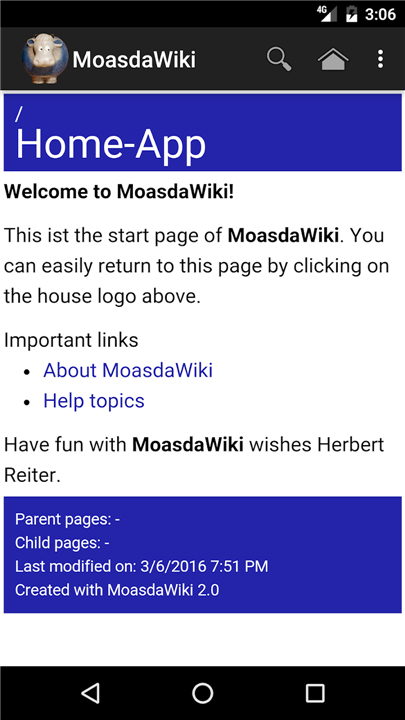
• Enjoy a clean, read-only interface optimized for seamless mobile reading.
Step-by-Step Connection Guide
Phase 1: Prepare Your Server
• Download MoasdaWiki Server from https://moasdawiki.net/ and set it up on your local network (LAN).
• Enable local network access by opening config.txt, setting authentication.onlylocalhost = false, and restarting the server.
Phase 2: Configure Your Mobile App
• Open the MoasdaWiki App and select the initial setup prompt.
• Enter your server's host name or IP address (e.g., 192.168.1.101) and select OK.
• Verify that the status shows "Needs authorization at server."
Phase 3: Authorize and Synchronize
• On your computer, open your wiki browser, then click Help > Synchronization.
• Locate your mobile device on the list and click Grant.
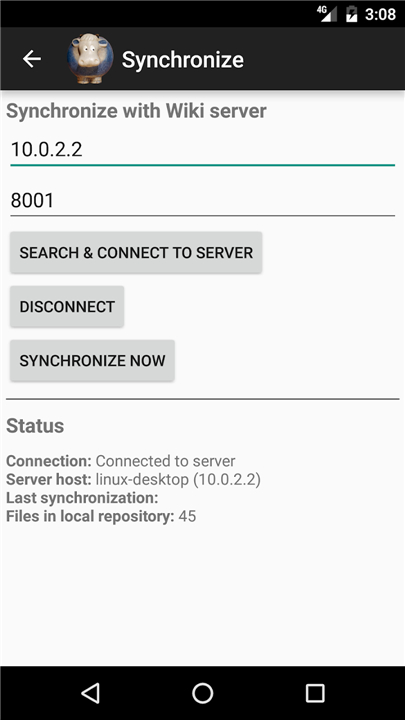
• Return to the mobile app, tap the synchronization prompt, and instantly access your entire wiki library on the go.
Optimized Workflow Note
• To deliver the fastest and cleanest reading experience, content is created and updated exclusively on the desktop server, ensuring you avoid the frustration of typing complex wiki syntax on a mobile keyboard.
FAQ
Q: How does the MoasdaWiki App guarantee the privacy of my personal data?
A: Your data privacy is fully protected because the app operates completely free of cloud dependencies, third-party servers, and analytics tracking. The mobile app connects directly to your private local network, ensuring that your sensitive notes, project files, and personal schedules never leave your own hardware.
Q: Can I create or edit my wiki notes directly from the mobile app?
A: To deliver the fastest and cleanest reading experience possible, the app features a distraction-free, read-only interface. Writing complex markup and editing structured wiki syntax on a mobile keyboard can be frustrating, so all content creation and editing take place on your desktop server, keeping your mobile experience focused purely on fast lookup and smooth reading.
Q: How does the search functionality work on mobile devices?
A: The app features a built-in, high-speed full-text search tool designed for instant retrieval. By entering a simple keyword or phrase into the search bar, the app quickly scans your synchronized wiki library and brings up relevant articles, notes, or project references within seconds.
Version History
v3.9.7.1——19 Aug 2026
Secure your personal wiki with the MoasdaWiki App. Access private notes & calendars offline via your local network with fast search. Download the latest version of MoasdaWiki App to enjoy new features and updates immediately!
*3.9.7.1
Minor bug fixes and improvements. Install or update to the newest version to check it out!
*3.9.7.0
Minor bug fixes and improvements. Install or update to the newest version to check it out!
*3.9.5.1
Minor bug fixes and improvements. Install or update to the newest version to check it out!