Dispensa
Smart Pantry Management
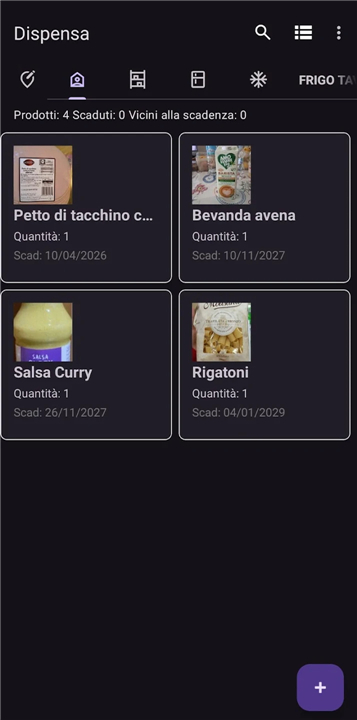
• Step into a smarter, more sustainable kitchen experience with Dispensa—your personal digital companion designed to elevate mindful food management, lower your grocery spending, and inspire a zero-waste lifestyle.
Intelligent Product Logging
• Instant Barcode Scanning: Seamlessly add groceries to your virtual pantry in a single quick scan.
• Open Food Facts Integration: Automatically pull rich product details, brands, and nutritional contexts without manual typing.
• Optical Expiration Capture: Point your camera at product packaging to auto-detect and save expiration dates effortlessly.
Total Kitchen Control
• Live Inventory Synchronization: Add, update, or clear items easily to maintain a perfectly accurate view of what you own.
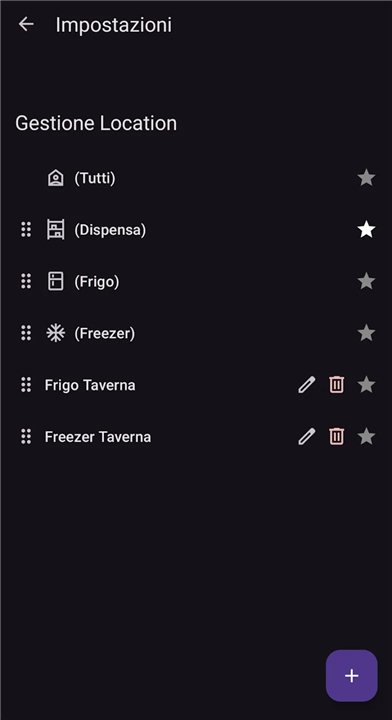
• Personalized Storage Zones: Tailor your setup by organizing goods into custom spaces like the main fridge, deep freezer, pantry shelves, or wine cellar.
Mindful Waste Reduction
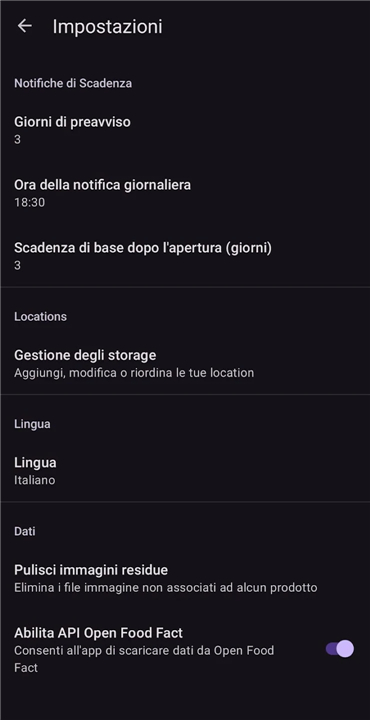
• Proactive Expiration Alerts: Receive timely, automated notifications long before food spoils so you can cook with what you have.
• Eco-Conscious Budgeting: Eliminate duplicate purchases, trim your household expenses, and make a meaningful impact on planet earth through reduced waste.
User-Centered Experience
• Bilingual Accessibility: Switch smoothly between fully localized Italian and English interfaces.
• Frictionless Design: Built for swift, intuitive daily interactions so managing your home stays enjoyable and practical.
FAQ
Q: How does the barcode scanner work to add items to my inventory?
A: The instant barcode scanner uses your smartphone's camera to read the barcode on any grocery item. Once scanned, Dispensa instantly registers the item and adds it to your virtual pantry, saving you the hassle of typing out product names manually.
Q: What library database does Dispensa use to identify my groceries?
A: Dispensa integrates directly with Open Food Facts, which is a rich, community-driven global database. This integration allows the app to automatically retrieve detailed product information, brand names, and nutritional contexts the moment you scan an item.
Q: Can I capture expiration dates without typing them in manually?
A: Yes, you can use the innovative Optical Expiration Capture feature. By pointing your camera at the expiration date printed on the product packaging, the app automatically detects, reads, and saves the date directly into your inventory.
Version History
v0.1.13——12 Aug 2026
Optimize your kitchen with Dispensa, the smart pantry management app! Scan groceries, track expiration dates, and cut food waste easily. Download the latest version of Dispensa to enjoy new features and updates immediately!
*0.1.13
Minor bug fixes and improvements. Install or update to the newest version to check it out!
*0.1.12
Minor bug fixes and improvements. Install or update to the newest version to check it out!
*0.1.11
Minor bug fixes and improvements. Install or update to the newest version to check it out!