SleepGuard - dead man's switch
Your Nighttime Digital Safety Net
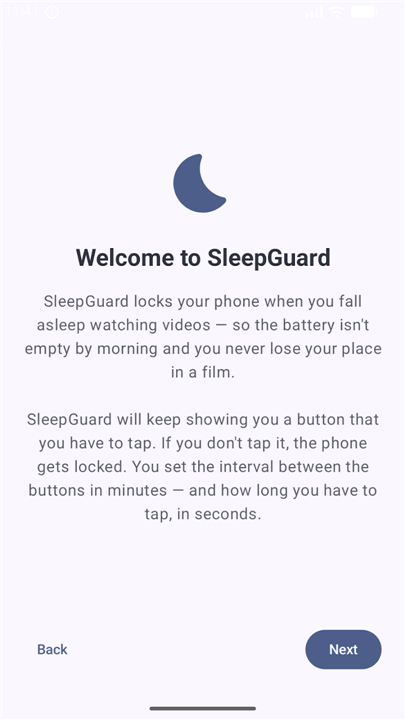
• Reclaim your sleep and protect your device with SleepGuard, the intelligent guardian that powers down your phone when you drift off.
• Inspired by the safety systems that keep trains secure, SleepGuard acts as a mindful "dead man's switch" for your digital well-being, ensuring your phone rests when you do.
The Peace of Mind You Deserve
• Save your battery: Prevent autoplay loops from running all night, ensuring your phone is charged and your morning alarm actually rings.
• Save your place: Avoid waking up in the middle of a season finale with no idea where you dozed off, saving you from spoilers and repeating ads.
• Reclaim your morning: Wake up to a resting phone rather than a drained, overheated device.
Two Ways to Protect Your Sleep
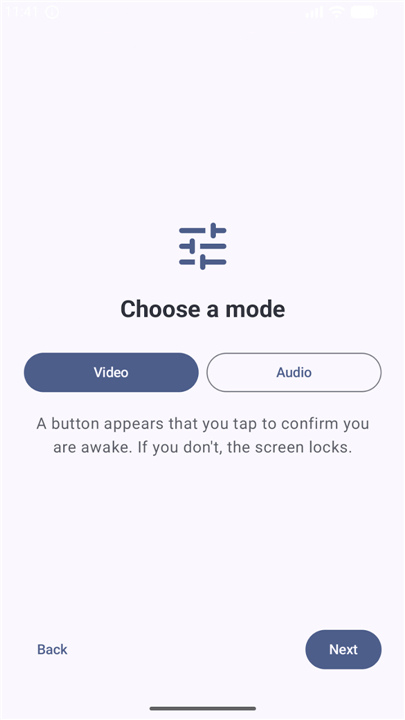
• Video Mode: A subtle check-in button appears over your media. A quick tap keeps the video going. If you sleep through it, the app automatically locks your screen.
• Audio Mode: A quiet, background sleep timer crafted for music, audiobooks, and podcasts that gracefully stops playback even when the screen is already off.
Simplicity in Motion
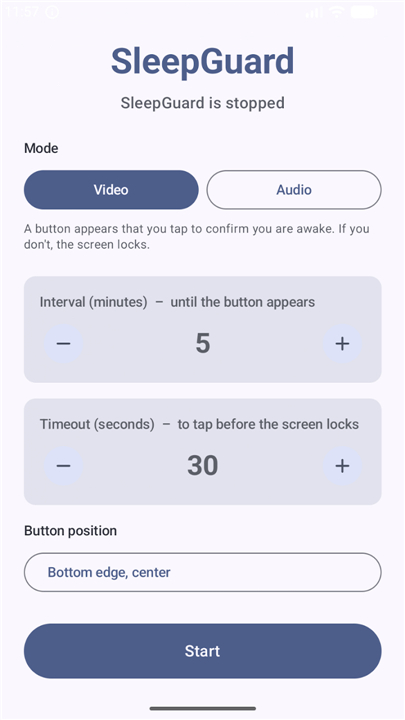
• Set your rhythm: Choose how often the safety check-in should appear.
• Set your grace period: Decide how many seconds you need to react before the screen safely locks.
• Find your perfect spot: Place the check-in button in any of eight positions so it never blocks your view.
A Commitment to Pure Privacy and Trust
• Zero tracking: Built without internet permissions, meaning your personal data never leaves your device.
• Completely free: No ads, no paywalls, and no account creation.
• Open source: Transparent design with a fully public source code on GitHub for ultimate peace of mind.
• Supported by gratitude: Entirely community-sustained through voluntary, no-reward donations from users who love peaceful nights.
How SleepGuard Works with Your System
• Screen overlay: Displays the check-in button seamlessly over other active apps.
• Device administration: Directs the screen to lock securely, mimicking a physical power button click.
• System alarms and background services: Guarantees precise, pinpoint timing that remains reliable even when your phone is in deep battery-saving mode.
• System notifications: Offers a clear, ongoing status bar notification to show when your digital guardian is active.
FAQ
Q: How does the Video Mode function while I am watching a movie or a stream?
A: In Video Mode, the app places a subtle, transparent check-in button over your active media player. At the frequency you've configured, this button will become active to see if you are still awake. If you give it a quick tap, your media continues without interruption, but if you sleep through the check-in, the app will trigger a secure screen lock to end the session.
Q: Can you explain how Audio Mode differs from the Video Mode experience?
A: Audio Mode is a background-focused sleep timer specifically crafted for those who listen to music, audiobooks, or podcasts with their screen already turned off. Unlike Video Mode, which uses an on-screen button, Audio Mode gracefully fades out and stops your playback after a set period. This allows you to drift off into silence without the app needing to stay visible on your display.
Q: Will the check-in button get in the way of what I am currently viewing?
A: Not at all, because the app offers significant flexibility in how the interface is displayed. You can choose from eight different positions on your screen to place the check-in button, ensuring it never blocks subtitles or important parts of the video. This level of customization allows you to find the perfect spot that fits your specific viewing habits.
Version History
v1.6.1——13 Aug 2026
Protect your sleep with SleepGuard, the smart dead man's switch that locks your phone when you fall asleep. Save battery and stop autoplay. Download the latest version of SleepGuard - dead man's switch to enjoy new features and updates immediately!
*1.6.1
Minor bug fixes and improvements. Install or update to the newest version to check it out!
*1.6.0
Minor bug fixes and improvements. Install or update to the newest version to check it out!
*1.5.0
Minor bug fixes and improvements. Install or update to the newest version to check it out!