Calibre-Web-Companion
Overview
• Calibre-Web-Companion serves as a dedicated, unofficial interface designed to bridge the gap between your mobile device and your existing Calibre Web or Calibre Web Automated library.
• It provides a streamlined way to manage your digital collection while on the go, moving beyond the limitations of a standard web browser experience.
Key Functionalities
1. Library Management and Browsing
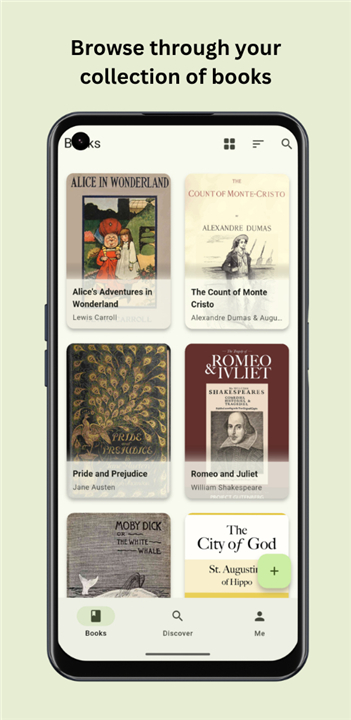
• Access your entire digital book catalog through a native, responsive mobile interface.
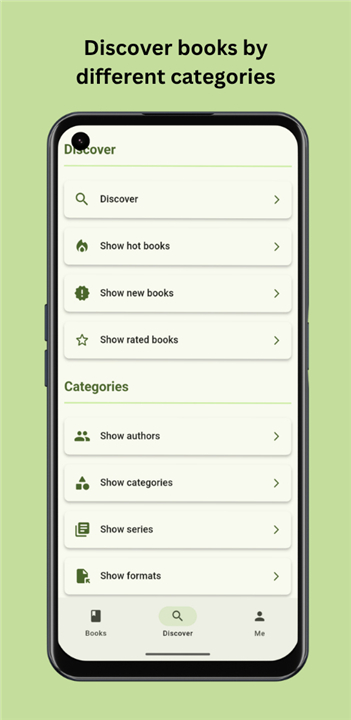
• Perform quick searches and filtering to locate specific titles, authors, or genres within seconds.
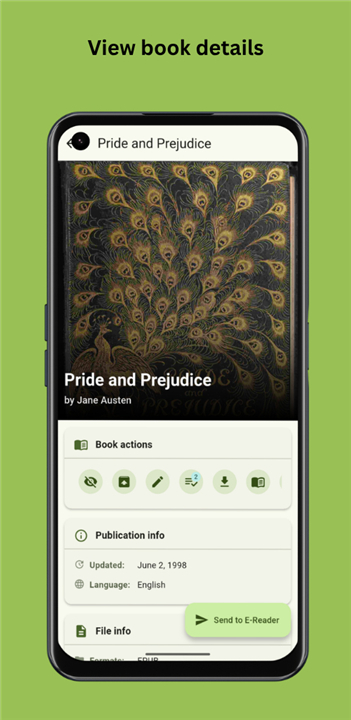
• Download books directly to your device for offline reading at your convenience.
2. Reading Status and Organization
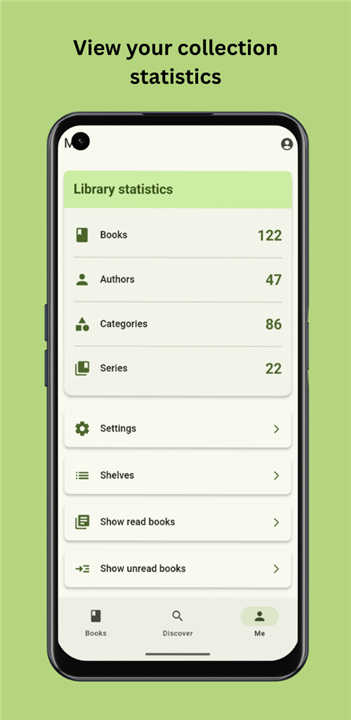
• Keep track of your reading progress by marking books as read or unread.
• Utilize the bookmarking feature to manage your "to-read" list or highlight favorites for quick reference.
• Maintain a synchronized view of your collection status across multiple devices.
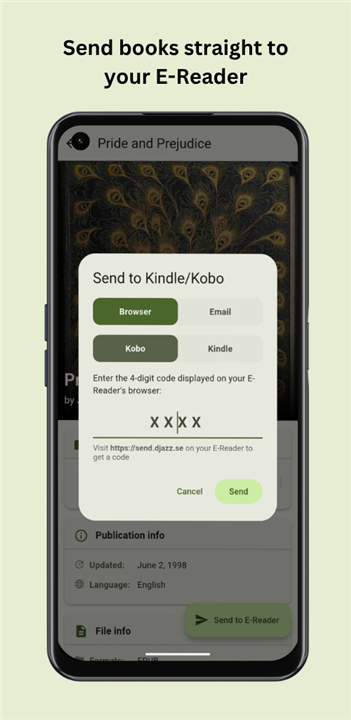
3. E-Reader Integration
• Seamlessly push your selected titles to your dedicated hardware e-readers.
• The application leverages integration with send2ereader to support popular devices such as Kindle and Kobo.
• Simplify the transfer process by sending files over the air rather than relying on manual cable connections or cumbersome file transfers.
4. Technical Compatibility
• Designed as a lightweight companion for Calibre Web and Calibre Web Automated environments.
• Optimized for mobile performance to ensure smooth navigation through large book databases.
• Provides a user-friendly alternative to the standard web UI, focusing on essential features required for mobile collection management and consumption.
Digital Bookshelf for Everyone
• By utilizing this application, users can enjoy a more integrated and efficient workflow for their personal digital libraries, ensuring their next great read is always ready to be accessed or transferred to their preferred reading device.
FAQ
Q: Is this application an official product from the Calibre team?
A: No, it is an unofficial companion tool developed to enhance the user experience for those who manage their digital libraries via Calibre Web or Calibre Web Automated.
Q: Do I need to have an existing Calibre Web setup to use this app?
A: Yes, the application is designed specifically as a companion for your existing Calibre Web or Calibre Web Automated environments. You must have one of these systems already running to connect the app to your book collection.
Q: Can I read books directly inside the Calibre-Web-Companion app?
A: While the app is primarily built for browsing, managing, and downloading your collection, its main strength lies in its ability to organize your library and push files to your devices. Once you download a book, you can open it in your preferred reading software on your mobile device.
Version History
v2.2.1——21 Jul 2026
Unofficial companion app for calibre web (automated) Download the latest version of Calibre-Web-Companion to enjoy new features and updates immediately!
*2.2.1
- Feature: New shelf view on the home screen.
- Feature: Added ability to change probe endpoint for reachability checks.
- Fix: A reauth popup has been added when the SSO session expires.
- Fix: Fixed an issue with identifying offline status.
- Language: Updated translations: Ukrainian (@Vitalii), Catalan (@Nric Pagès i Gassull).
*2.2.0
- Feature: Homescreen widgets added (Quick Actions, Stats, Currently Reading Book, Shelf Grid).
- Fix: Fixed an issue where FileOpener was not using the correct MIME type for EPUB files, causing some apps to fail to open them correctly.
- Fix: Updated SSO login flow and enhance cookie handling in LoginRemoteDataSource
- Language: Updated translations: Spanish (@Libre), Italian (@Michele Abbondanza), Hungarian (@Márton Kónya) and Chinese (Simplified Han script) (@Mas Wang).
*2.1.0
- Added: new Ukrainian (@Vitali) and Tamil (@தமிழ்நேரம்) translations.
- Feature: Offline mode has been added to the app, allowing users to access their downloaded books without an internet connection.
- Feature: Support added for the WebServer provided by the Calibre Desktop application.
- Fixed: the 'Read Now' button now correctly downloads the book.
- Fix: When editing a book and then using the system back button, the changes are now saved correctly.
- Fix: Shelfmark integration wil...