Bluetooth QR & Barcode to PC
Overview
• Bluetooth QR & Barcode to PC transforms an Android smartphone into a portable barcode reader that transmits scanned data directly to any paired Bluetooth‑HID host—such as a Windows PC, macOS laptop, Linux workstation, or another Android device—as if typing from a physical keyboard.
How It Works
• The app leverages the Bluetooth Human Interface Device (HID) profile introduced in Android 9.
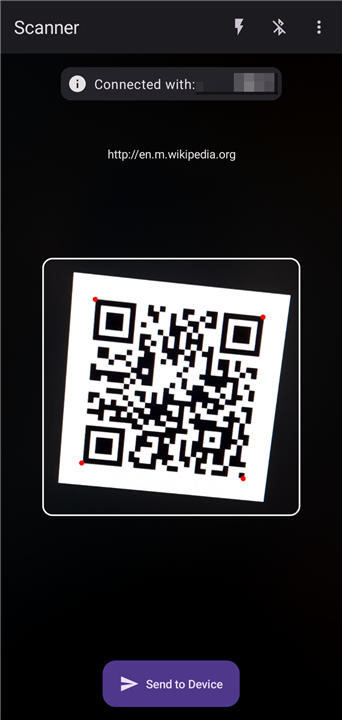
• When a QR code or barcode is recognized, its decoded string is sent as a series of keypress events over the Bluetooth link.
• Because the connection follows the standard HID protocol, no extra drivers or specialized software are needed on the receiver; the host treats the phone as a regular wireless keyboard.
Supported Codes
• QR codes (versions 1‑40, all error‑correction levels)
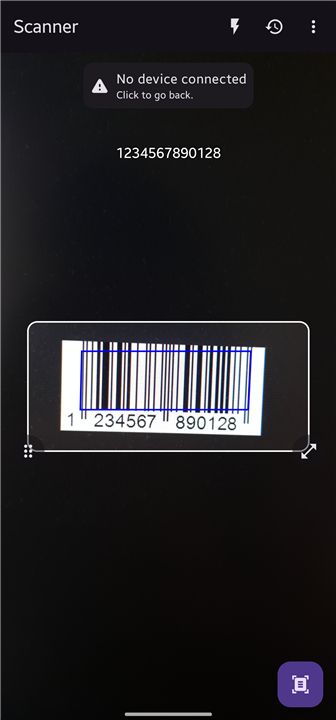
• Common 1D barcodes: UPC‑A/E, EAN‑8/13, Code 128, Code 39, Interleaved 2of5, Codabar, MSI, DataBar, etc.
• Additional formats can be enabled through optional decoder plugins if required.
Key Features
• Offline operation: Scanning and transmission occur without internet access.
• No ads or in‑app purchases: Full functionality available immediately after installation.
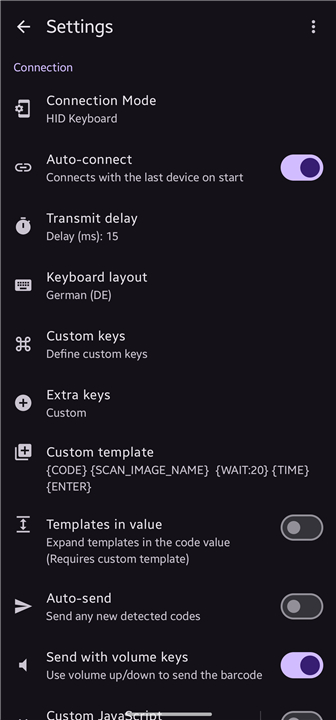
• Multiple keyboard layouts: Choose QWERTY, AZERTY, Dvorak, or custom mappings to match the host’s locale.
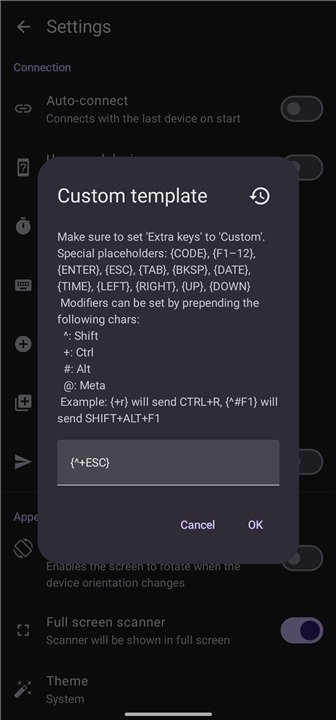
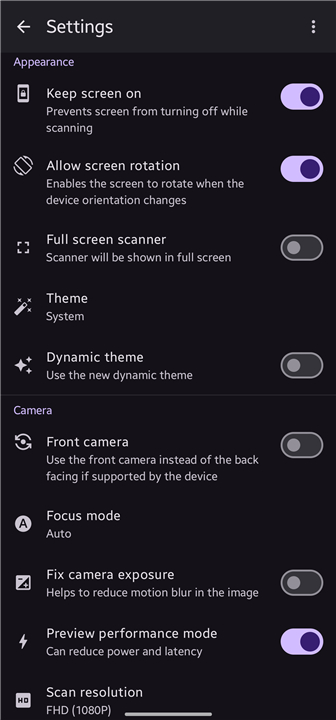
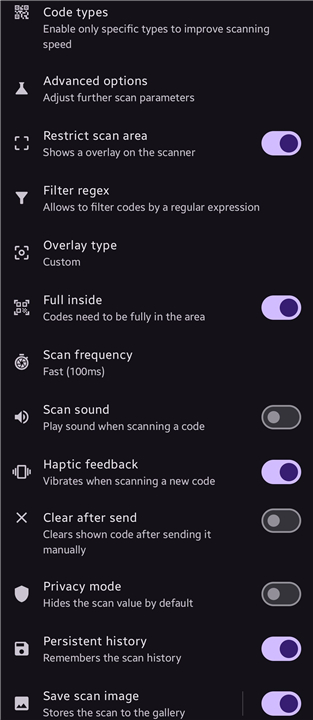
• Highly configurable: Adjust scan triggers (tap, hardware button, continuous mode), output delimiters (Enter, Tab, custom string), prefix/suffix text, and vibration/sound feedback.
• Battery‑friendly: Uses low‑energy Bluetooth when idle and activates the scanner only on demand.
Device Compatibility
• Any Android device running version 9 (Pie) or newer with Bluetooth 4.0+ support.
• Hosts must accept Bluetooth HID keyboards: Windows 10/11, macOS 10.13+, most Linux distributions with BlueZ, and other Android/iOS devices that allow external keyboard pairing.
Getting Started
• Install the app from Google Play or build from the source.
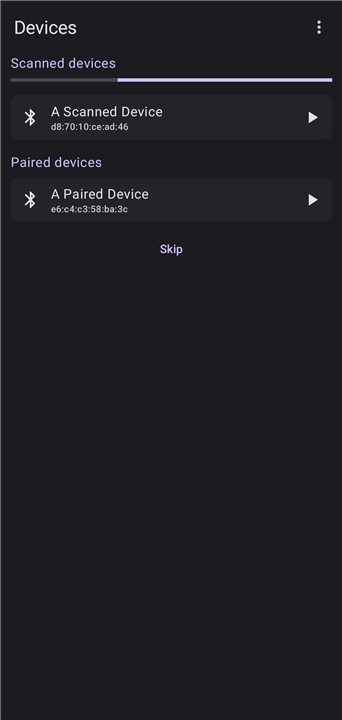
• Enable Bluetooth and pair the phone with the target computer (select “Keyboard” as the device type).
• Grant the app permission to access the camera and Bluetooth HID service.
• Open a text field on the host, aim the phone at a code, and watch the decoded value appear as typed input.
Privacy & Security
• No data leaves the device except the scanned string transmitted over the encrypted Bluetooth link.
• The app does not require account creation, permissions beyond camera and Bluetooth, nor does it collect analytics.
Source Code
• The project is openly available on GitHub: https://github.com/Fabi019/hid-barcode-scanner.
• Users can review, modify, or contribute enhancements under the MIT license.
FAQ
Q: What types of barcodes and QR codes can the app scan?
A: It supports QR codes versions 1‑40 with all error‑correction levels, and common 1D barcodes such as UPC‑A/E, EAN‑8/13, Code 128, Code 39, Interleaved 2of5, Codabar, MSI, DataBar, and many others. Additional formats can be added through optional decoder plugins if you need them.
Q: Can I use the app without an internet connection?
A: Yes. Scanning and transmitting the data happen entirely offline; the app only uses Bluetooth to send the decoded string to the host, so no internet access is required.
Q: What happens when a user in a censored area requests a connection?
A: The user’s Snowflake client contacts a broker server, which matches the request with an available volunteer’s proxy. The volunteer’s device then establishes an encrypted WebRTC channel, forwards the encrypted packets to a Tor entry node, and the user’s traffic proceeds through the Tor network as usual.
Version History
v2.3.2——17 Sep 2026
Enables sending QR/Barcodes to a Bluetooth Device (e.g PC) without any Software Download the latest version of Bluetooth QR & Barcode to PC to enjoy new features and updates immediately!
*2.3.2
Apply template before record to history
Add Brazilian Portuguese translation by @iohann95
Multiple bug fixes
*2.3.1
- Fix custom overlay not updated directly
- Improve error handling while scanning
- Update barcode scanner library version
*2.3.0
Minor bug fixes and improvements. Install or update to the newest version to check it out!