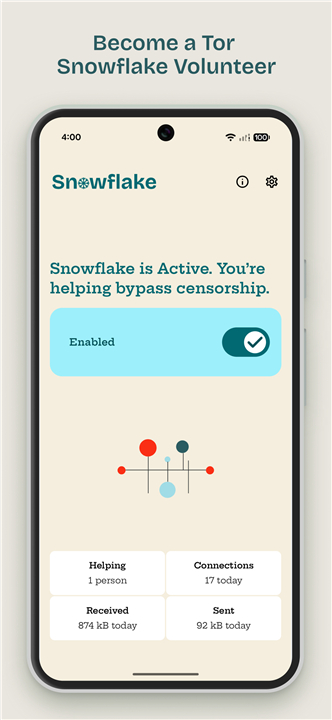
Snowflake Volunteer
Overview
• The Snowflake project enables volunteers to provide unrestricted Internet access to users living in regions where censorship blocks the Tor network.
• By donating a small amount of bandwidth from a personal computer or smartphone, volunteers act as entry points that help censored users reach Tor without revealing their own browsing activity.
What Is Snowflake?
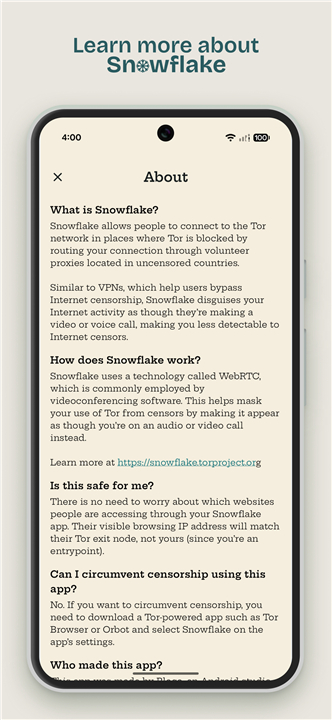
• A volunteer‑run proxy system that forwards traffic from censored users to the Tor network.
• Operates through a lightweight browser‑based client or a dedicated app that runs in the background.
• Unlike traditional VPNs, Snowflake masks Tor traffic as ordinary WebRTC‑based audio or video calls, making it harder for censors to detect and block.
How Snowflake Works
• A user in a censored region launches the Snowflake client and requests a connection.
• The request is matched with an available volunteer proxy (the “Snowflake”) via a broker server.
• Traffic is encrypted and sent through the volunteer’s connection using WebRTC, which resembles a peer‑to‑peer video call.
• The volunteer forwards the encrypted packets to a Tor entry node; the user’s traffic then proceeds through the Tor network to reach the destination.
• Return traffic follows the same path back to the user, preserving anonymity.
Safety and Privacy
• Volunteers only see encrypted WebRTC traffic; they cannot inspect the content or destination of the user’s requests.
• The user’s visible IP address appears as the Tor exit node, not the volunteer’s IP, shielding the volunteer from liability.
• No personal data is stored on the volunteer’s device beyond temporary connection metadata required for the WebRTC handshake.
Using Snowflake to Circumvent Censorship
• Volunteers do not bypass censorship themselves; they merely provide an entry point.
• To access censored content, users must run a Tor‑enabled application (e.g., Tor Browser, Orbot) and select Snowflake as their pluggable transport in the app’s settings.
• The volunteer’s role ends once the Tor connection is established; further routing is handled by the Tor network.
Getting Involved
• Install the Snowflake extension for Firefox or Chrome, or run the standalone Snowflake client on Windows, macOS, Linux, or Android.
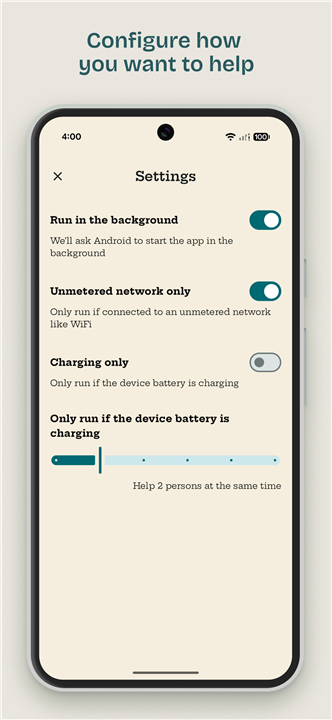
• Keep the client active while you have spare bandwidth; it automatically connects and disconnects based on demand.
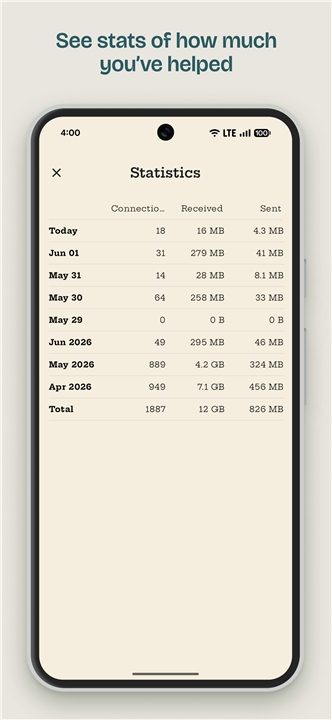
• Monitor contribution statistics via the Snowflake website to see how many users you’ve helped.
Learn More
• Official documentation and FAQ: https://snowflake.torproject.org
• Community forums and mailing lists for troubleshooting and updates.
FAQ
Q: How does Snowflake differ from a traditional VPN or proxy?
A: Unlike typical VPNs that encrypt all of a user’s traffic and may be identifiable by their patterns, Snowflake disguises Tor traffic as ordinary WebRTC audio or video calls. This makes the traffic look like everyday video chats, which are much harder for censors to detect and block.
Q: Who can become a Snowflake volunteer?
A: Anyone with a computer or smartphone that has a reliable internet connection and can run a lightweight browser extension or standalone client can volunteer. No special technical expertise is required; the software handles the matching and encryption automatically.
Q: What happens when a user in a censored area requests a connection?
A: The user’s Snowflake client contacts a broker server, which matches the request with an available volunteer’s proxy. The volunteer’s device then establishes an encrypted WebRTC channel, forwards the encrypted packets to a Tor entry node, and the user’s traffic proceeds through the Tor network as usual.
Version History
v1.14——17 Sep 2026
Help people in censored countries access the Internet without restrictions Download the latest version of Snowflake Volunteer to enjoy new features and updates immediately!
*1.14
- Adds Romanian language support
- Improves French and Vietnamese translations
- Fixes empty screen bug
- Improves UI for large text and display sizes
- Updated dependencies
*1.13
- Adds Romanian language support
- Improves French and Vietnamese translations
- Fixes empty screen bug
- Improves UI for large text and display sizes
- Updated dependencies
*1.12
- Add Czech and Persian language support
- Update dependencies