Interstellar
Overview
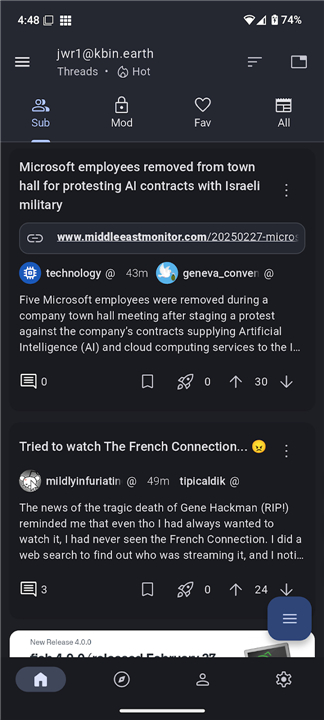
• Interstellar is a completely free and open‑source client designed for the fediverse.
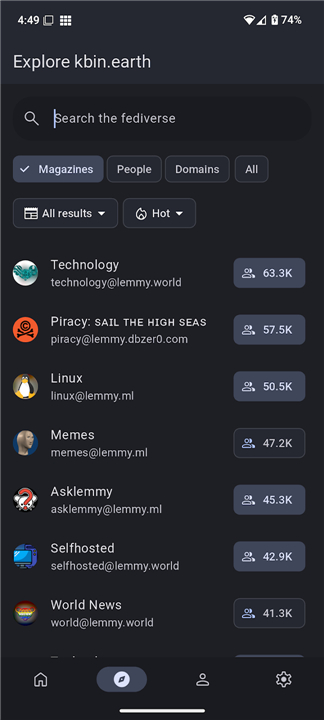
• It provides a unified interface for accessing and managing accounts on platforms such as Mbin, Lemmy, and PieFed.
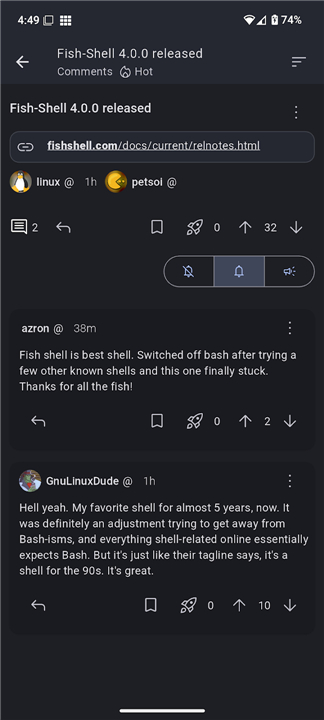
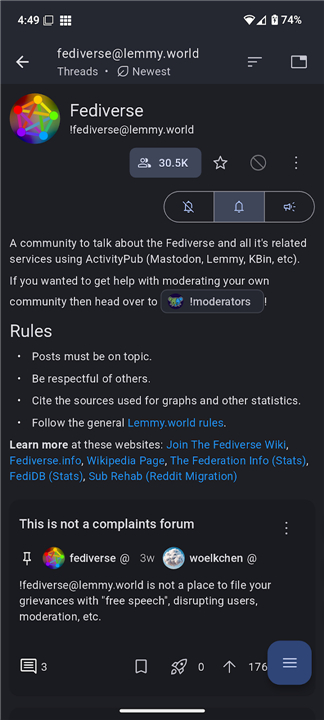
• By consolidating these services, Interstellar lets users browse, post, comment, and vote across their favourite communities without switching between multiple apps or browsers.
Key Features
• Cross‑platform support – works on desktop (Linux, macOS, Windows) and mobile devices through responsive web design.
• Unified inbox – receive notifications, private messages, and mentions from all linked accounts in one place.
• Customizable UI – choose from several themes, adjust font sizes, and rearrange navigation panels to suit personal preferences.
• Rich media handling – preview images, videos, and external links directly within feeds.
• Advanced moderation tools – apply filters, block users, and report content across the federated networks you follow.
Compatibility & Integration
• Connects to any instance that implements the ActivityPub protocol and follows the standard APIs used by Mbin, Lemmy, and PieFed.
• Supports OAuth2 and token‑based authentication for secure login.
• Offers import/export functions for migrating data between fediverse services.
Community & Support
• Bugs, performance issues, or unexpected behavior can be reported on the official GitHub repository: github.com/interstellar‑app/interstellar.
• Feature requests, discussion of roadmap items, and community feedback are welcomed on the Interstellar magazine thread: kbin.earth/m/interstellar.
• Contributors are encouraged to submit pull requests, improve documentation, or help with testing new releases.
Getting Started
• Download the latest release from the GitHub releases page or use the web version hosted by the project.
• Follow the onboarding wizard to link your existing Mbin, Lemmy, or PieFed accounts.
• Explore the dashboard, customize your feed preferences, and begin interacting with the fediverse through a single, streamlined client.
FAQ
Q: How does Interstellar connect to my fediverse accounts?
A: When you launch the onboarding wizard, you are prompted to enter the URLs of the instances you already use. Interstellar then uses the standard ActivityPub APIs together with OAuth2 or token‑based authentication to securely link each account. After the initial setup, the client stores only encrypted tokens, never your raw passwords.
Q: Can I manage multiple accounts from the same platform at once?
A: Absolutely. Interstellar’s unified inbox aggregates notifications, private messages, and mentions from every linked account, regardless of whether they belong to the same or different platforms. You can filter the view by platform, by community, or by type of activity, making it easy to keep track of everything without missing anything important.
Q: What customization options does Interstellar offer?
A: The UI is highly configurable. You can pick from a handful of built‑in themes, switch between light and dark modes, adjust font sizes, and even rearrange the navigation panels to match your workflow. All changes are saved locally, so the app remembers your preferences the next time you open it.
Version History
v0.11.4——27 Aug 2026
Interstellar: open‑source fediverse client for Mbin, Lemmy & PieFed. Unified inbox, cross‑platform, custom UI. Manage all feeds in one app. Download the latest version of Interstellar to enjoy new features and updates immediately!
*0.11.4
Minor bug fixes and improvements. Install or update to the newest version to check it out!
*0.11.3
Minor bug fixes and improvements. Install or update to the newest version to check it out!
*0.11.2
Minor bug fixes and improvements. Install or update to the newest version to check it out!