Seafile
Overview
• Seafile is a comprehensive, high-performance open-source file synchronization and collaboration platform specifically engineered for professional teams and organizations.
• While the user experience may feel familiar to those accustomed to consumer-grade services like Dropbox, Seafile distinguishes itself by offering a robust architecture designed to handle large-scale teamwork and intensive data management.
• By allowing users to deploy the software on their own private servers, it provides a self-hosted private cloud solution that bridges the gap between ease of use and enterprise-level control.
Core Platform Capabilities
• Efficient file syncing across multiple platforms including Windows, macOS, and Linux to ensure all team members have the latest versions of their work instantly.
• Sophisticated storage technology that utilizes data deduplication to significantly reduce the amount of disk space required on the server side.
• Reliable file versioning and snapshots that allow users to recover from accidental deletions or revert to previous document states with ease.
• High-speed file transfers optimized for both local area networks and wide-area connections, ensuring productivity is never hindered by latency.
Collaborative and Administrative Features
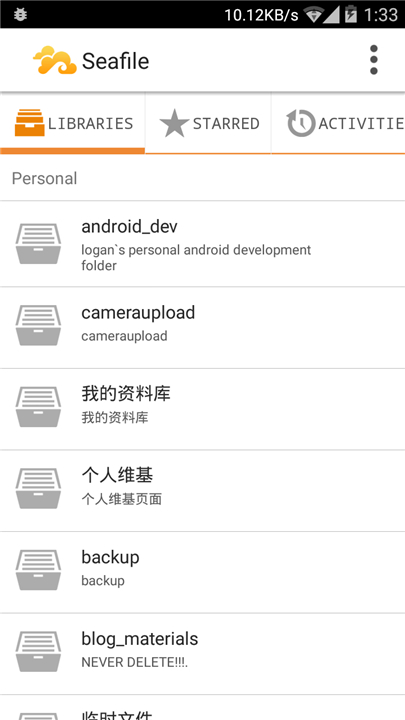
• The use of Libraries to organize data, which can be synced selectively to save local storage space while maintaining a logical file structure.
• Granular permission management that enables administrators to set read-only or read-write access at the folder level for specific users or groups.
• Integrated document collaboration tools including a Markdown editor and the ability to preview various media and office formats directly within a web browser.
• The ability to generate public or password-protected download and upload links for seamless external file sharing with clients or partners.
Technical Infrastructure and Support
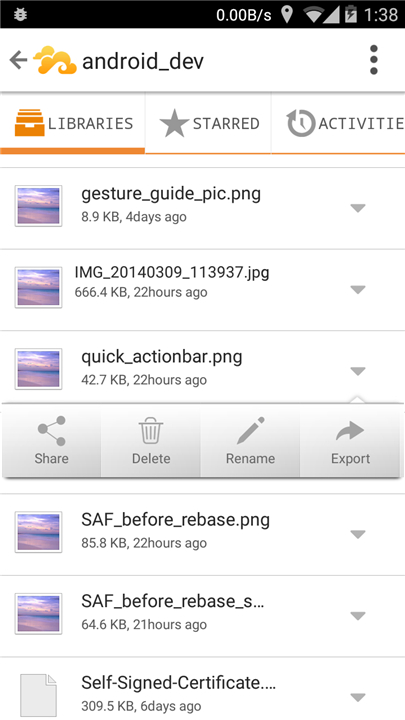
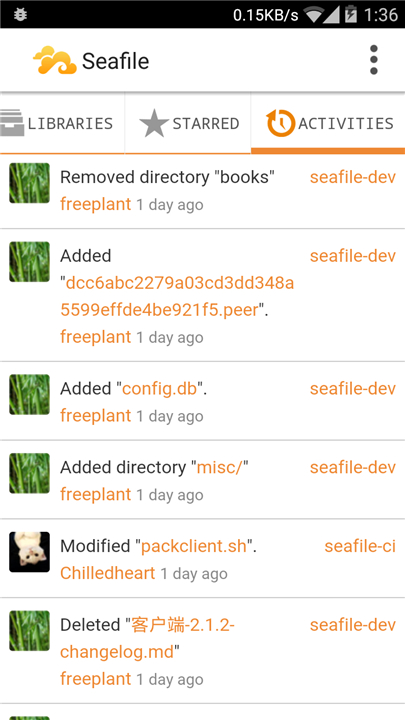
• A dedicated Android client designed for mobile productivity, allowing users to upload, download, and manage their files securely from anywhere in the world.
• Full control over data privacy and sovereignty by hosting the entire ecosystem on your own hardware or preferred cloud provider.
• An active development cycle where the maintenance team frequently updates the mobile and desktop clients to ensure stability and compatibility.
• A transparent community-driven model where users can submit feature requests or report bugs through the official GitHub repository at https://github.com/haiwen/seadroid.
FAQ
Q: Which operating systems are supported by the Seafile synchronization client?
A: To make sure every member of your team can stay productive regardless of their preferred hardware, Seafile provides dedicated sync clients for Windows, macOS, and Linux. This cross-platform compatibility ensures that file versions stay consistent across all workstations, allowing for a seamless workflow even in diverse technical environments.
Q: How does Seafile manage to save disk space on the server side?
A: One of the smartest technical features of Seafile is its use of advanced data deduplication technology. Instead of simply storing every file as a whole, the system breaks data down into smaller pieces and identifies duplicates, which significantly reduces the amount of physical disk space required. This makes the platform incredibly efficient for organizations that handle large volumes of data or many similar file versions.
Q: What should I do if I accidentally delete a file or need to see an older version of a document?
A: You can breathe easy because Seafile includes reliable file versioning and system-wide snapshots as part of its core functionality. If a mistake happens or you decide that a previous draft of a document was better, you can easily revert to an earlier state or recover deleted items through the version history, acting as a built-in safety net for your important work.
Version History
v4.0.4——14 Apr 2026
File syncing and collaboration platform for teams. Download the latest version of Seafile to enjoy new features and updates immediately!
*4.0.4
Minor bug fixes and improvements. Install or update to the newest version to check it out!
*4.0.3
Minor bug fixes and improvements. Install or update to the newest version to check it out!
*4.0.2
Minor bug fixes and improvements. Install or update to the newest version to check it out!