Orgzly Revived
Overview
• Orgzly Revived is a highly flexible outliner application designed for taking structured notes, managing to-do lists, and tracking projects on mobile devices.
• As an actively maintained fork of the original Orgzly application, this version focuses on providing modern updates, bug fixes, and improved compatibility with newer operating systems.
Org-Mode and Plain-Text Compatibility
• Notebooks are saved entirely in the standard Org-mode file format, which is a powerful plain-text system designed for note-taking, authoring, and planning.
• Because files are saved as plain text, your data remains fully portable, future-proof, and easily readable by any text editor or the Emacs platform.
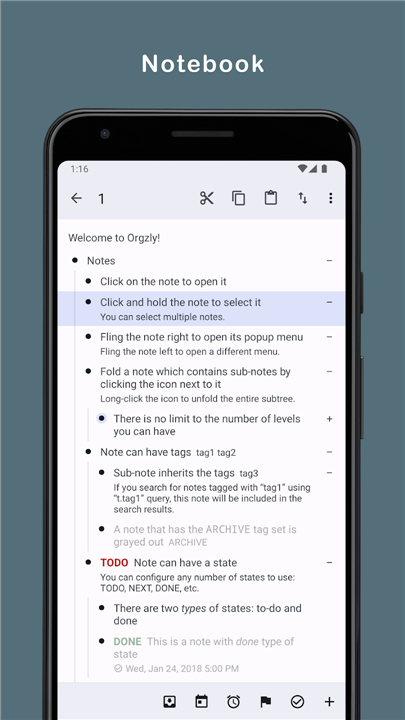
• Users can organize information hierarchically, allowing you to collapse and expand sub-trees to keep your workspace clean.
Task Management and Outlining
• You can easily create nested lists, schedule tasks, set deadlines, and track the status of various action items.
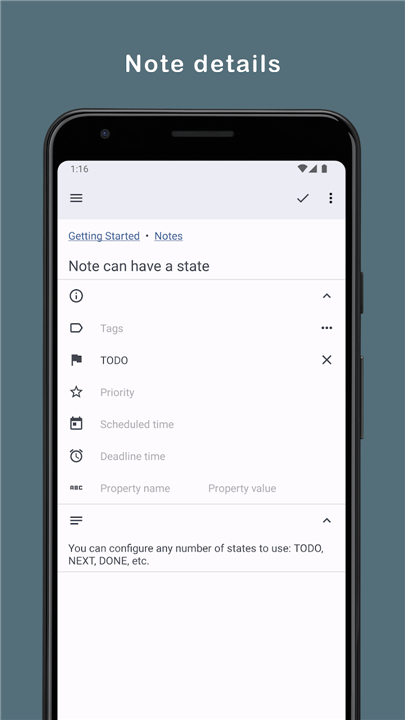
• The application supports custom tags, priority levels, and state transitions to help you manage complex workflows.
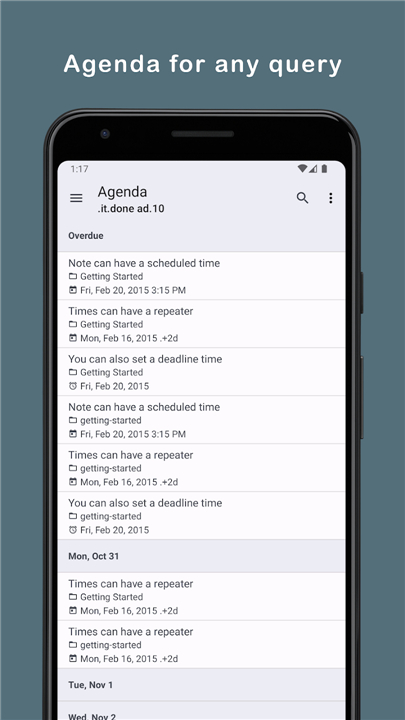
• A powerful built-in search engine allows you to filter tasks and notes using specific queries.
Synchronization and Storage
• Notebooks can be synchronized across multiple devices to ensure your data is always up to date.
• Supported synchronization targets include local directories on your mobile device, external SD cards, Dropbox, and WebDAV servers.
• This decentralized storage model ensures you maintain full ownership and privacy of your notes without relying on proprietary cloud services.
FAQ
Q: What is Org-mode, and why is it used for saving notebooks in Orgzly Revived?
A: Org-mode is an exceptionally flexible plain-text formatting system originally created for the Emacs editor to handle note-taking, project management, and document authoring. Orgzly Revived saves all notebooks directly in this open Org-mode file format (.org). This design choice ensures that your data remains completely plain text, human-readable, and future-proof. Because there are no proprietary databases locking your information in, your notes stay under your full control and can easily outlive any specific app software.
Q: Can I open and edit my Orgzly Revived notebooks on a desktop computer?
A: Yes, absolutely! Because your files are saved in standard plain text, you can open, view, and edit your notebooks on any desktop operating system using GNU Emacs, VS Code, Doom Emacs, or even a simple text editor like Notepad or TextEdit. Any edits you make on your computer will be recognized by Orgzly Revived as soon as your files are synchronized back to your mobile device.
Q: How do I migrate my existing notebooks from the original Orgzly app to Orgzly Revived?
A: Transitioning to Orgzly Revived is quick and seamless because both applications share the exact same underlying file format. You simply install Orgzly Revived and point its synchronization settings to your existing notebook storage locations, such as a local folder, a WebDAV server, or a cloud service. The app will immediately recognize your existing .org files without needing any complex data exports or conversions.
Version History
v1.23.0——19 Aug 2026
Outliner for taking notes and managing to-do lists Download the latest version of Orgzly Revived to enjoy new features and updates immediately!
*1.23.0
• Add basic support for capture templates.
• Fix cut notes behavior to eliminate risk of data loss.
• Hide “Refine Search” button on saved search queries.
• Save checkbox toggles immediately in single note view.
*1.22.0
• Fix bug when opening saved search from the widget.
• Sharing note now uses on-screen content, instead of stored content.
• Add menu actions for sharing note title and content separately.
• Don't add extra hour when insert timestamp during note editing.
• Upgrade dependencies.
• Update translations.
*1.21.1
• Disallow external files access in the Google Play store build.
• Update dependencies.