Running Services Monitor
Overview
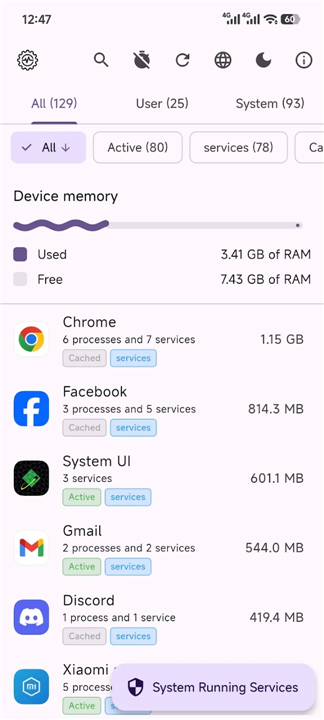
• Running Services Monitor is an essential utility designed for Android users who require granular control and visibility over their device performance.
• By offering a clean, intuitive interface, it allows you to oversee both system and user applications, enabling you to identify which background processes are currently active and consuming device resources.
Key Features
• Comprehensive Monitoring: Gain full visibility into your device with a detailed, real-time list of all active background services.
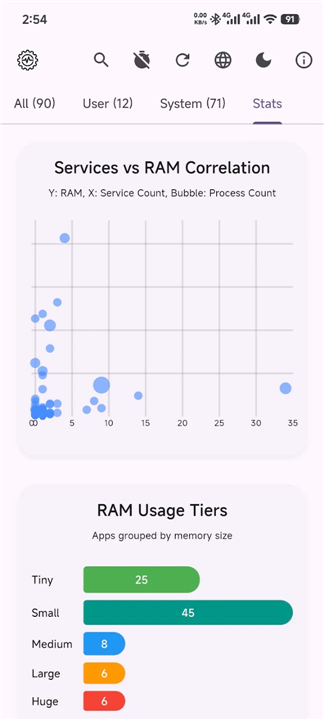
• Categorized Navigation: Effortlessly toggle between comprehensive views of All, User, or System applications to streamline your analysis.
• Efficient Search: Locate specific applications instantly using the integrated search bar, saving time when managing complex background states.
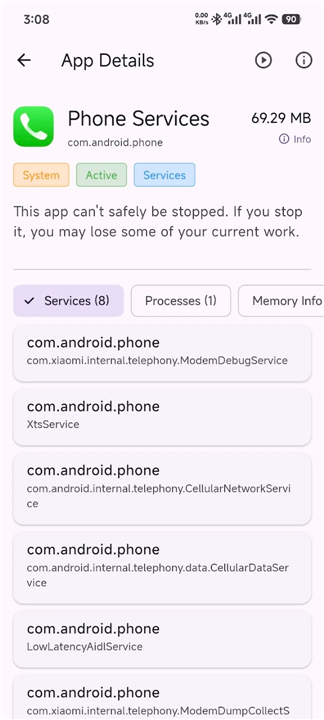
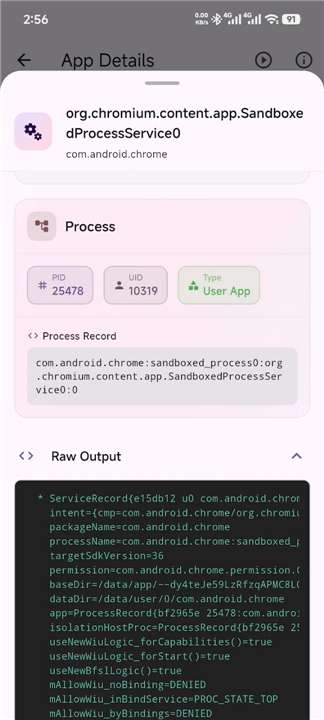
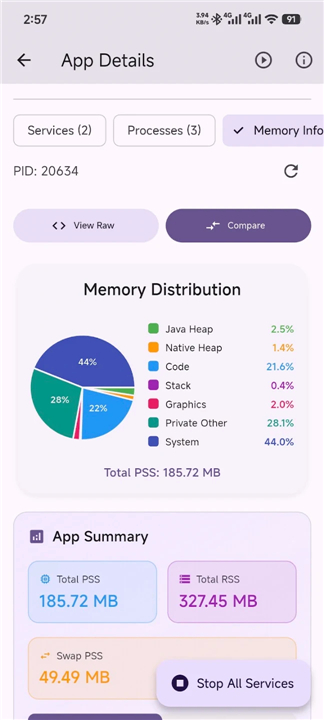
• In-depth App Details: Access technical specifications for any service, including package names, versioning, and other pertinent metadata.
• Advanced Permissions: The application employs a tiered permission strategy, checking for root access first and seamlessly falling back to Shizuku for secure, advanced system interaction where supported.
Design and Accessibility
• Material Design 3: Experience a modern, fluid interface that dynamically adapts to your Android device’s visual identity.
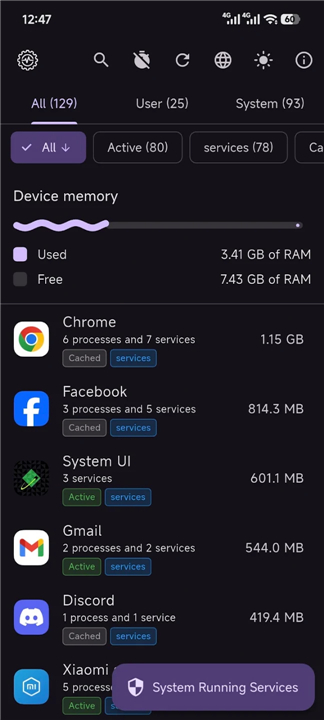
• Visual Customization: Toggle between dedicated light and dark modes to ensure comfortable viewing in any lighting environment.
• Multi-language Support: Designed for a global audience, the application provides native support for English, Bangla, and Chinese.
Additional Information
• Running Services Monitor is built with transparency and performance in mind, providing power users with the tools necessary to optimize their mobile experience.
• For developers and users interested in the project source code or further documentation, please visit the official repository at: https://github.com/biplobsd/running_services_monitor
FAQ
Q: Do I need to root my Android device to use this application?
A: No, you do not need a rooted device to use Running Services Monitor. While having root privileges unlocks the deepest level of system monitoring, the app is designed with a smart fallback system. If your device is not rooted, it will seamlessly attempt to use Shizuku, which is a secure tool that allows advanced system interactions without requiring full root access.
Q: What is Shizuku, and how does Running Services Monitor use it?
A: Shizuku is a clever developer tool that allows user-installed apps to access system-level APIs directly using Android's built-in debugging features. If you do not have root access on your phone, Running Services Monitor can connect to Shizuku to securely fetch detailed information about active services that standard apps usually cannot see. It acts as a perfect middle ground for users who want advanced monitoring capabilities without modifying their device's core firmware.
Q: How does the application categorize the running services?
A: To keep things simple and easy to navigate, the app organizes running services into three clear categories. You can effortlessly switch between views for All applications, User-installed applications, and core System applications. This categorization helps you quickly filter out essential Android system processes when you are just trying to find a misbehaving third-party app that you installed yourself.
Version History
v1.0.27——19 Aug 2026
Monitor running services and check app status on your device Download the latest version of Running Services Monitor to enjoy new features and updates immediately!
*1.0.27
* Fix Bright splash screen in dark environment @dav23r @manualtrial0011 #36
* Changelog about screen, app permission root tab instructions, optimized caching app icons
**Full Changelog**: https://github.com/biplobsd/running_services_monitor/compare/v1.0.26+25...v1.0.27+26
*1.0.26
* Reduce About screen confetti noise while preserving popup behavior @talha5758 #27
* Fix useful-command placeholder expansion and add armeabi-v7a GitHub Actions subbuild @demzl #26
* Adopt device dynamic Material color schemes and enable edge-to-edge system UI @Brocman #29
* Feature request show the serviceapp running by which user android may have multi users @nodejsg #31
**Full Changelog**: https://github.com/biplobsd/running_services_monitor/compare/v1.0.25+24...v1.0.26+25
*1.0.25
* fix: disable Dart JNI build ID for F-Droid reproducible builds by @Copilot in #21 #22
**Full Changelog**: https://github.com/biplobsd/running_services_monitor/compare/v1.0.24+23...v1.0.25+24