Cuppa - Tea Timer
Overview
• Cuppa brings a dedicated tea‑brewing assistant to Android, eliminating the guesswork that leads to over‑steeped, bitter tea or under‑steeped, weak brews.
• Designed for speed and ease of use, the app lets you start a perfect steep with a single tap.
How It Works
• Open the app and tap the button that matches the tea you are brewing (e.g., Black, Green, Oolong, Herbal).
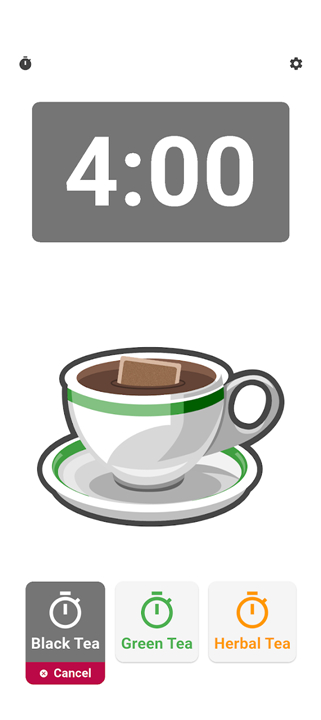
• The timer starts instantly; a graphic teabag appears in a cup and darkens gradually as the infusion progresses.
• A digital countdown displays the exact minutes and seconds remaining for the current brew.
Multiple Brews
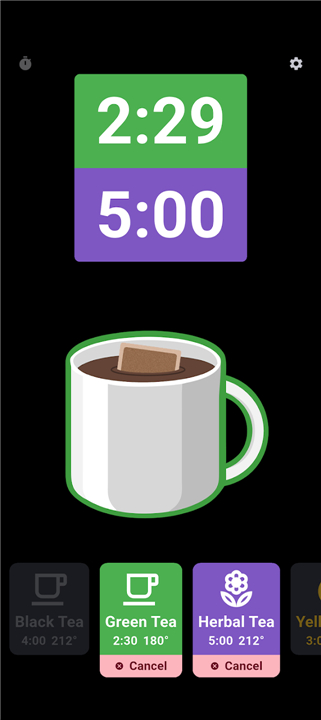
• You can run up to two teas simultaneously, each with its own independent countdown and visual indicator.
• This feature is ideal for households with different tea preferences or for trying a blend of two varieties.
Customization Options
• Although the default settings cover most common teas, you may:
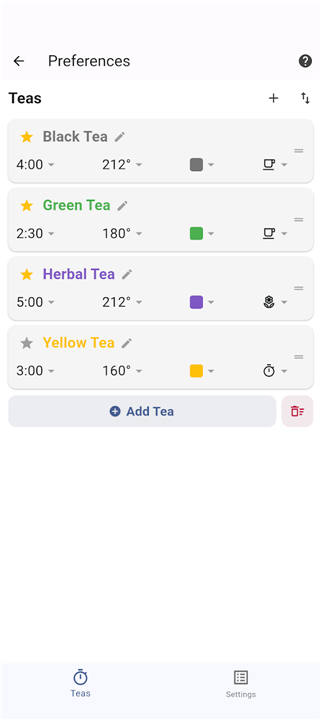
+ Adjust steep times manually for each tea type.
+ Add custom tea entries with personalized names and brew durations.
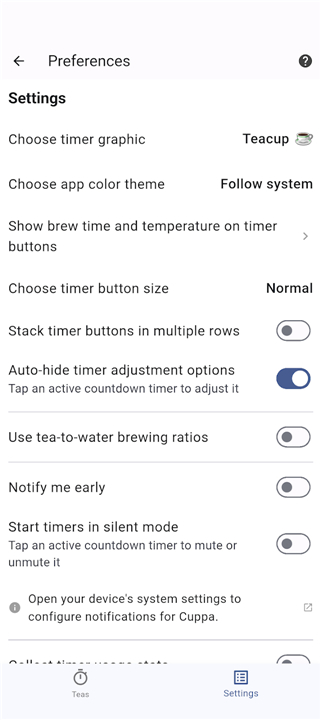
+ Set preferred notification sounds, vibration patterns, or silent mode.
Notifications
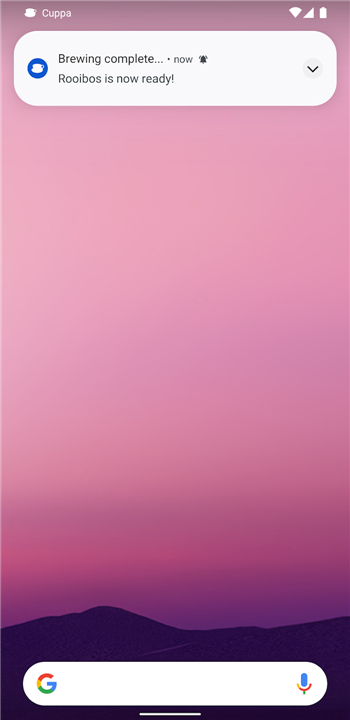
• When a brew reaches its target time, Cuppa sends a push notification.
• Depending on your device’s notification settings, the alert can include:
+ A short tone,
+ Vibration,
+ Visual banner on the lock screen.
• Notifications can be dismissed or snoozed if you need a few extra seconds.
User Benefits
• Guarantees consistently optimal flavor and temperature for every cup.
• Saves time by removing the need to watch a clock or guess steeping progress.
• Encourages experimentation with different teas through easy customization.
Getting Started
1. Install Cuppa from the Google Play Store.
2. Grant optional permission for notifications.
3. Choose your tea type and watch the brew timer do the rest.
Enjoy perfectly steeped tea, every time, with Cuppa’s straightforward, visual, and reliable tea‑timer experience.
FAQ
Q: How does the real-time conversion feature actually work?
A: The app is designed around efficiency, meaning you do not have to press a submit button to see your results. As you type a value, Converter NOW calculates and displays the conversions live with every single keystroke. It instantly shows you all matching units in that category simultaneously on your screen, which saves you a lot of time and eliminates the tedious back-and-forth typical of traditional conversion apps.
Q: Can I perform mathematical calculations directly inside the app without switching to my phone's calculator?
A: Yes, you absolutely can. To make your workflow as smooth as possible, there is an integrated universal calculator directly on every single page of the application. This means you can perform multi-step math equations and instantly convert the final result right then and there, saving you from the hassle of constantly switching back and forth between different apps.
Q: How customizable is the interface to suit my personal workflow?
A: Converter NOW is highly adaptable to your specific daily needs. You can easily customize the user interface by prioritizing and reorganizing the units you use most frequently, placing them right at the top of your list. Additionally, the app features dynamic light and dark themes that automatically adapt to your device's system settings, ensuring a visually comfortable experience no matter when or where you are working.
Version History
v2.15.0——18 Aug 2026
Cuppa is a small application to time your cup of tea as it steeps. Download the latest version of Cuppa - Tea Timer to enjoy new features and updates immediately!
*2.15.0
New feature: support for multiple infusions.
Bug fixes.
Language translation updates - contribute via Weblate!
*2.14.0
Quick Timer lets you brew without adding a new tea.
Language translation updates - contribute via Weblate!
*2.13.0
Added tea presets for matcha and yellow tea.
New option to notify a few seconds before your tea is ready.
Refreshed the UI with Liquid Glass design. (iOS)
Language translation updates - contribute via Weblate!