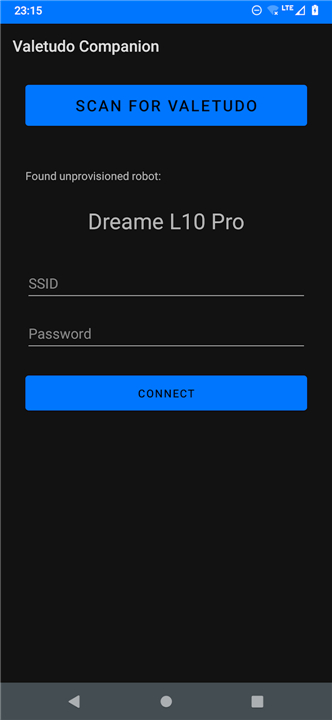
Valetudo Companion
Overview and Purpose
• Valetudo Companion is a dedicated utility application designed to streamline the local discovery, network setup, and browser access for robot vacuums running Valetudo (version 2021.07.0 and above).
• The app functions as a dynamic, auto-updating bookmark manager and provisioning tool to enhance accessibility for cloud-free vacuum systems.
Key Features
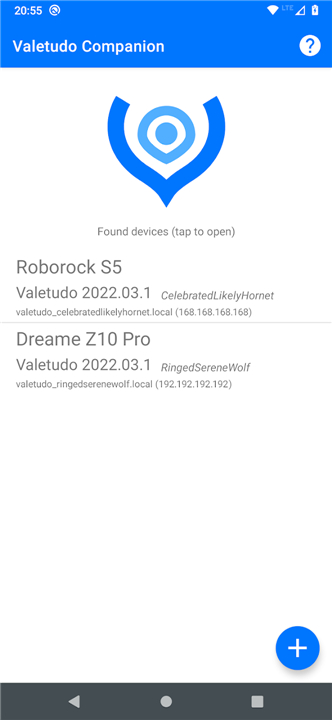
• Automatic Device Discovery: Uses Bonjour and Zeroconf (mDNS) protocols to identify compatible Valetudo-enabled robots connected to your local network.
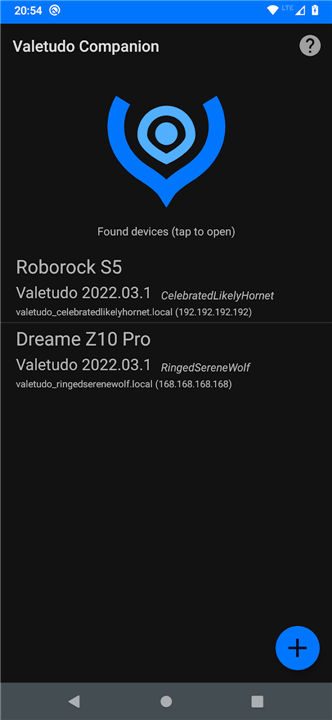
• Instant Control Access: Generates an organized list of discovered devices, allowing you to launch any vacuum's native web-based control panel in your default browser with a single tap.
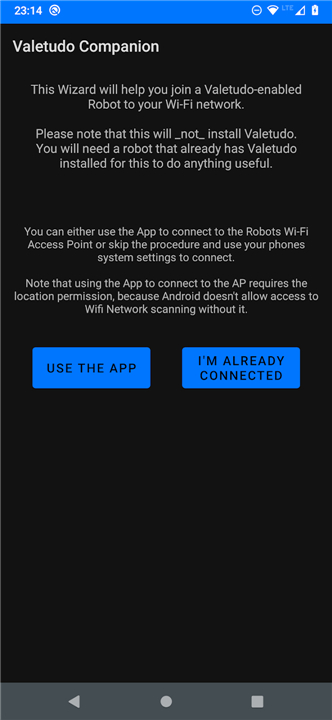
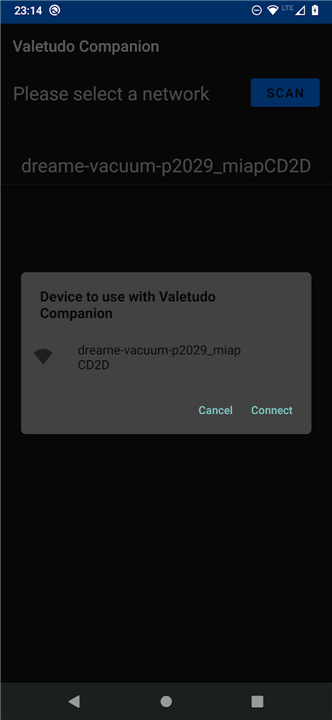
• Simplified Wi-Fi Provisioning: Includes an onboarding wizard to join new robots to your local Wi-Fi network seamlessly, eliminating the need to manually lookup IP addresses or disable mobile data.
Scope and Operational Limitations
• No Built-In Control Interface: The app does not serve as an operational remote or provide a native interface for daily vacuum operations.
• Cannot Root or Install Firmware: The application cannot install Valetudo or root your vacuum. Users must visit https://valetudo.cloud for device-specific rooting and installation instructions.
• Optional Tool: The software is purely optional and exists solely to facilitate network setup and quick access to existing installations.
Open Source and Development
• Licensing: The project is fully open-source and released under the Apache-2.0 License.
• Repository: Source code, issue tracking, and contributions can be accessed directly on GitHub at https://github.com/Hypfer/valetudo-companion.
FAQ
Q: Which robot vacuums are compatible with the companion app?
A: The app works with any robot that runs Valetudo version 2021.07.0 or newer and has the mDNS/Bonjour service enabled. Popular models such as various Xiaomi Mi, Roborock, and Dreame vacuums are supported, provided they have been flashed with a compatible Valetudo build.
Q: How does the automatic device discovery work?
A: When you open the app, it listens for Zeroconf (also known as mDNS) broadcast packets on your local network. Compatible vacuums announce themselves with a unique service name, and the companion captures that information, turning it into an easy‑to‑read list of devices you can tap to open.
Q: Do I have to be on the same Wi‑Fi network as my robot for discovery to succeed?
A: Yes. Because the discovery relies on local network broadcasting, both the phone (or tablet) running the companion and the robot must be connected to the same LAN segment. Once discovered, the app stores the robot’s address so you can reconnect later without repeating the scan, as long as the network topology stays the same.
Version History
v2026.08.0——18 Aug 2026
Easily find and connect Valetudo robot vacuums on and to your network Download the latest version of Valetudo Companion to enjoy new features and updates immediately!
*2026.08.0
Minor bug fixes and improvements. Install or update to the newest version to check it out!
*2025.08.0
Minor bug fixes and improvements. Install or update to the newest version to check it out!
*2024.04.0
Minor bug fixes and improvements. Install or update to the newest version to check it out!