Wake Up Screen
Overview
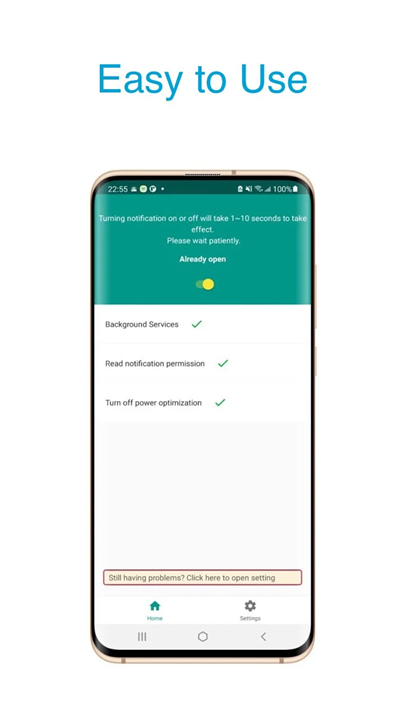
• Wake Up Screen is a lightweight utility designed to automatically illuminate your phone display the moment you receive a notification.
• This ensures you never miss important updates, offering a seamless hands-free viewing experience.
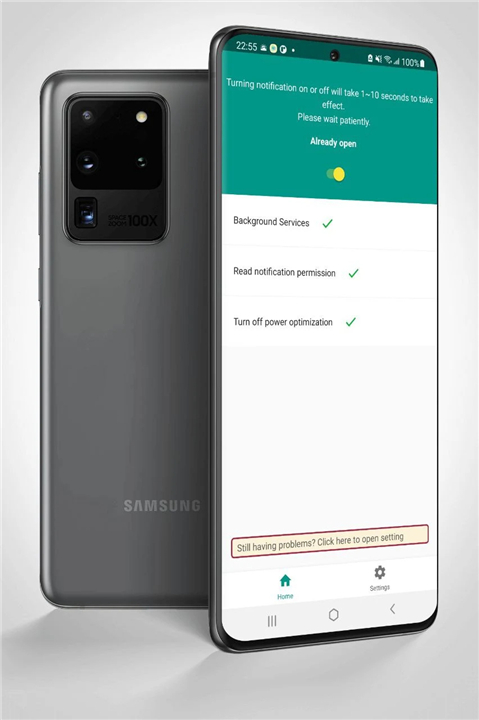
• While compatible with various Android devices, it is specially optimized to integrate smoothly with the unique system behaviors of the Samsung Galaxy S10 and S20 series.
Core Features
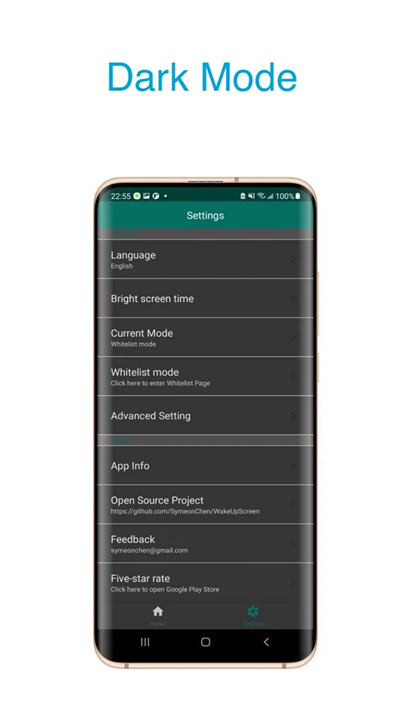
• Customizable Screen Duration: Define the exact amount of time you want the display to remain lit after a notification arrives, allowing you to balance visibility with battery saving.
• App-Specific Selection: Customize which applications are allowed to wake your screen. You can enable the feature for critical messaging apps while filtering out low-priority notifications.
• Smart Pocket Mode: Utilizes your device proximity sensors to detect when the phone is placed in a pocket, bag, or faced down. This prevents accidental screen activation and unnecessary battery drain.
Privacy and Security
• No Network Access: The application does not request or require internet permissions. Your notification data remains entirely local and secure on your mobile device.
• Open-Source Development: The project is completely open source. Users and developers can freely audit the codebase to verify its safety, integrity, and performance.
Support and Feedback
• User-Driven Enhancements: As an open-source project, user feedback is highly valued. If you encounter any issues, bugs, or have feature requests during your daily usage, you are welcome to submit feedback to help improve the application.
FAQ
Q: Which devices are compatible with Wake Up Screen?
A: The app runs on virtually any Android device that supports the standard notification listener API. It has been especially fine‑tuned for the Samsung Galaxy S10 and S20 series, taking advantage of their native sensors and power‑management quirks to deliver a smoother, more reliable experience.
Q: Can I decide how long the screen stays lit after a notification?
A: Absolutely. Within the settings you can set a precise duration—from a single second up to several minutes. This lets you balance quick glances against battery conservation. The chosen timeout is applied uniformly to every notification unless you create an app‑specific rule that overrides it.
Q: Is it possible to enable the screen‑wake feature for only certain apps?
A: Yes. Wake Up Screen includes an app‑specific selection screen where you can toggle each installed application on or off. You might enable it for messaging and email apps while keeping it disabled for games or social‑media apps that generate frequent, low‑priority alerts.
Version History
v4.0.0——18 Aug 2026
Make your phone automatically wake up when you receive a notification. Download the latest version of Wake Up Screen to enjoy new features and updates immediately!
*4.0.0
Minor bug fixes and improvements. Install or update to the newest version to check it out!
*3.1.0
Minor bug fixes and improvements. Install or update to the newest version to check it out!
*3.0.6
Minor bug fixes and improvements. Install or update to the newest version to check it out!