Tiny Keyboard
Overview
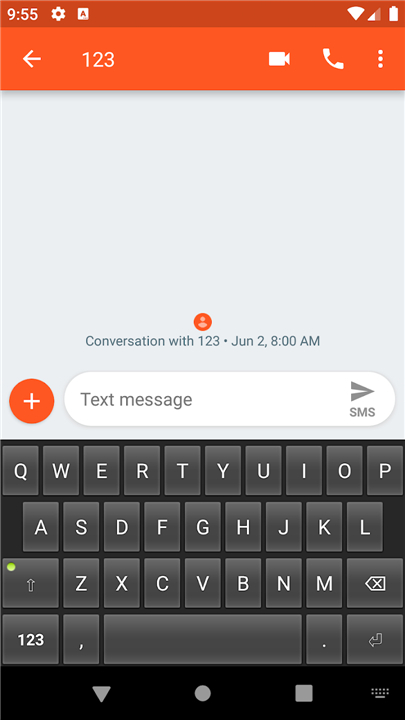
• Tiny Keyboard is a minimalist input method designed for users who prioritize privacy, speed, and extreme resource efficiency.
Efficiency
• This application is exceptionally lightweight, with a total file size of less than 32kB.
• It is designed to take up minimal storage and memory, making it ideal for older devices or users who prefer a bloat-free experience.
• The software is open-source and distributed under the Apache License Version 2.
Functionality and Layout
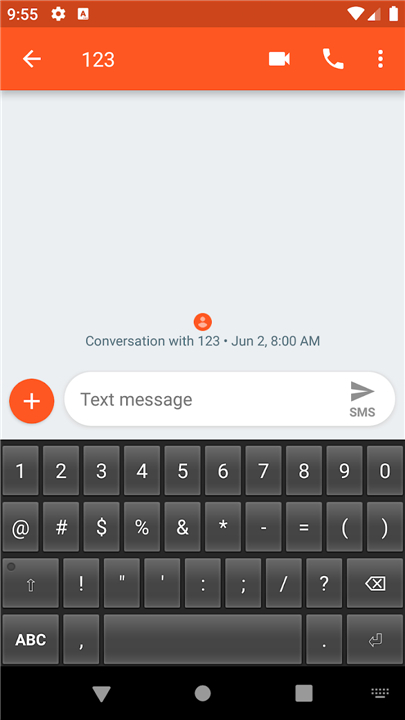
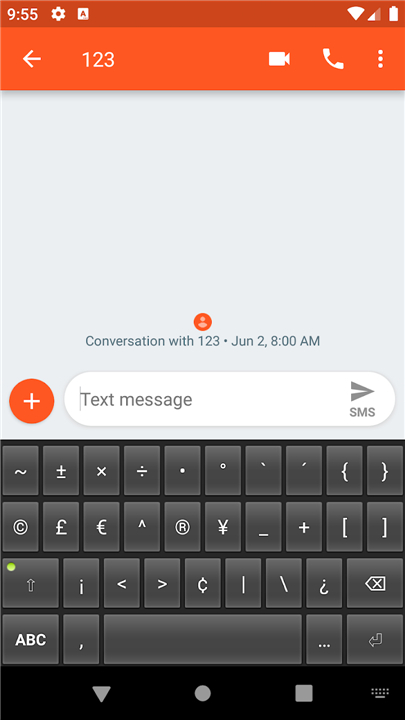
• The keyboard focuses on core typing functionality and provides a standard set of keys for text entry.
• Currently, the app exclusively supports the en_US (English United States) layout.
• To maintain its small footprint, the application does not include a launcher icon or a dedicated settings menu.
Privacy and Security
• Tiny Keyboard requires zero permissions to operate.
• Because it lacks network permissions, it is physically impossible for the app to track, log, or transmit your keystrokes to any external server.
• Users can type with total confidence that their sensitive data remains local to the device.
Installation and Activation
• Navigate to System Settings, then select Language and Input.
• Locate the Virtual Keyboard section and select Manage Keyboards. Note that this path may vary slightly depending on your Android version or device manufacturer.
• Toggle the switch to enable Tiny Keyboard. You may see a standard system warning regarding data tracking; this is a default Android alert and can be safely ignored because the app has no network access.
• To begin using it, open any text field and switch the input method to Tiny Keyboard.
• This is typically done by long-pressing the space bar on your current keyboard or selecting the keyboard icon in the navigation bar.
FAQ
Q: How large is the Tiny Keyboard app?
A: It is amazingly lightweight, with a total file size of less than 32kB. This tiny footprint ensures that it takes up virtually no storage space or system memory on your device.
Q: How does Tiny Keyboard protect my privacy and personal data?
A: Privacy is at the core of Tiny Keyboard. The application requires zero permissions to operate on your device. Because it lacks network access entirely, it is physically impossible for the app to track, log, or transmit your keystrokes to an external server, keeping all your sensitive data strictly local.
Q: Is Tiny Keyboard open-source?
A: Yes, it is completely open-source! The software is distributed under the Apache License Version 2, allowing transparent access to its source code so anyone can verify how it operates.
Version History
v0.12——17 Aug 2026
The smallest possible keyboard Download the latest version of Tiny Keyboard to enjoy new features and updates immediately!
*0.12
Minor bug fixes and improvements. Install or update to the newest version to check it out!
*0.11
Minor bug fixes and improvements. Install or update to the newest version to check it out!
*0.10
Minor bug fixes and improvements. Install or update to the newest version to check it out!