Quick Ball
Overview
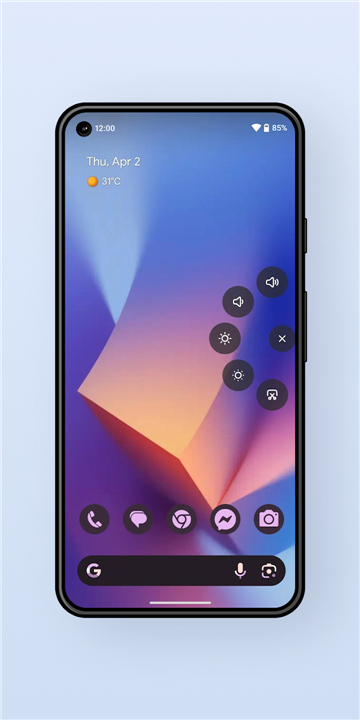
• Quick Ball is a lightweight, floating assistive utility designed to enhance device usability and streamline daily navigation.
• By placing essential system shortcuts directly on your screen, it reduces the need to stretch for physical buttons or navigate complex settings menus.
Key Features
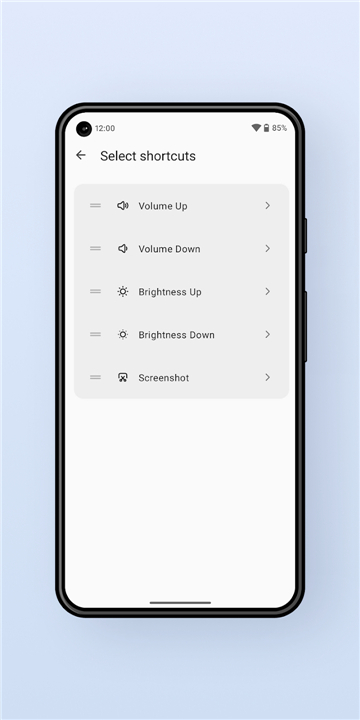
• Instant System Actions: Adjust volume, control screen brightness, and lock your screen immediately through a simplified shortcut menu.
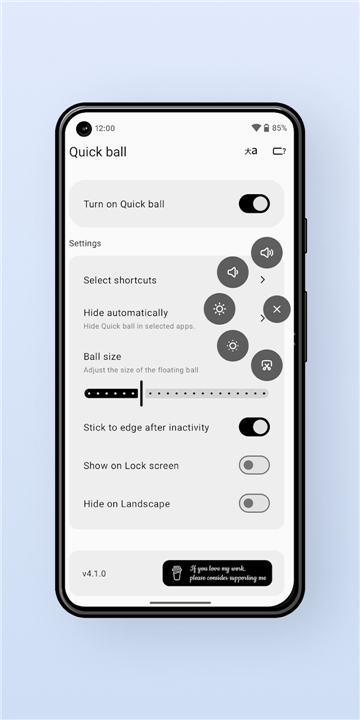
• Persistent Visibility: The floating widget remains visible over any running application, ensuring constant accessibility without interrupting your workflow.
• Intelligent Auto-Hide: Automatically vanishes when the device is locked to protect privacy, and restores visibility upon unlocking.
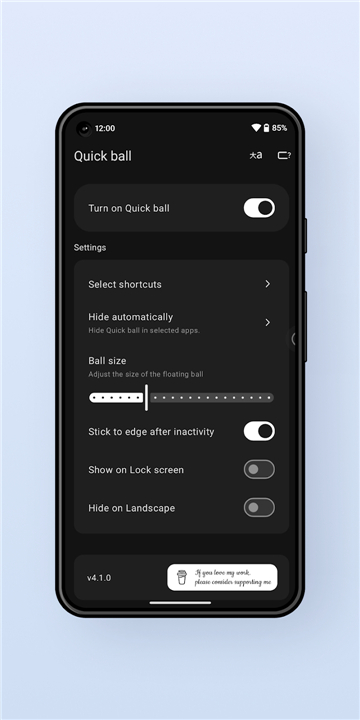
• Custom Positioning: Drag and place the ball anywhere on your screen. The app remembers your last preferred placement even after a device unlock.
• Magnetic Edge Snapping: When released, the ball smoothly snaps to the nearest screen margin to prevent it from blocking your active content.
Security and Permissions
• Accessibility Service: This permission is required solely to execute system-level commands, such as locking the screen and managing volume controls.
• Modify System Settings: Necessary for adjusting hardware-level parameters like screen brightness.
• User Privacy Commitment: The application operates with strict privacy standards. It does not collect, monitor, store, or share any personal user data or usage statistics.
Acknowledgments
• Special thanks to Akib Shikder for providing key UI/UX design suggestions that greatly improved the interface and overall user experience.
FAQ
Q: What instant system actions can I control using Quick Ball?
A: You can instantly manage key system functions through a simplified shortcut menu. This allows you to adjust your device volume, control screen brightness, and lock your screen immediately.
Q: Will the Quick Ball floating widget remain visible when I open other apps?
A: Yes, Quick Ball features persistent visibility. The floating widget remains visible over any running application on your device, ensuring constant accessibility without interrupting your workflow.
Q: How does Quick Ball protect my privacy when my screen locks?
A: Quick Ball includes an intelligent auto-hide feature designed for privacy protection. The widget automatically vanishes whenever your device is locked, and it restores its visibility as soon as you unlock your device.
Version History
v5.0.0——17 Aug 2026
Boost mobile usability with Quick Ball! A floating assistive widget for instant volume, brightness, and screen lock shortcuts. Download the latest version of Quick Ball to enjoy new features and updates immediately!
*5.0.0
Rewritten with Jetpack Compose for a smoother, modern experience
Smoother floating menu animations
Added new shortcuts for quicker access
Advanced customization settings for more control
*4.3.3
Fix stick issue on foldable devices.
*4.3.1
Fix edge sticking issue on some devices in landscape mode