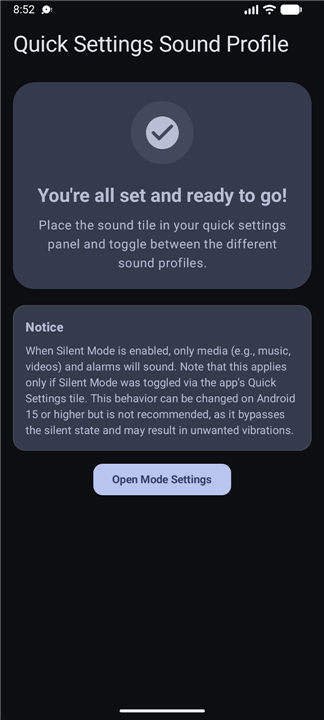
Quick Settings Sound Profile
Overview
• Quick Settings Sound Profile is a streamlined utility app designed to simplify audio management on your Android device.
• It provides an easily accessible shortcut to manage your system's audio states without disrupting your workflow.
Core Features
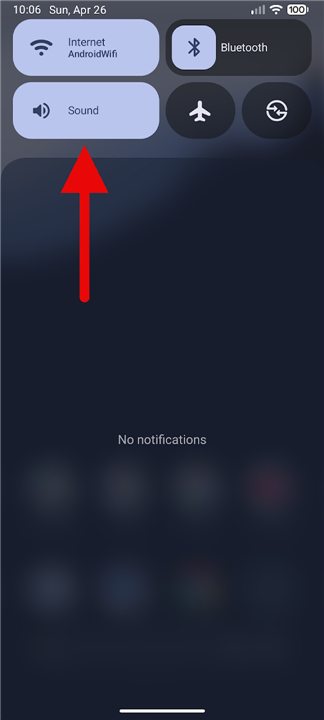
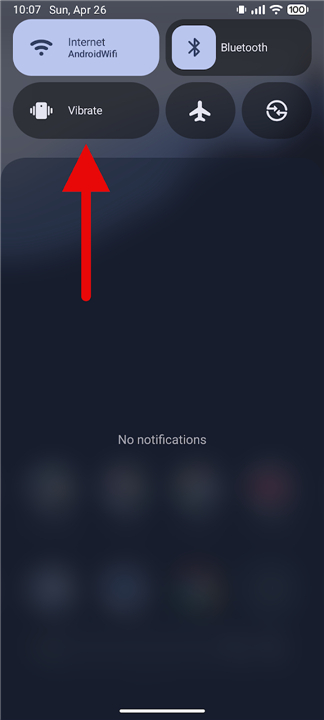
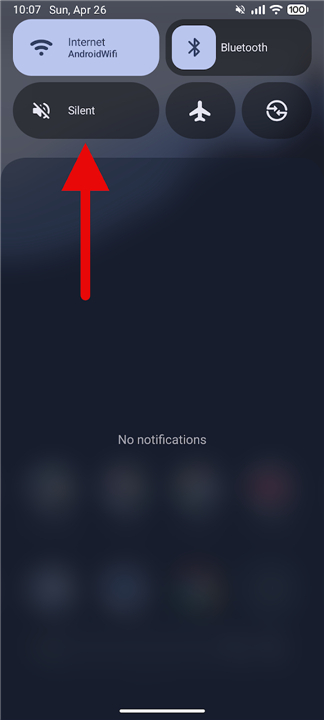
• A one-tap toggle allows you to cycle through Ring, Vibrate, and Silent modes directly from your notification shade.
• Eliminates the need to navigate through complex system settings menus or rely on physical volume buttons to change profiles.
Advanced Customization
• For devices running Android 15 or higher, the app offers granular control over individual audio behaviors.
• Users can customize specific volume levels and Do Not Disturb rules that trigger automatically when a sound profile is activated.
Compatibility and Optimization
• Specifically designed for Google Pixel smartphones to restore the convenient, native sound toggle missing from the stock software.
• Broadly compatible with a wide range of other OEM Android devices running compatible operating systems.
Setup and Requirements
• Features a simple installation process requiring users to manually add the custom tile to their active Quick Settings panel.
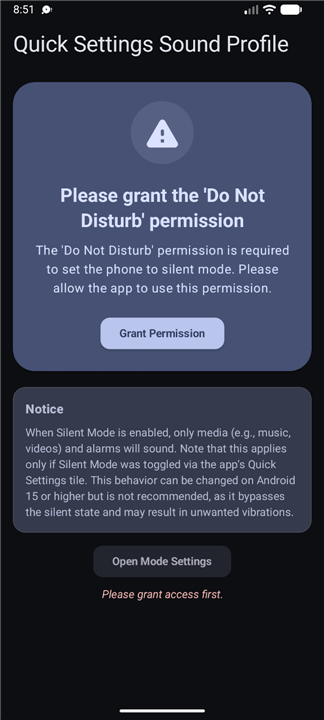
• Requires basic system permissions to modify audio settings and manage notification states for seamless operation.
Open Source Commitment
• The application is entirely open source, ensuring privacy, transparency, and a tracker-free user experience.
• The complete source code, release notes, and contribution guidelines are publicly hosted on GitHub at: https://github.com/CurryPlayer/quick-settings-sound-profile/
FAQ
Q: What are the different audio modes I can switch between using this tool?
A: The app features a convenient one-tap toggle that allows you to cycle through the three primary system audio states, which are Ring, Vibrate, and Silent. Each time you tap the tile in your notification shade, it will move to the next mode in the sequence, allowing you to quickly silence your phone in a meeting or turn the ringer back on when you are finished.
Q: Why would I use this app instead of just pressing the physical volume buttons on my phone?
A: While physical buttons are great for incremental volume adjustments, they often require multiple presses or on-screen confirmation to switch completely between silent and vibrate modes. This app streamlines that process into a single touch within the notification shade, which keeps your workflow smooth and reduces the wear and tear on your physical hardware buttons over time.
Q: Are there any special features available specifically for users running Android 15 or higher?
A: Yes, if your device is running Android 15 or more recent software, you can unlock advanced granular control over your audio behaviors. This includes the ability to set specific volume levels for different categories and define precise Do Not Disturb rules that activate automatically whenever a specific sound profile is selected.
Version History
v1.1.0——17 Aug 2026
Change your sound profile (ring, vibrate, mute) via a Quick Settings tile. Download the latest version of Quick Settings Sound Profile to enjoy new features and updates immediately!
*1.1.0
Minor bug fixes and improvements. Install or update to the newest version to check it out!
*1.0.1
Minor bug fixes and improvements. Install or update to the newest version to check it out!
*1.0.0
Minor bug fixes and improvements. Install or update to the newest version to check it out!