Yubico Authenticator
Next-Generation Hardware-Backed Security
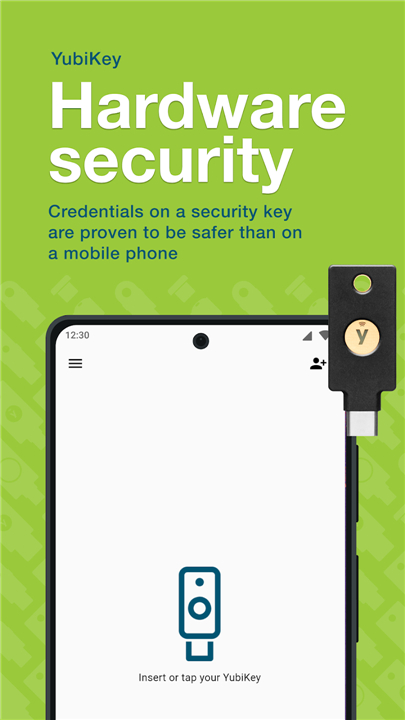
• The Yubico Authenticator elevates your digital security by storing two-factor authentication (2FA) secrets on a physical YubiKey rather than your vulnerable mobile phone, protecting your accounts from remote takeovers and device theft.
Ultimate Security and Control
1. Hardware-Backed Protection:
• Your highly sensitive credentials remain isolated on the physical YubiKey hardware, eliminating the risk of mobile device malware, cloning, and remote hacking.
2. User Presence Verification:
• Prevent unauthorized usage by requiring a physical touch on the YubiKey sensor or an additional NFC tap to generate sensitive passwords.
3. Offline Functionality:
• Generate secure codes entirely offline without requiring network connectivity, protecting you from SIM-swapping and cellular intercepts.
Seamless Portability and Flexibility
1. Cross-Platform Continuity:
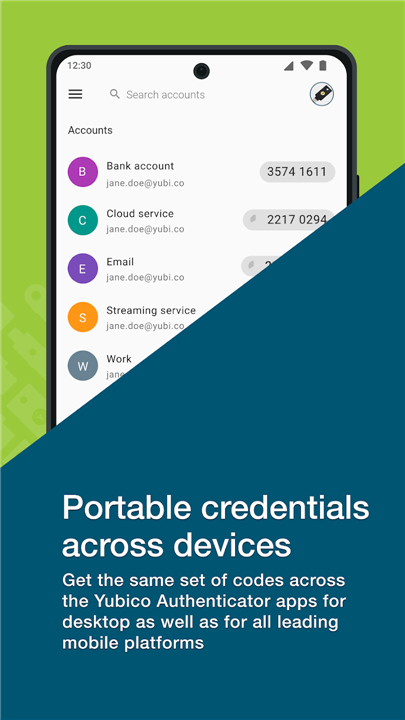
• Access the identical set of secure codes across several devices, including Android, iOS, Windows, macOS, and Linux.
2. Broad Compatibility:
• Secure any work or personal service that supports standard authenticator apps, supporting both Time-based (TOTP) and Counter-based (HOTP) protocols.
3. Multi-Account Management:
• Safely organize and store multiple business and personal credentials on a single physical key.
Effortless Setup and Customization
1. Quick Configuration:
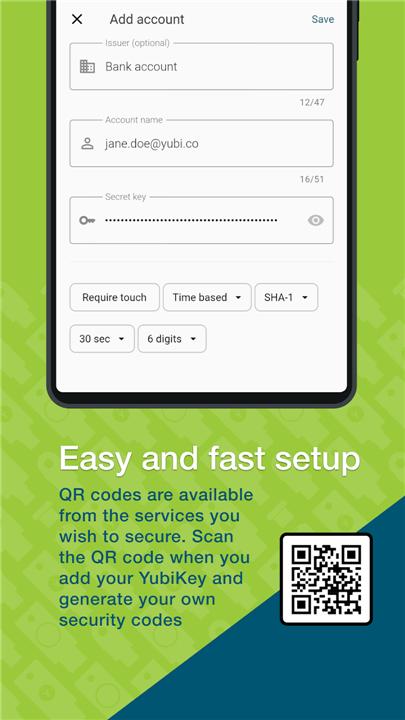
• Rapidly add new accounts by scanning standard QR codes provided by your chosen online services.
2. Dual Connectivity:
• Supports both direct USB insertion for desktops and quick NFC-enabled taps for mobile devices.
3. Custom NFC Actions:
• Configure automated system behaviors detailing what happens when you tap your YubiKey to your phone while the application is closed.
Experience professional-grade security today
• Learn more at yubico.com/products/yubico-authenticator.
FAQ
Q: Why is hardware-backed protection considered superior to keeping my 2FA codes on my smartphone?
A: Mobile phones are often susceptible to various threats like cloning, SIM-swapping, and sophisticated malware that can steal digital secrets from the device's internal storage. By isolating your highly sensitive credentials on the YubiKey hardware, you eliminate these remote attack vectors because the secret keys never actually leave the physical device.
Q: What is "user presence verification" and how does it protect my accounts?
A: This feature prevents unauthorized usage of your credentials by requiring a physical interaction with the YubiKey before a code is generated. You must either physically touch the sensor on a USB key or perform an NFC tap on your mobile device, which ensures that a human is actually present and intends to log in.
Q: Can I still generate my authentication codes if I don't have an active internet connection?
A: Yes, the Yubico Authenticator works entirely offline to generate secure codes, which means you never have to worry about cellular intercepts or being in a dead zone. This functionality provides a reliable and consistent way to access your accounts even when you are traveling or in areas with zero network connectivity.
Version History
v7.4.1——17 Aug 2026
Allows you to use a YubiKey to store 2-factor authentication credentials. Download the latest version of Yubico Authenticator to enjoy new features and updates immediately!
*7.4.1
- Fixed an issue where quickly tapping a navigation menu item could leave a blank screen.
- Updated dependencies and other maintenance improvements.
*7.4.0
- Improved accessibility.
- Fixed NFC HAL crash on startup.
- Added landscape orientation support.
- Redesigned QR scanner UI.
- Added support for Bulgarian and Hebrew.
*7.3.2
- Added support for Portuguese (Brazil), Italian, Hungarian and Dutch.
- Bug-fixes for user reported issues