BroadBoard
Overview
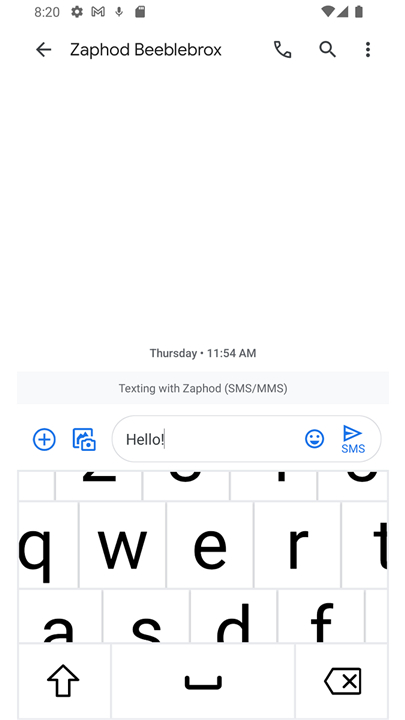
• BroadBoard is a specialized assistive keyboard application engineered specifically for individuals with low vision or significant visual impairments.
• While standard smartphone keyboards often present a barrier due to small key targets and cluttered layouts, BroadBoard provides a high-visibility, tactile-friendly alternative that restores independence in digital messaging and data entry.
Innovative Navigation and Movement
• The application features a unique floating interface that can be repositioned across the screen via touch.
• This mobility allows users to shift the keyboard to their optimal field of vision without relying on external screen magnifiers or audio-based screen readers.
• Users can type with greater speed and accuracy by placing the keys exactly where they can see them best.
Dynamic Input Modes
• Accessing different character sets is streamlined through a press-and-hold interaction on the spacebar.
• This centralized menu allows users to toggle seamlessly between:
+ A standard QWERTY layout for traditional typing.
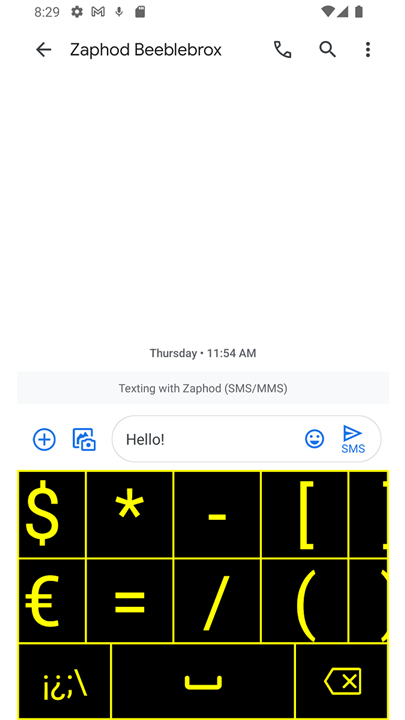
+ A dedicated symbols page for punctuation and special characters.
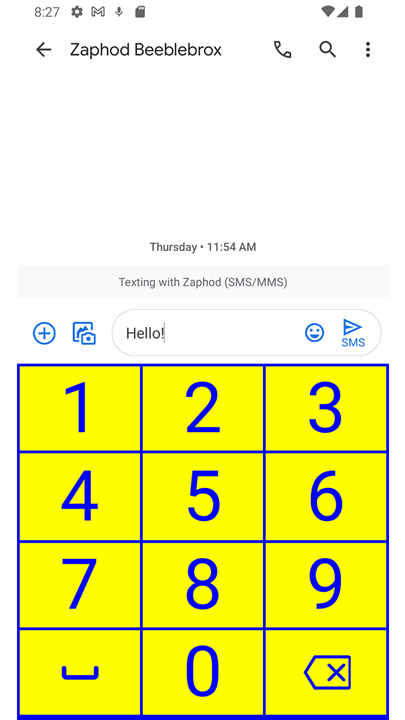
+ A numeric keypad for efficient data entry.
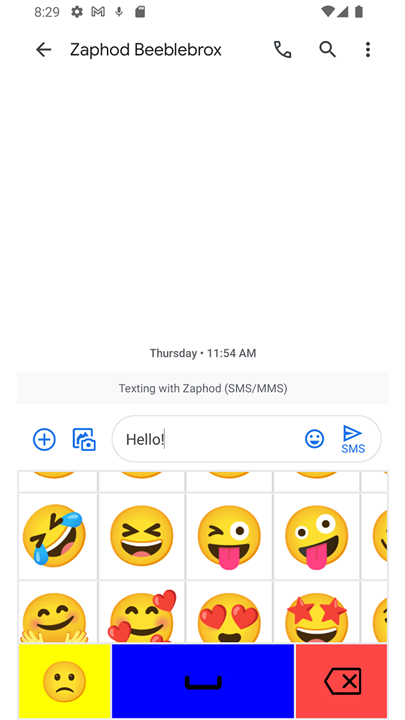
+ An integrated emoji selection for social expression.
Tailored Visual Sizes
• BroadBoard recognizes that visual needs vary significantly between users.
• It offers three distinct size configurations to ensure the keys are large enough to be legible:
+ Small: For those requiring a modest boost over standard system layouts.
+ Medium: A balanced approach for moderate vision loss.
+ Large: Maximum key surface area for those with severe visual challenges.
High-Contrast Color Themes
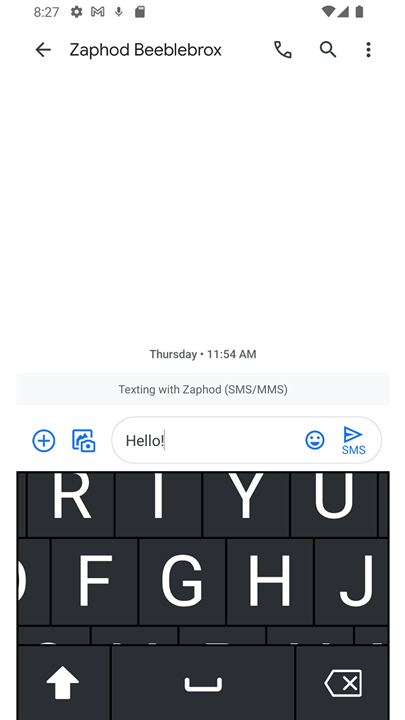
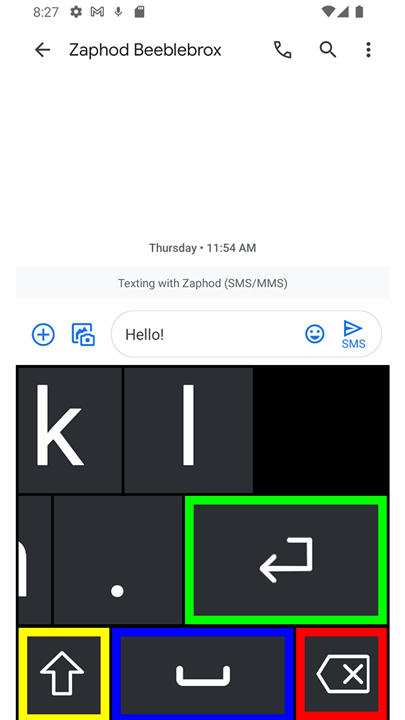
• To reduce eye strain and improve character recognition, the app includes several themes based on optimized color pairings:
+ Light and Dark: Classic modes for varying ambient lighting conditions.
+ Blue and Yellow: A high-visibility combination favored in many assistive tools.
+ Black and Yellow: One of the highest contrast pairings for maximum character definition.
FAQ
Q: Who can benefit the most from using BroadBoard?
A: This keyboard is specifically engineered for anyone living with low vision, macular degeneration, or other visual challenges that make standard mobile keyboards difficult to use. By providing larger key targets and customizable high-contrast layouts, it serves as a wonderful tool for anyone who struggles with eye strain or typing accuracy on a regular smartphone screen.
Q: How does BroadBoard solve the common problems found in standard smartphone keyboards?
A: Standard keyboards often feature tiny keys and crowded layouts that lead to frequent typos and eye fatigue. BroadBoard solves this issue by offering adjustable key sizes, high-contrast color schemes, and a unique floating design that allows you to position the keyboard exactly where it is easiest for you to see.
Q: What makes BroadBoard's navigation design so unique compared to traditional keyboards?
A: The most innovative feature of BroadBoard is its floating interface, which you can easily reposition across your screen with a simple touch. Instead of being locked to the bottom of the screen, you can slide the keyboard to any area that aligns best with your natural field of view.
Version History
v2.0——17 Aug 2026
A keyboard for people with low vision Download the latest version of BroadBoard to enjoy new features and updates immediately!
*2.0
Minor bug fixes and improvements. Install or update to the newest version to check it out!
*1.3
Minor bug fixes and improvements. Install or update to the newest version to check it out!
*1.2
Minor bug fixes and improvements. Install or update to the newest version to check it out!