Minimo | Minimalist Launcher
Overview
• Reclaim your attention and transform your relationship with your smartphone.
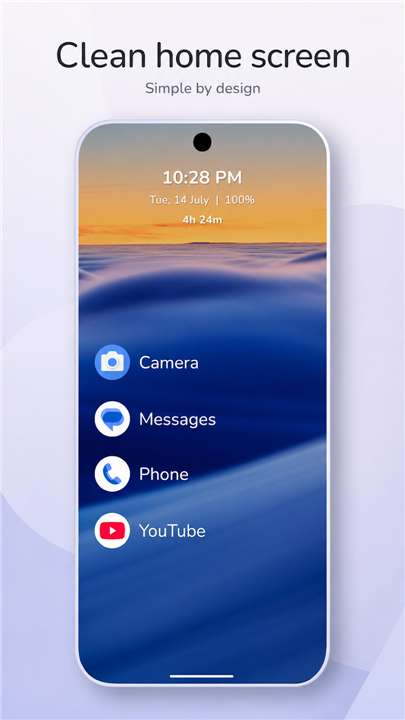
• Minimo replaces visual noise and mindless scrolling with a clean, text-first interface designed for clarity and intentional living.
• Step away from digital chaos and turn your device into a focused tool for productivity and peace of mind.
Mindful Home Screen
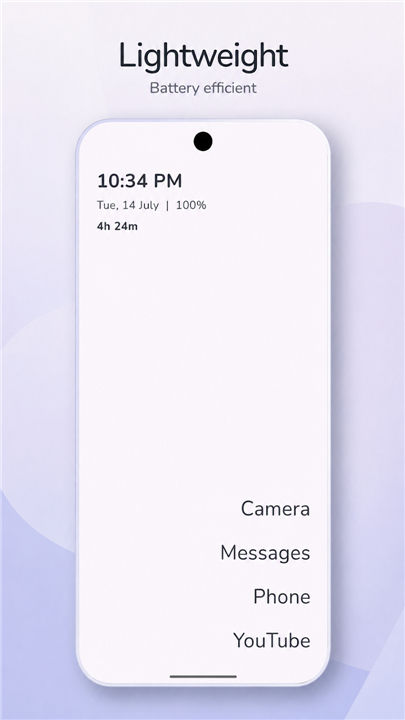
• Distraction-Free Layout: Replace cluttered, addictive icons with a clean, text-first display that keeps you centered on what truly matters.
• Screen-Time Awareness: Stay conscious of your daily habits with an integrated screen-time display and at-a-glance essentials like date, battery, and notification dots.
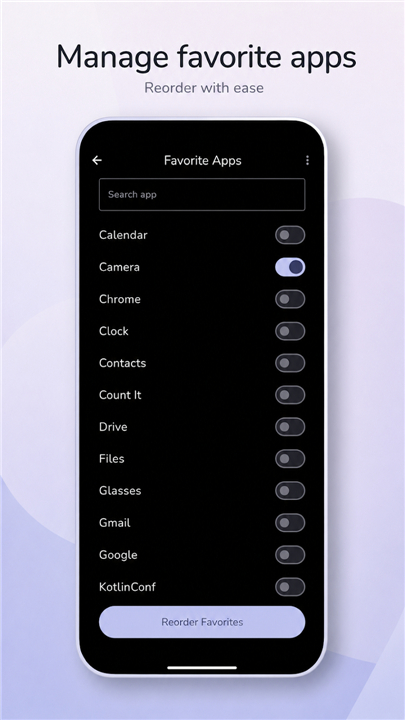
• Focused Environment: Hide seldom-used apps and keep only your daily essentials within reach.
Effortless Navigation
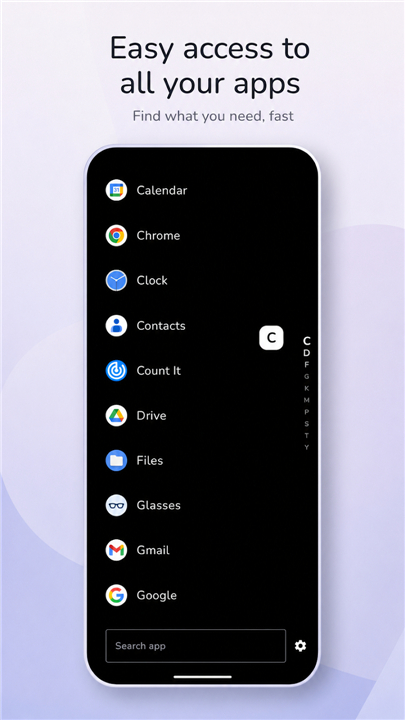
• Instant App Discovery: Find what you need in seconds with an ultra-fast searchable drawer, A-Z quick scrolling, and auto-launch capabilities.
• Fluid Gestures: Simplify your flow with intuitive double-tap screen locking and custom swipe shortcuts for your favorite tools.
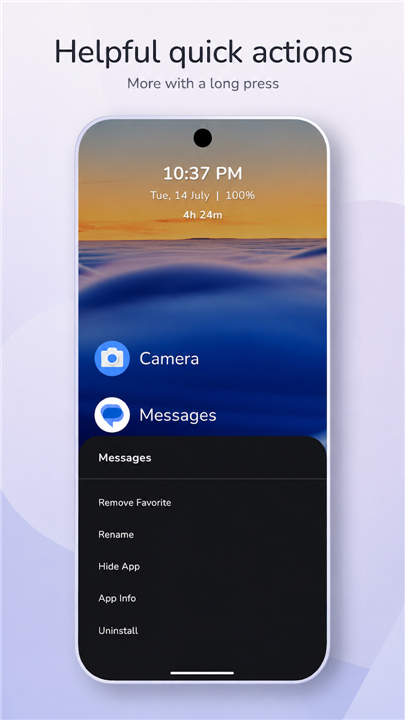
• Flexible Organization: Pin priorities, rename apps for clarity, and manage app settings directly from the home screen.
Personalized Aesthetics
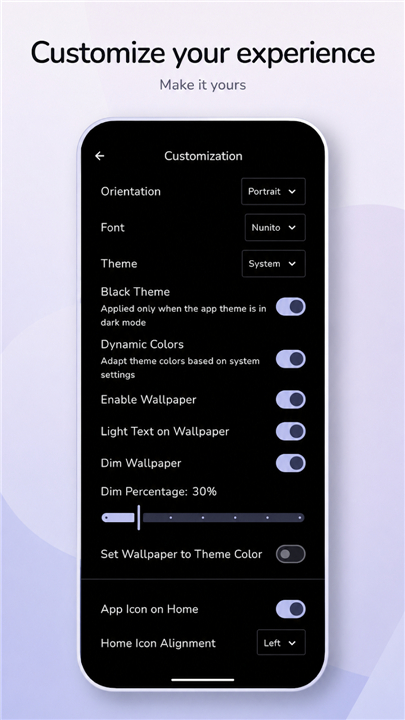
• Tailored Typography: Customize fonts, sizing, spacing, and alignments to craft a layout that reflects your personal rhythm.
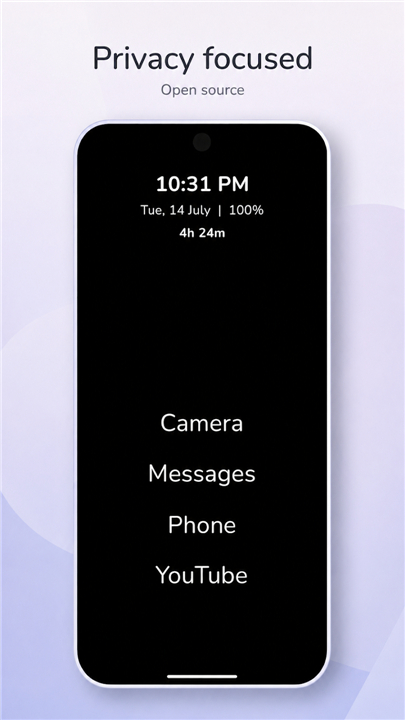
• Adaptive Visual Themes: Choose from Light, Dark, AMOLED Black, or dynamic system themes to match your environment.
• Wallpaper Harmony: Dim or color-match your background to ensure high readability and visual calm.
Speed, Privacy, and Trust
• Lightweight Efficiency: Engineered for fluid, responsive performance with minimal battery consumption.
• Absolute Privacy: Your device belongs to you; Minimo does not track, collect, or monetize personal data.
• Open Source Freedom: Completely free, transparent, and openly developed for the community.
• Permissions Note: Accessibility access is used exclusively for the optional double-tap to lock feature. Minimo does not collect, store, or transmit any personal data.
Source Code: https://github.com/VaibhavLakhera/minimo-launcher
FAQ
Q: Who is the ideal user for Minimo?
A: If you find yourself constantly tempted by endless scrolling, want a more mindful smartphone experience, or simply prefer a faster, less battery‑hungry home screen, Minimo is built for you. It’s especially suited for people who already have a basic grasp of Android settings and want deeper customization without diving into complex development.
Q: How does Minimo help me become more aware of my screen‑time?
A: The launcher includes an integrated screen‑time counter that updates in real‑time on the home screen. Alongside the date, battery level, and tiny notification indicators, you can glance at how long you’ve been using your device that day, making it easier to set limits and stay accountable.
Q: Can I hide apps I rarely use without uninstalling them?
A: Yes. Minimo lets you hide any app from the main list, keeping it accessible only through the searchable drawer. This way, your daily view stays focused on essentials while the hidden apps are still just a tap away when you need them.
Version History
v1.33.0——18 Aug 2026
Home screen without distractions. Reduce screen time, increase productivity. Download the latest version of Minimo | Minimalist Launcher to enjoy new features and updates immediately!
*1.33.0
- Added option of "Enable Wallpaper on Drawer"
- Added option of "Launch Delay" for the app
- Long press an app in Hidden Apps screen to launch them
- Added 2 more smaller options to the "App Icon Size" slider
- Added option of "Fast Scroller Alignment" to be either Right or Left
- Updated the App Drawer open/close animation
- Updated "Ignore Special Characters" dialog to remove any duplicated characters before updating
*1.32.0
- Added app icon support on home and drawer
*1.31.0
- Added Spanish translations
- Added option of "Dim Percentage" for wallpaper
- Added option of "Show Navigation Bar"
- Added option of "Back Opens Drawer"
- Added option of "Orientation" to change launcher orientation
- Removed apps marked as Favourite from the Hidden Apps screen