ConnectBot
Overview
• ConnectBot is a highly regarded, open-source Secure Shell (SSH) client designed primarily for the Android operating system.
• It serves as a vital tool for system administrators and power users who require reliable remote access to servers, workstations, and network devices while on the move.
• By providing a secure communication channel over unprotected networks, it ensures that data integrity and privacy are maintained during critical administrative tasks.
Remote Connectivity and Server Compatibility
• The primary function involves establishing encrypted connections to UNIX and Linux-based servers.
• It supports the standard SSH-2 protocol, allowing for comprehensive command-line interface access.
• Users can gain full control over remote file systems, service configurations, and software updates.
• The client is compatible with a wide range of distributions including Ubuntu, CentOS, Debian, Red Hat, and Fedora.
• It simplifies the management of various cloud-hosted virtual private servers and local development environments.
Advanced Session Management
• Features a robust interface for managing multiple simultaneous SSH sessions across different remote hosts.
• Allows users to keep connections active in the background, preventing timeouts during network transitions or app switching.
• Provides quick-switching capabilities between active terminal screens via horizontal swipe gestures.
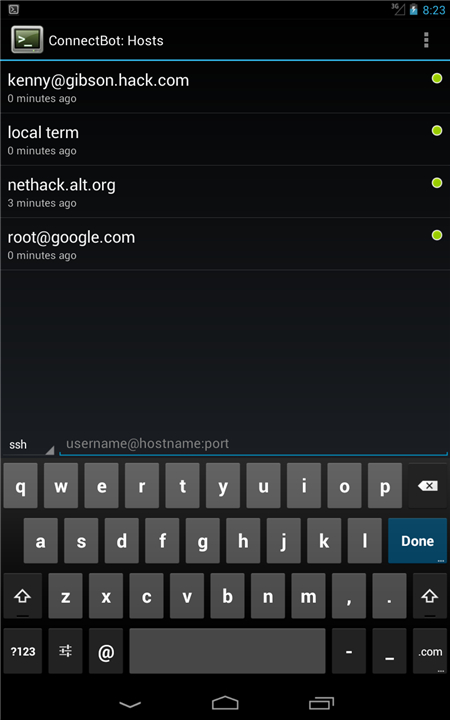
• Maintains an organized, searchable host list for the rapid deployment of frequently accessed environments.
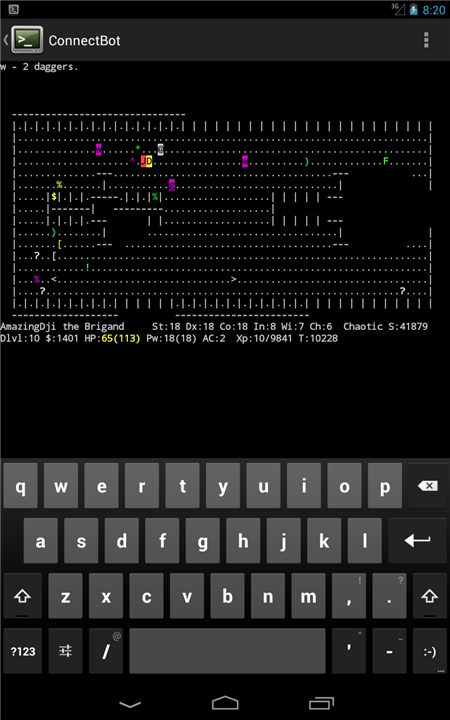
• Includes an integrated terminal emulator that accurately interprets standard terminal escape sequences and color codes.
Security and Encrypted Tunneling
• Supports the creation of secure SSH tunnels, facilitating port forwarding for local mobile applications.
• Enables the encryption of otherwise insecure traffic through the hardened SSH communication pipe.
• Provides a built-in key manager for generating, importing, and storing RSA, DSA, and ECDSA key pairs.
• Enhances security by promoting public-key authentication over traditional, vulnerable password-based logins.
• Strictly adheres to modern cryptographic standards to prevent unauthorized eavesdropping and man-in-the-middle attacks.
Interface Usability and System Integration
• Offers seamless copy and paste functionality between the terminal and diverse external Android applications.
• Includes customizable font sizes and keyboard mapping to optimize the mobile terminal experience.
• Provides support for physical hardware keyboards connected via Bluetooth or USB for complex command-line tasks.
• The open-source nature ensures the software remains free of advertisements and unwanted data collection while allowing for community-driven audits.
FAQ
Q: Which types of servers and operating systems can I manage with this app?
A: The application is primarily designed to establish encrypted connections with UNIX and Linux-based systems. It is highly versatile and works seamlessly with most major distributions, including popular options like Ubuntu, CentOS, Debian, Red Hat, and Fedora. Whether you are managing a massive cloud-hosted virtual private server or a small local development environment, ConnectBot provides the compatibility you need to get the job done.
Q: Does ConnectBot support the latest security standards for remote connections?
A: Yes, it strictly adheres to the standard SSH-2 protocol to ensure that your remote sessions are safe and encrypted. By using modern cryptographic standards, the app protects your data from common threats like eavesdropping or man-in-the-middle attacks. This makes it a reliable tool for performing sensitive administrative tasks over unprotected public Wi-Fi or mobile networks.
Q: Can I run more than one SSH session at the same time?
A: One of the standout features of ConnectBot is its robust session management system, which allows you to maintain multiple simultaneous connections to different hosts. This is incredibly helpful when you need to coordinate tasks across several servers at once. You can easily keep track of all your active terminals without having to disconnect and reconnect repeatedly.
Version History
v1.10.3——14 Apr 2026
ConnectBot is a powerful open-source Secure Shell (SSH) client. Download the latest version of ConnectBot to enjoy new features and updates immediately!
*1.10.3
Changed
• Fixed scrolling behavior in new update.
• Major Material Design overhaul of UI.
• Improved cut-and-paste interface.
Added
• Tabs are now used on large screens.
• Keyboard shortcuts and EULA in help menu.
• Terminal mouse support including mouse wheel.
• Full IPv6 host support.
Removed
• No more intro wizard on first start.
• No more outdated physical or virtual keyboard instructions.
*1.10.2
Changed
• Fixed scrolling behavior in new update.
• Major Material Design overhaul of UI.
• Improved cut-and-paste interface.
Added
• Tabs are now used on large screens.
• Keyboard shortcuts and EULA in help menu.
• Terminal mouse support including mouse wheel.
• Full IPv6 host support.
Removed
• No more intro wizard on first start.
• No more outdated physical or virtual keyboard instructions.
*1.10.1
A brand new ConnectBot!
* Post-Quantum Safe!
* New terminal emulator
* Refreshed UI